
What is API Testing
API testing is an essential part of modern software development that verifies whether backend services function correctly, securely, and efficiently. It involves sending requests to APIs and validating responses, including status codes, data, and performance. Unlike UI testing, API testing directly checks the logic and data flow of an application, making it faster and more reliable for identifying issues early.
API Testing Using Postman in Visual Studio Code
Traditionally, API testing has been done using standalone tools. However, using Postman within Visual Studio Code allows developers and testers to perform API testing directly inside their development environment. This reduces context switching and improves productivity.
With the Postman extension in VS Code, you can create requests, organize them into collections, manage environments, and validate responses—all without leaving the editor. This provides a streamlined workflow for both development and testing.
Installation and Setup
Step 1: Install the Postman Extension
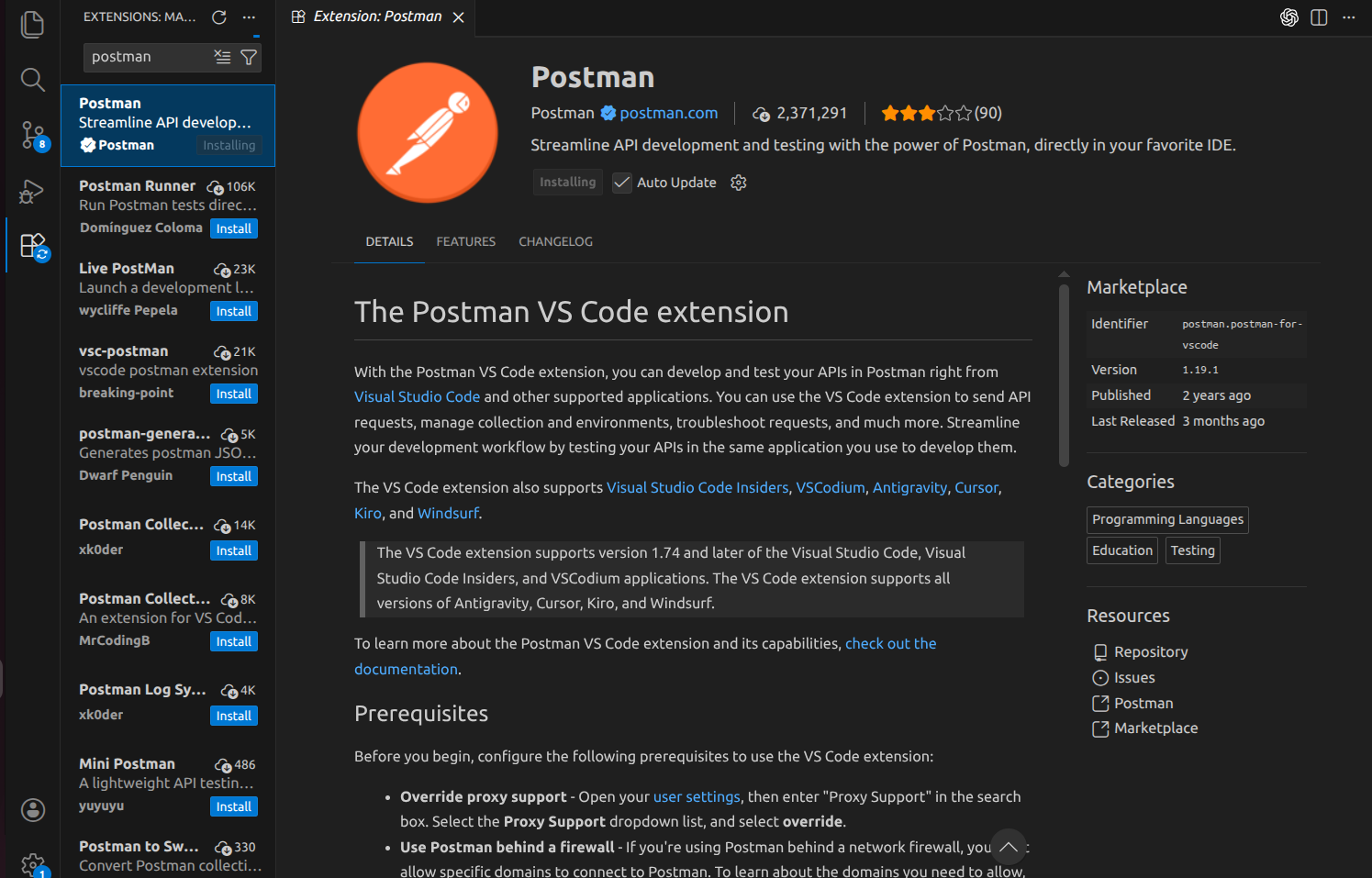
Open Visual Studio Code and navigate to the Extensions panel using Ctrl + Shift + X. Search for “Postman” and install the official extension provided by Postman.
Step 2: Sign In to Postman
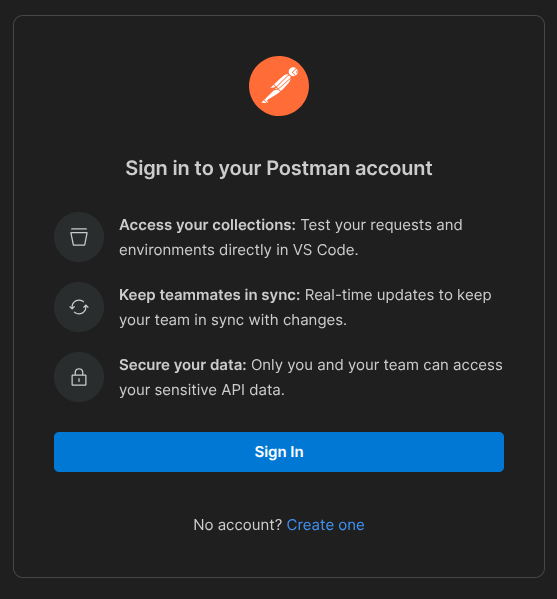
After installation, access the Postman panel from the sidebar and sign in using your Postman account credentials. Signing in enables synchronisation of collections, environments, and request history.
Understanding the Postman Workspace in VS Code
After signing in, the Postman interface becomes available within VS Code. The workspace is organized into several key sections.

Collections are used to group and organize API requests logically. This is useful for structuring APIs based on modules, services, or features.
Environments allow you to define variables such as base URLs, authentication tokens, and configuration values. These variables can be reused across multiple requests, making your tests more maintainable.
History provides a record of previously executed API requests, which helps debug and re-run tests.
Creating and Sending API Requests
Create a new request in Postman, select the HTTP method (GET, POST, PUT, DELETE), and enter the API URL. After configuring the request, click Send to execute it. The response will include status code, body, headers, and response time, helping you verify API behavior.
Organizing Requests Using Collections
Collections help group related API requests, such as login or user APIs, into a single structure. This improves organization, makes testing easier, and allows requests to be saved and reused without recreating them.
Importing and Exporting Collections
Postman allows importing collections from JSON files or links and exporting them for sharing or version control. This helps maintain consistency and collaboration across teams.
Using Environments and Variables
Environments let you store reusable variables like URLs and tokens instead of hardcoding them. This makes it easy to run the same collection across different environments, such as development or production.
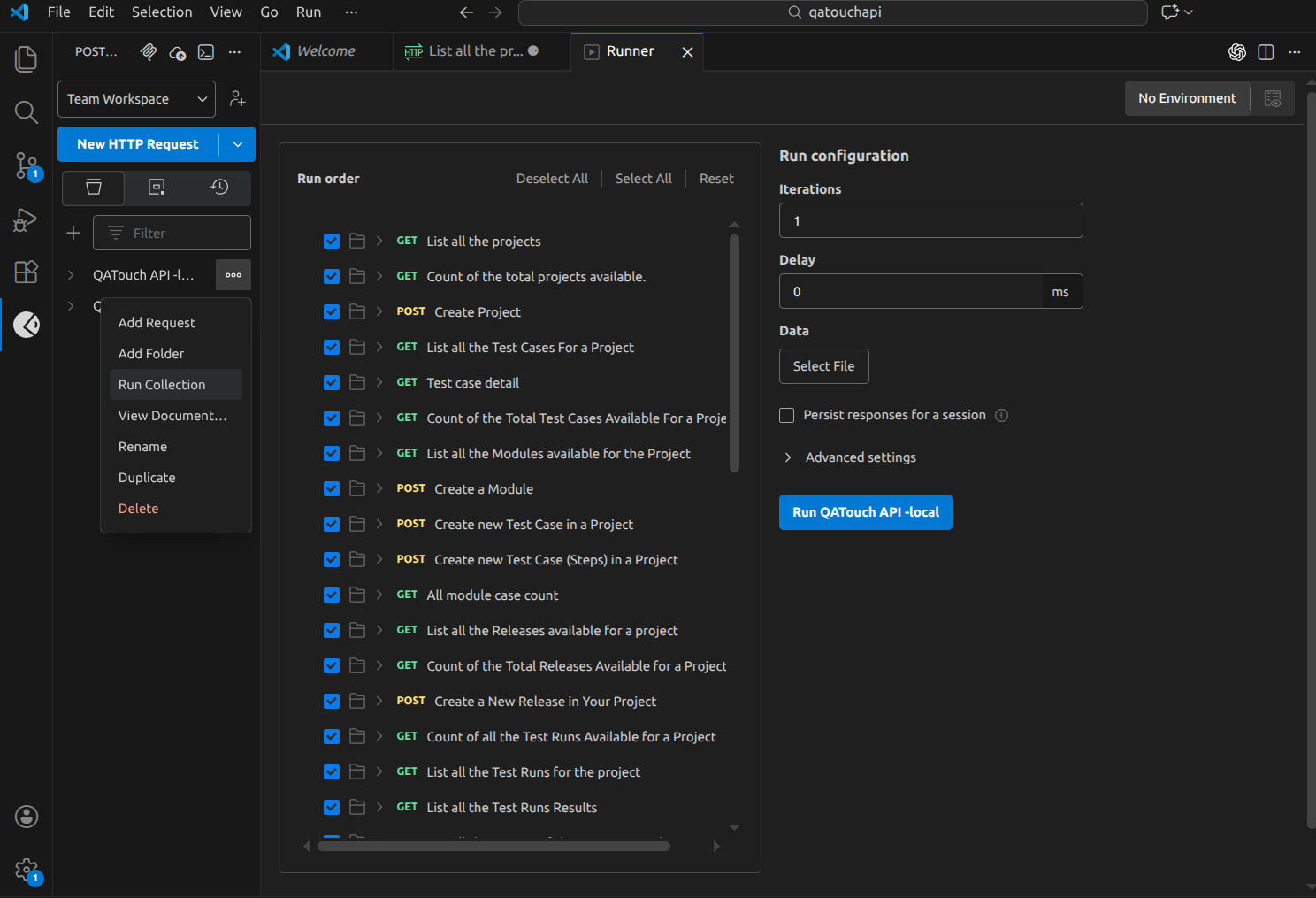
Running Collections for Batch Testing
Postman supports executing multiple API requests in sequence using the collection runner. This feature allows testers to run entire test suites with predefined configurations.
You can configure the number of iterations, select an environment, and execute all requests within a collection. This is particularly useful for regression testing and validating multiple scenarios in a single run.
Automation Scripts in Postman (Pre-request and Post-response)
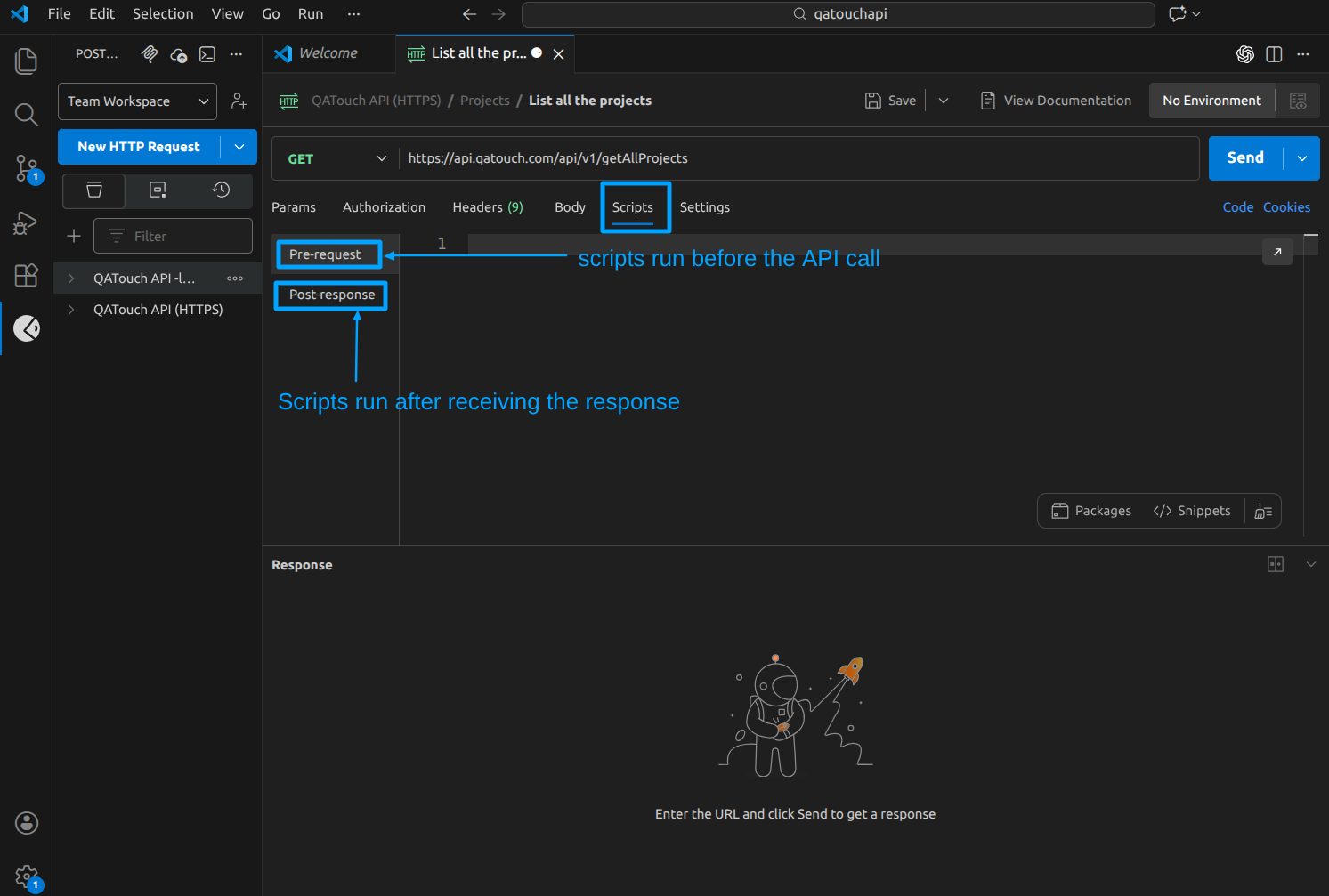
Postman allows you to execute JavaScript at two stages of an API request lifecycle: before sending the request and after receiving the response.
Pre-request scripts
Pre-request scripts run before the API call and are used to prepare dynamic data such as tokens, variables, timestamps, or request modifications. They ensure the request is sent with correct and updated values.
Sample script:
Post-response scripts
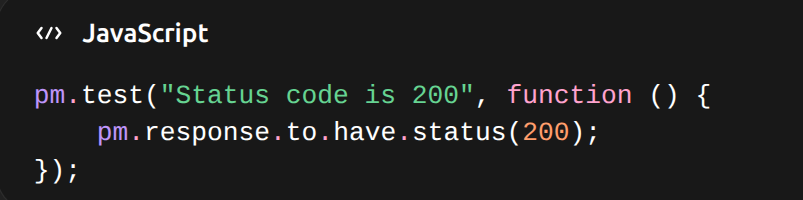
Post-response scripts run after receiving the response and are used for tests and assertions. They validate status codes, response structure, and data to ensure the API behaves as expected.
Advantages of Using Postman in VS Code for Local API Testing
Single Workspace for Development and Testing: You can write backend code and test APIs in the same editor without switching tools, improving focus and productivity.
Faster Debugging of Local APIs: Changes can be tested instantly on the local server, allowing quick identification and resolution of issues.
Easy Handling of Localhost and Ports: APIs running on different localhost ports can be tested easily, and variables can be used to manage multiple services efficiently.
Organized API Management: Collections help group local APIs in a structured way, making it easier to manage multiple modules within a project.
Better Visibility of API Behavior: You can view status codes, response data, headers, and performance metrics in one place for better analysis.
Reusability of Requests: Requests can be saved and reused, avoiding repeated configuration during testing.
Simplified Collaboration: Collections can be exported and shared with team members to maintain consistent testing practices.
Integrating Postman into Visual Studio Code provides a streamlined and efficient approach to API testing. By combining development and testing in a single environment, teams can improve productivity and maintain consistency across workflows.
With features such as collections, environments, scripting, and automation, the Postman extension in VS Code offers a comprehensive solution for both manual and automated API testing.