
At QA Touch, our mission has always been to simplify test case management while equipping QA teams with powerful capabilities to deliver high-quality software faster. With our latest product update, we’re introducing a set of enhancements that focus on efficiency, visibility, scalability, and seamless integration.
Let’s explore everything that’s new in detail
https://www.qatouch.com/blog/qa-touch-playwright-integration-2-0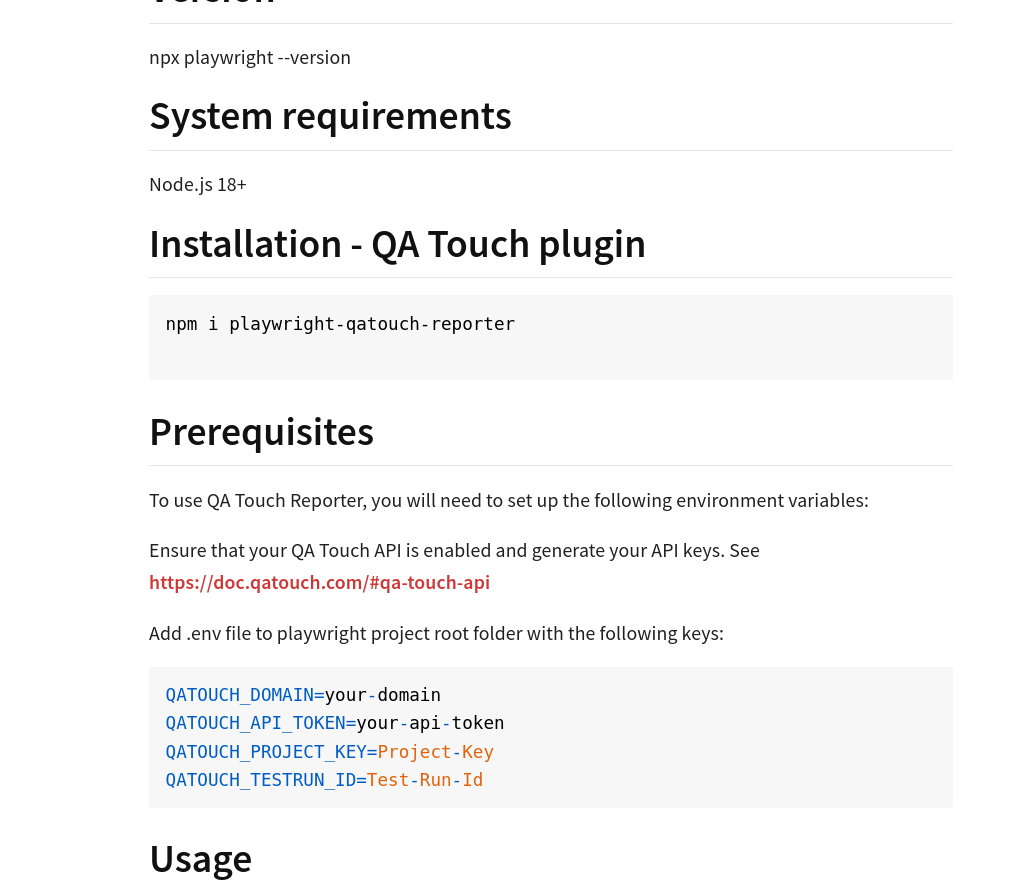
 JIRA RTM
 Read More
These new features are designed to help you work smarter, move faster, and deliver better quality software
Log in to QA Touch today and start exploring these powerful new capabilities.
Read More
These new features are designed to help you work smarter, move faster, and deliver better quality software
Log in to QA Touch today and start exploring these powerful new capabilities.
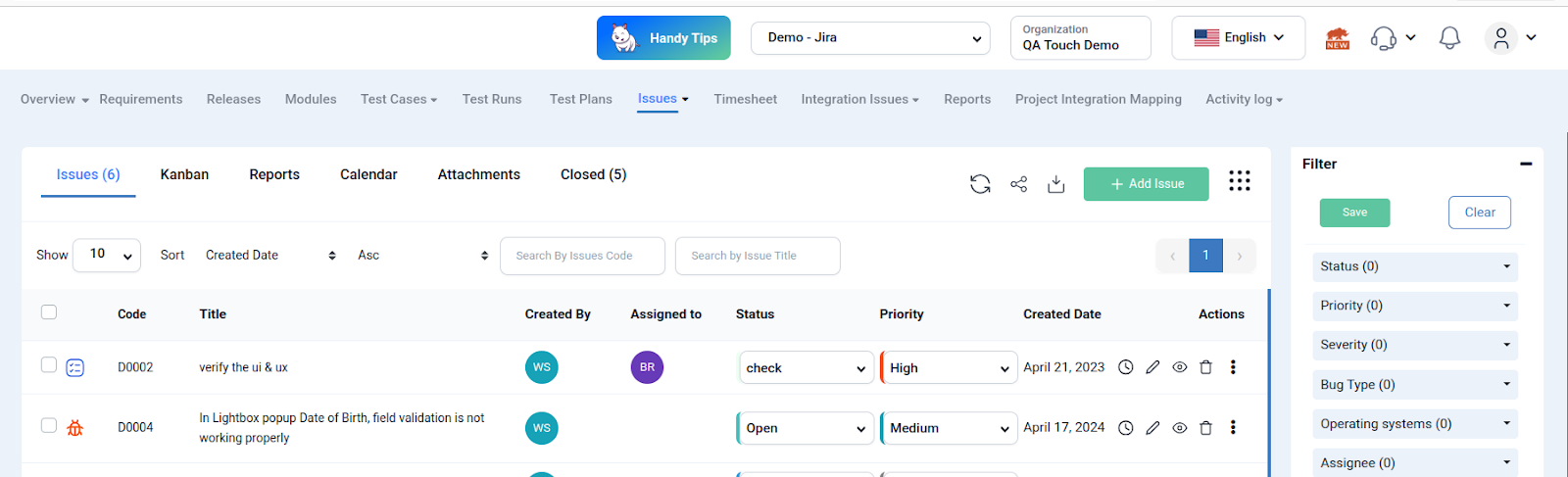
Save Filters for Issues Option Introduced
Added the ability to save and reuse filters for issue fields. Filtering issues is a daily activity. Whether you’re tracking bugs by priority, assignee, status, or environment, repeatedly applying the same filters can slow you down. All high-priority bugs Assigned to a specific developer Still in an open or in-progress state. Instead of recreating this filter every time, you can now save it once and reuse it whenever needed.
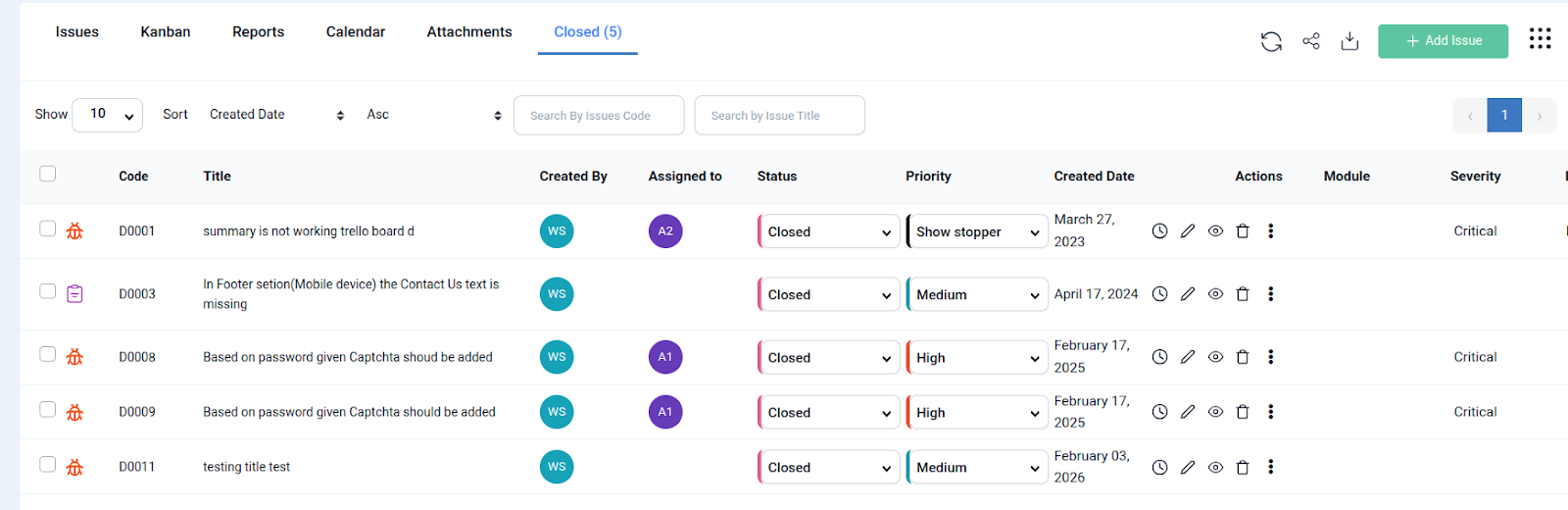
Introduced Closed Issues Tab
A separate tab to view all closed issues. Clear distinction between active and completed work. Mixing open and closed issues in the same view can clutter your workspace and reduce productivity.How it helps:
- QA teams can focus only on active issues
- Managers can easily review completed work
- Historical tracking becomes more structured
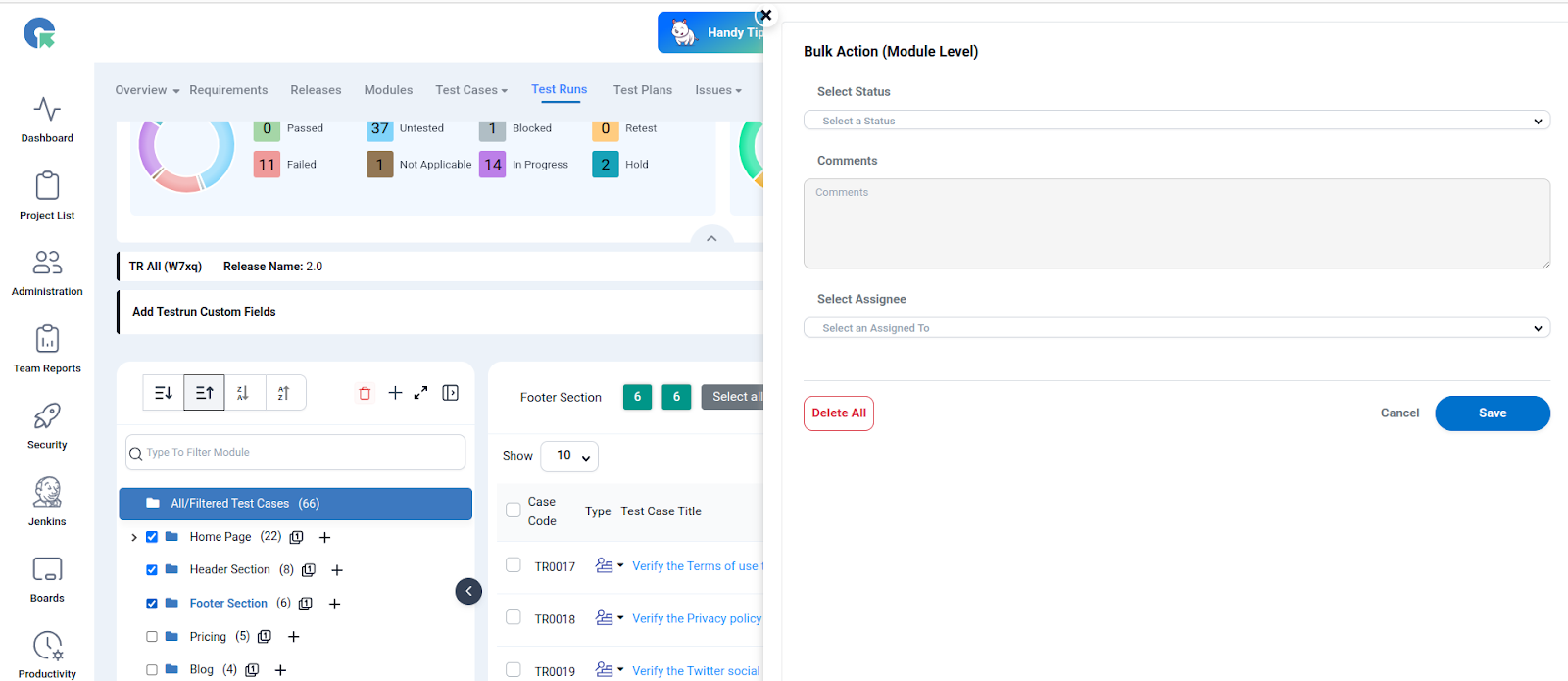
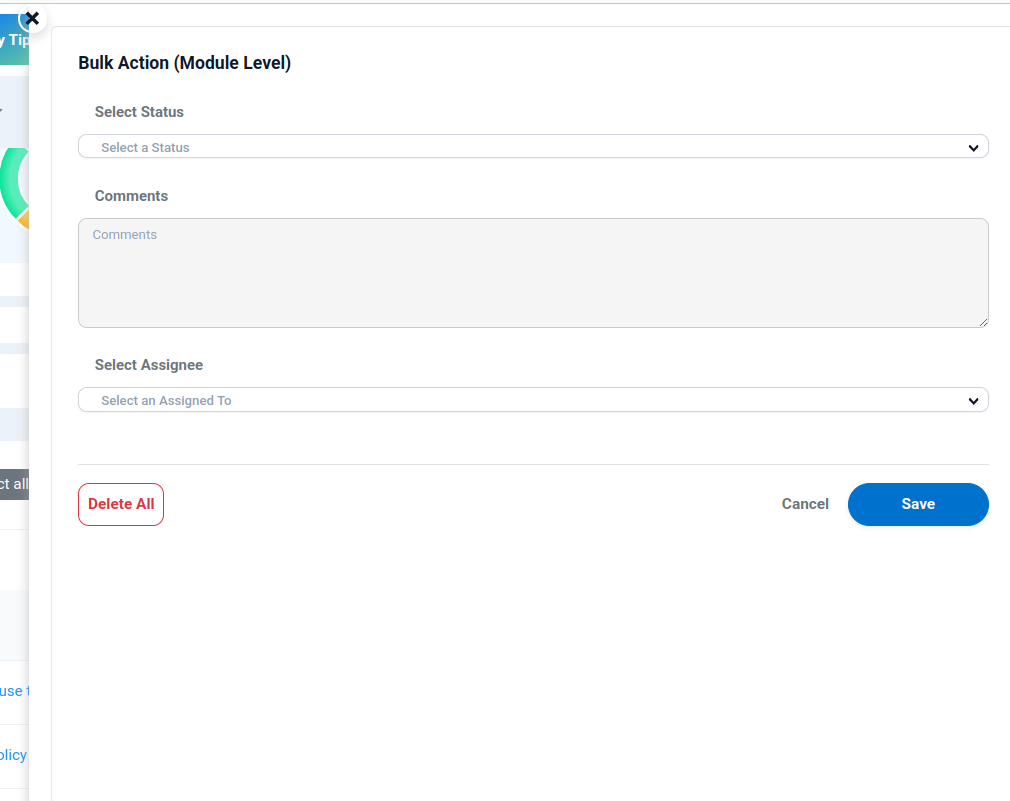
Module-Level Bulk Updates for Test Runs & Results
Handling hundreds (or thousands) of test cases manually can be overwhelming especially when updating statuses or assigning team members. Update assignee for multiple test cases at once. Change status (Pass, Fail, Blocked, etc.) in bulk Apply updates at the module level
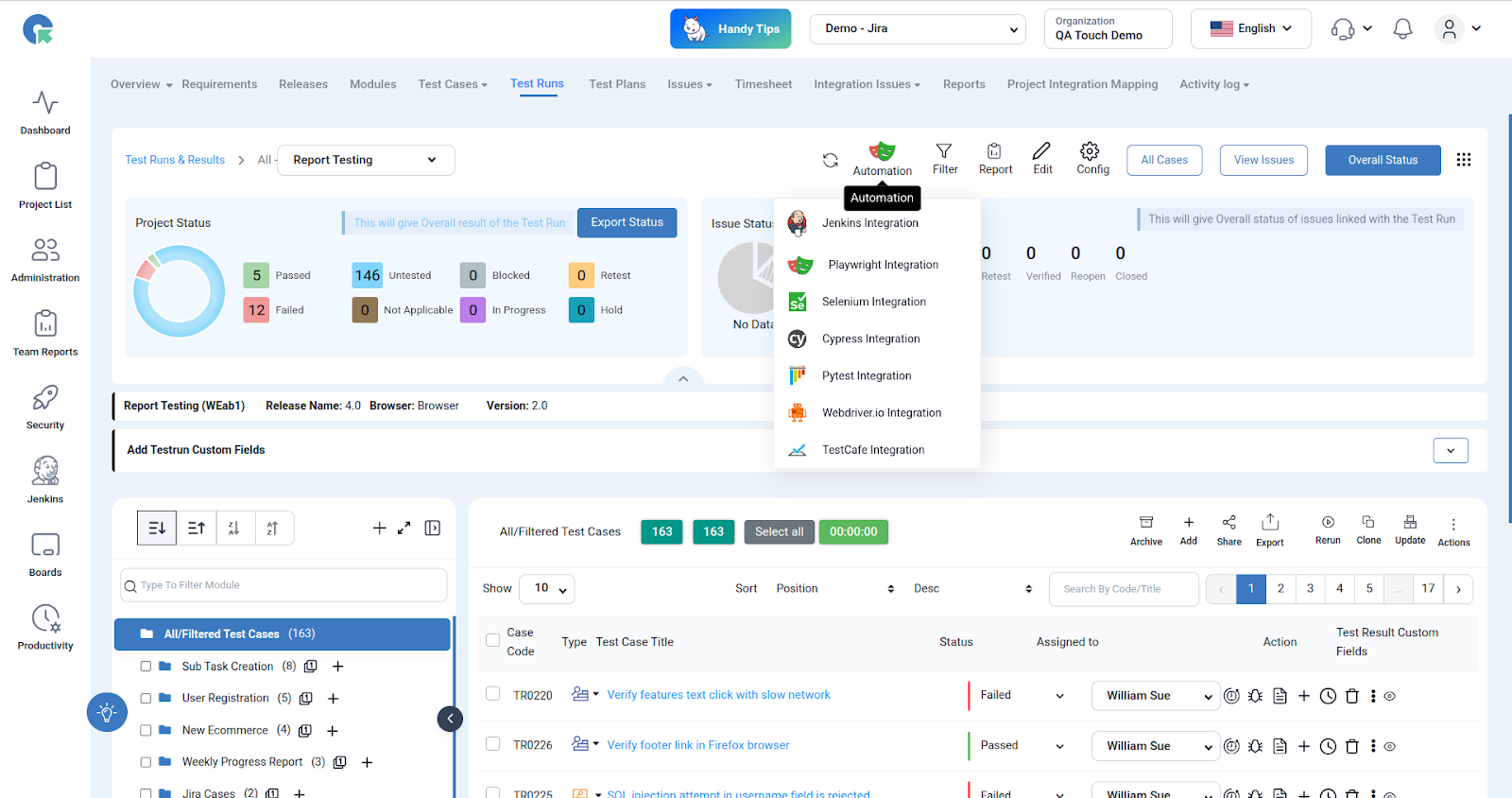
Playwright 2.0 Upgrade
Smarter automation insights with enhanced reporting
Automation is a key pillar of modern QA, and Playwright continues to be a preferred framework for cross-browser testing. Playwright Integration 2.0, QA Touch enhances how automation results are captured and analyzed. This provides visual evidence for failures and speeds up debugging. Browser Different Result (WebKit, Chrome, Firefox): This feature records and shows test execution results independently for each browser, making it simple to compare pass/fail status, errors, and behaviour differences in order to promptly identify browser-specific problems and guarantee consistent cross-browser functionality. Attachment Sync: Assists teams in rapidly debugging failures with comprehensive visual and execution evidence by automatically uploading and linking Playwright-generated screenshots to the corresponding test cases in QA Touch. Time Spent: Keeps track of how long each test case takes to execute in various browsers, offering insights into performance variances, assisting in the identification of tests that run slowly, and promoting the optimisation of overall test execution efficiency.Time Spent Tracking
Each test execution now records:- Time taken per test case
- Performance differences across browsers
https://www.qatouch.com/blog/qa-touch-playwright-integration-2-0
JIRA App 2.0 Upgrade
Stronger collaboration between QA and development
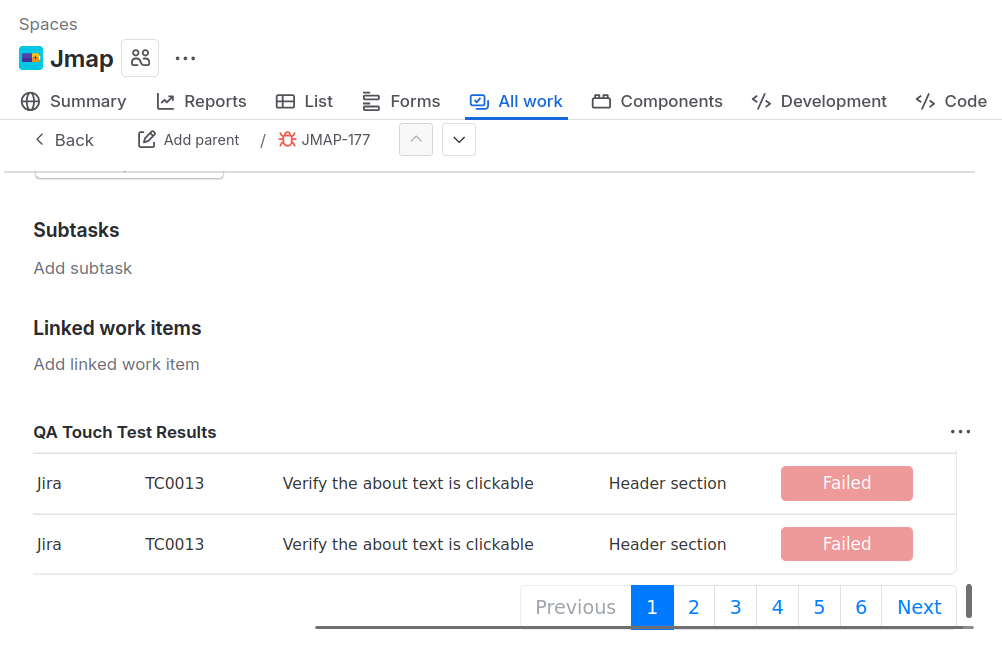
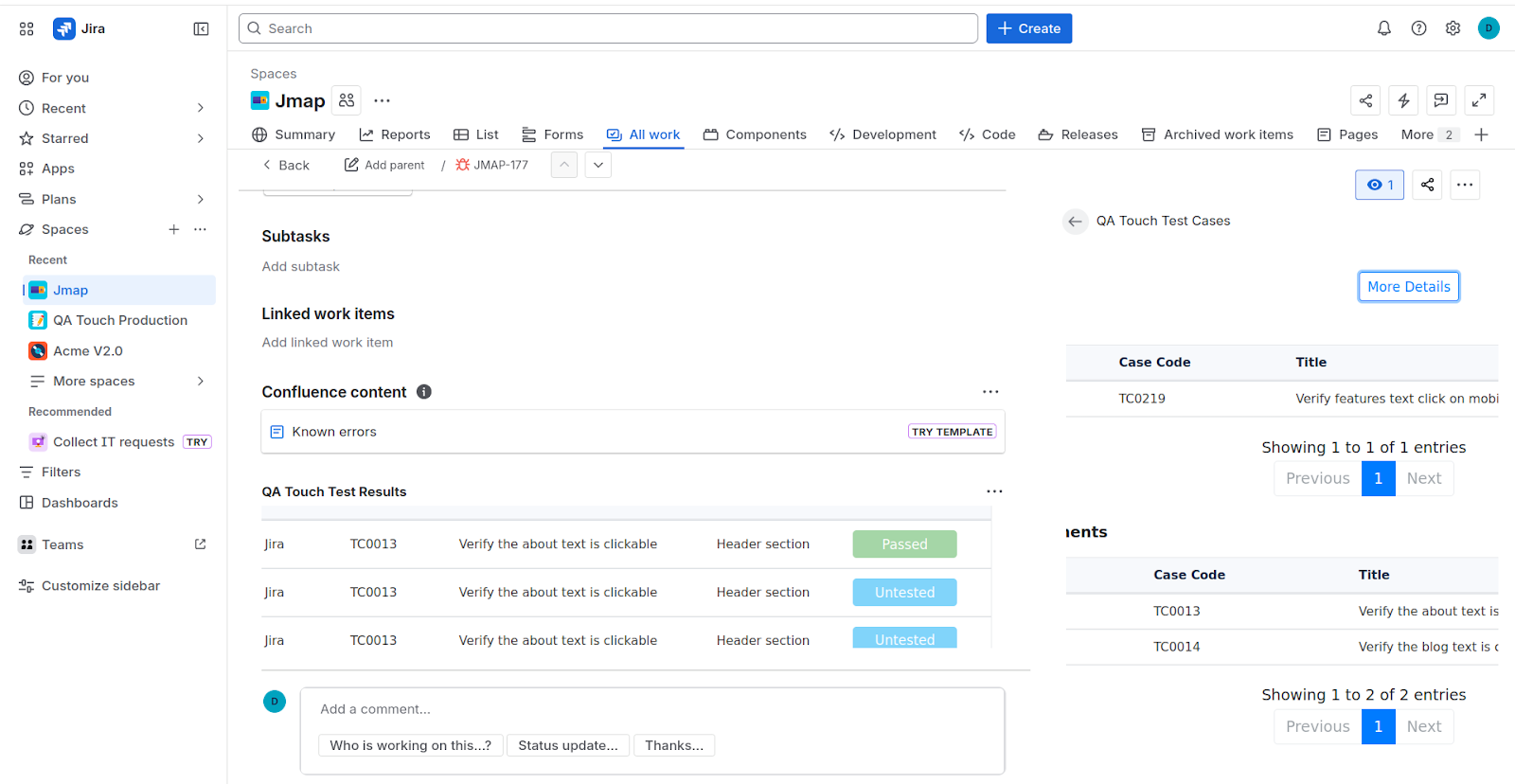
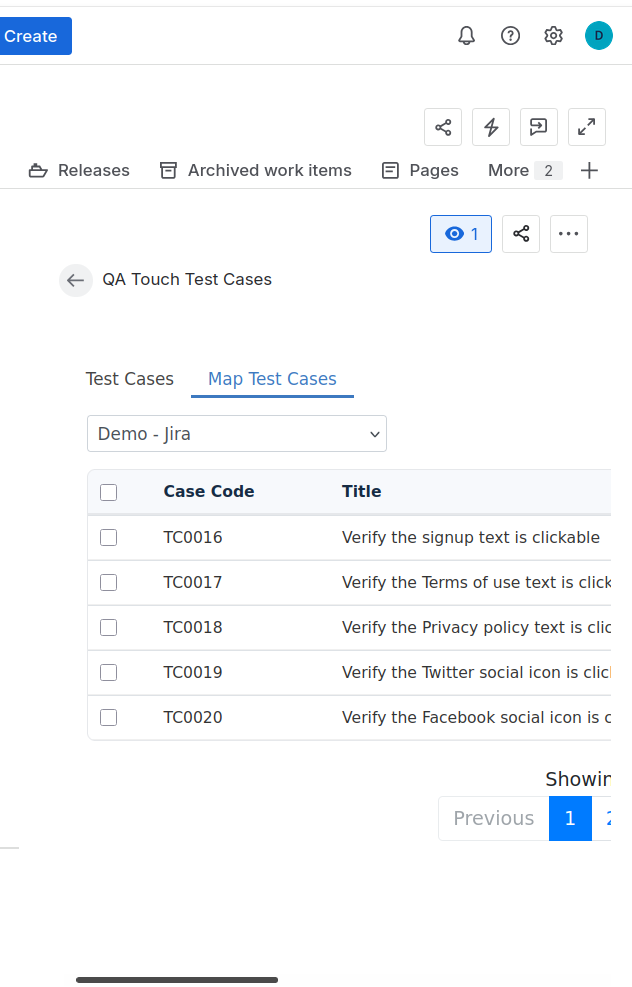
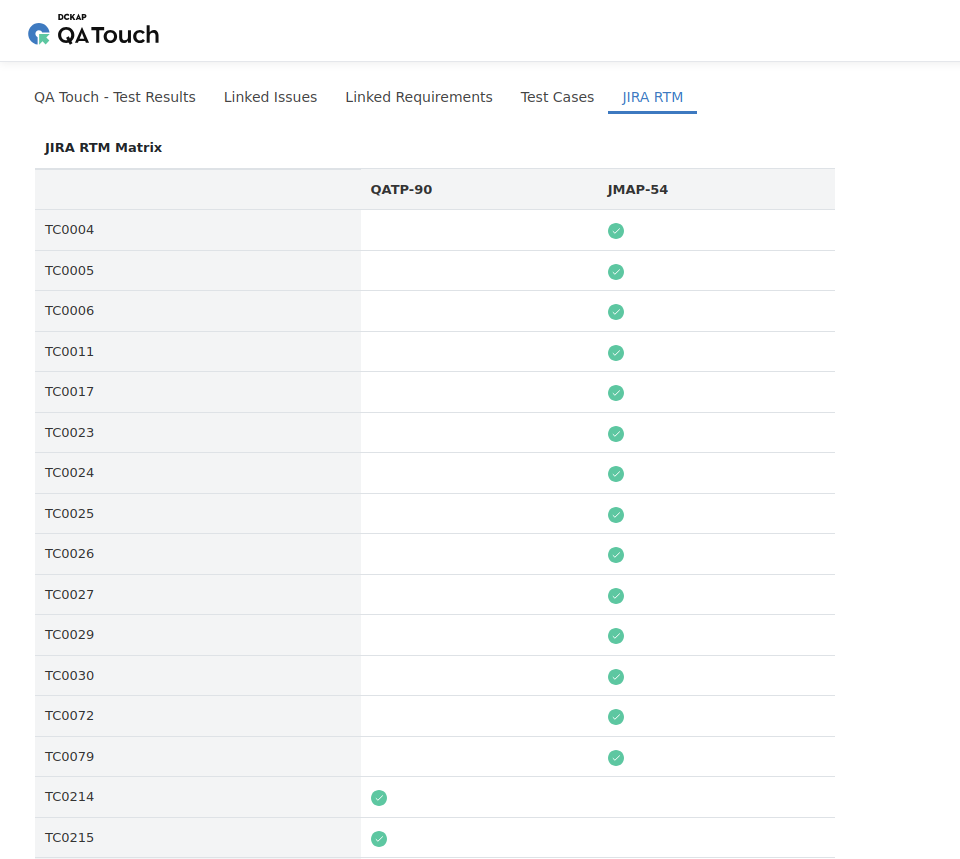
JIRA integration plays a crucial role in connecting QA and development workflows. With this upgrade, we’ve made the integration more powerful and user-friendly.RTM (Requirement Traceability Matrix) Support
- Link requirements, test cases, and issues
- Improve traceability across the testing lifecycle
JIRA RTM
API Enhancements
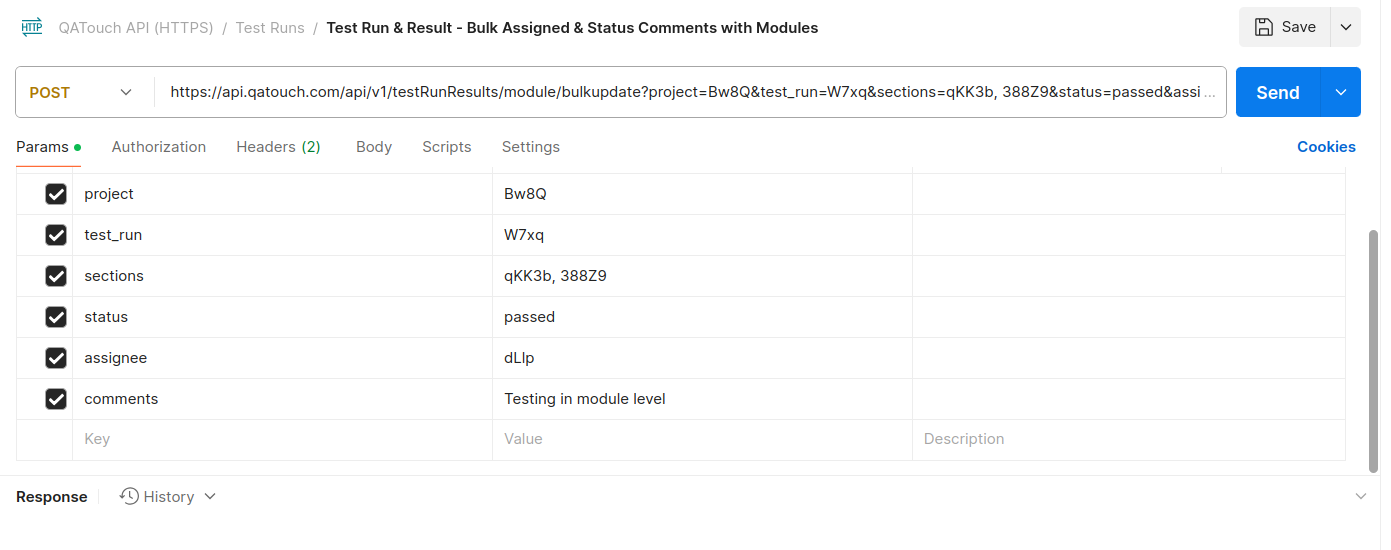
As teams scale, APIs become essential for automation and integration with external systems. This QA Touch product release 2.6.3 introduces powerful API enhancements for bulk updates.- Test Case-Level Bulk Updates via API
- Module-Level Bulk Updates via API
Read More
These new features are designed to help you work smarter, move faster, and deliver better quality software
Log in to QA Touch today and start exploring these powerful new capabilities.