
How QA Touch AI is Turning Jira Stories into Instant Test Cases.
Today, we are thrilled to announce a major leap forward in our mission to modernize quality assurance: QA Touch’s AI-Powered Test Multi Case Generation from Jira Stories and Epics Description and Summary.
AI Test management should be about testing, not just management, QA Touch we are thrilled to launch our most recent innovation: AI-Powered Multi Test Case Generation from Jira Stories and Epics. We’ll go into why this is important, how it operates, and how it will help you regain hours in this post.
Each tester writes in a unique way. While one person may write “Click the button,” another may write “Select the submit icon.” Your test repository becomes disorganised as a result. Your entire test library will appear to have been written by a single, highly organised person thanks to our AI adherence to a standardised, professional structure.
AI Test Case Management is an intelligent testing platform that automates the entire software testing lifecycle. Using AI technology, it dramatically reduces manual test case creation and management while integrating effortlessly with your existing development tools.
How It Works
You don’t need to be a prompt engineer to use this. We’ve kept the interface clean and intuitive:- Setup JIRA Integration
- Sync Your Jira Project: If you haven’t already, connect QA Touch to your Jira instance.
- Select Your JIRA Requirement (story/epic): Navigate to the “AI Test Case From JIRA” menu. You’ll see your stories and epics listed right there.
- Choose Your Format: Want a structured step-by-step test Or maybe a high-level exploratory session? You choose the template.
- Generate: Click the button, and the AI analyzes the summary, description, and acceptance criteria of the Jira ticket.
- Review and Save: The AI populates the Title, Description, and detailed Steps. You simply review them, make any human tweaks needed, and save them to your module.
This manual translation is frequently the largest bottleneck in an Agile sprint that moves quickly. It’s where “tester burnout” starts and details are lost.
We are excited to present QA Touch’s AI-Powered Test Case Generation from Jira Stories and Epics, a significant advancement in our goal to modernise quality assurance.
QA Touch JIRA Integration communication between QA and development teams, QA Touch Integration is a bidirectional link between JIRA, a well-known issue and project tracking tool, and QA Touch, a test management platform.
Integration of Jira Cloud and QA Touch
The steps to integrate JIRA Cloud will be shown in detail below.
Log in as an administrator to QA Touch.
Select Administration → Integration Settings.
Click JIRA Settings, then type the JIRA Cloud URL and email.
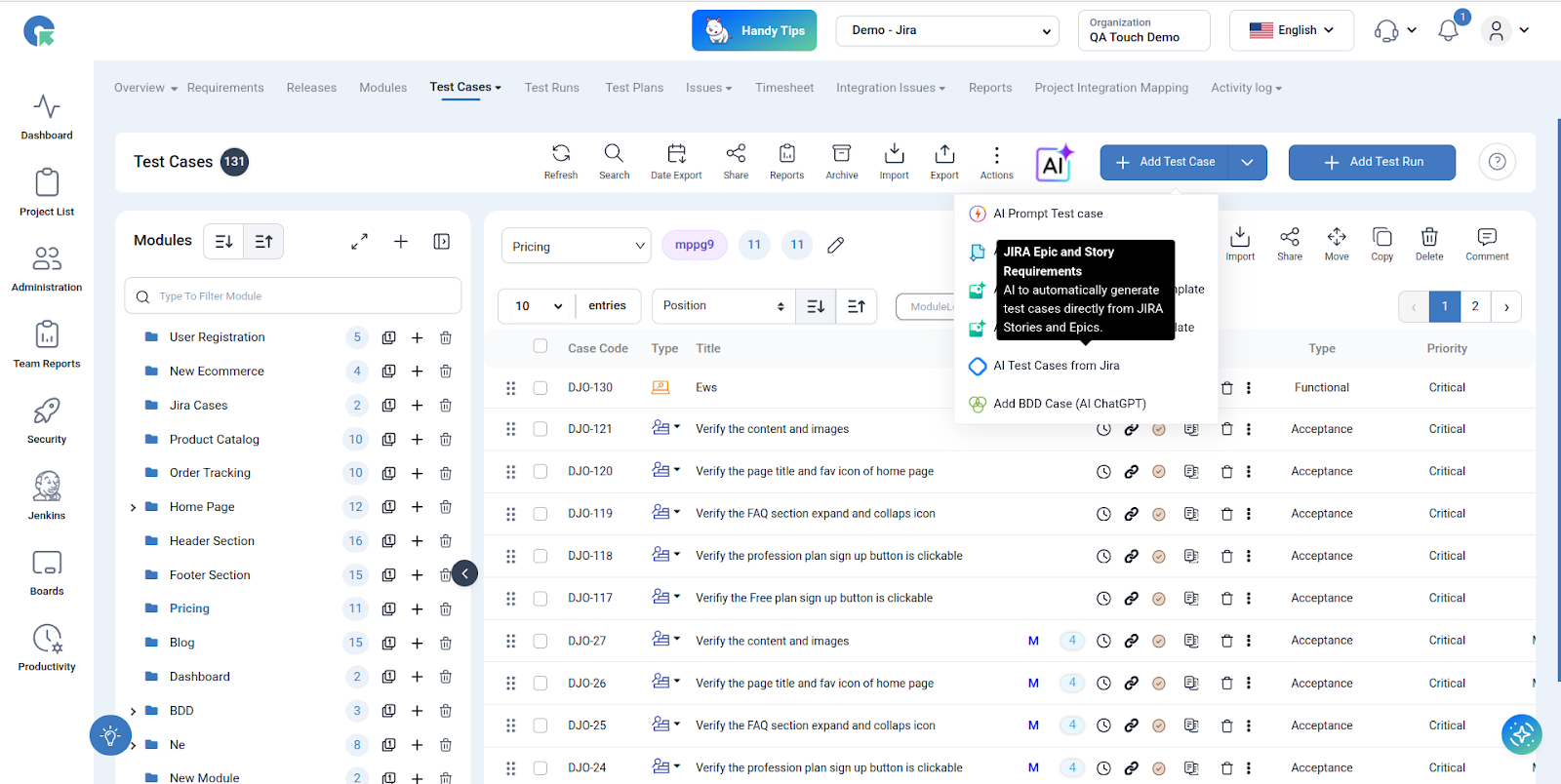
Please select AI Test Cases from JIRA
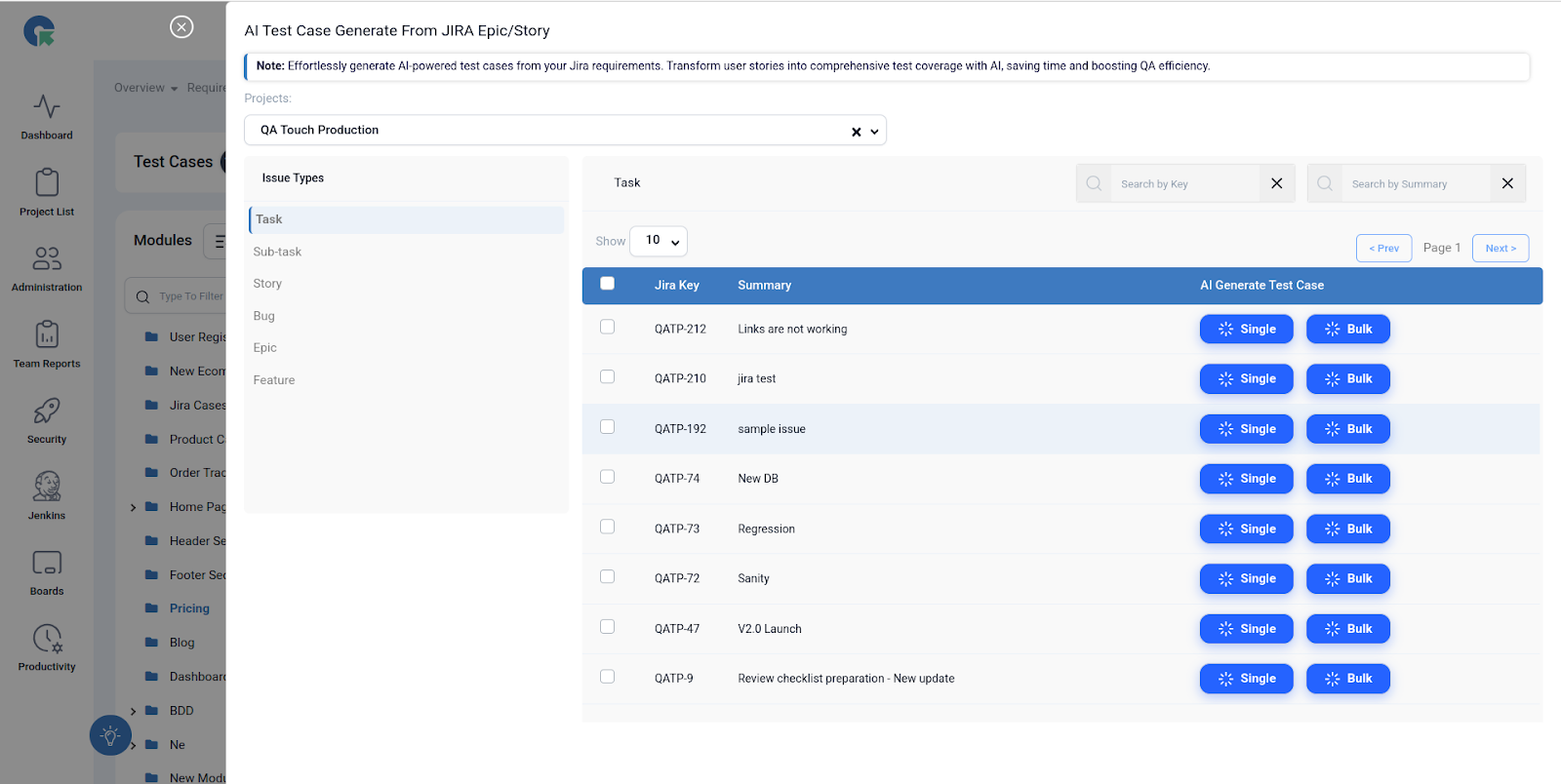
Please Select the Bulk button
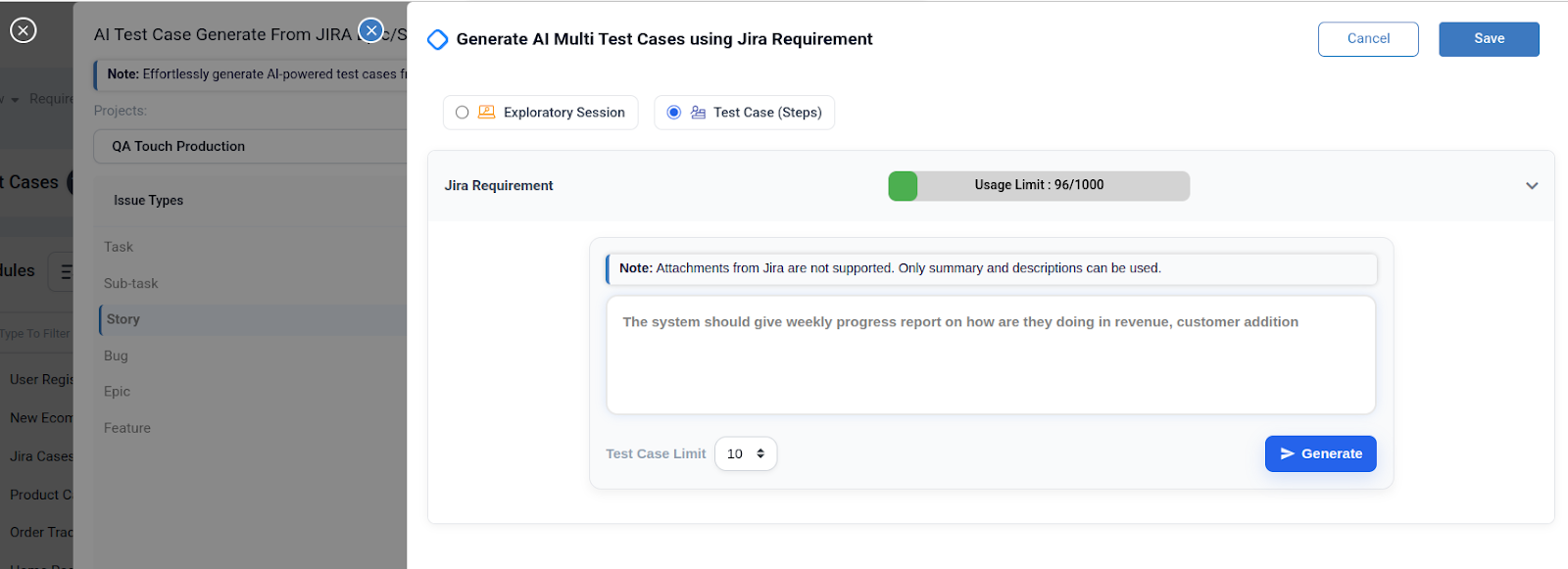
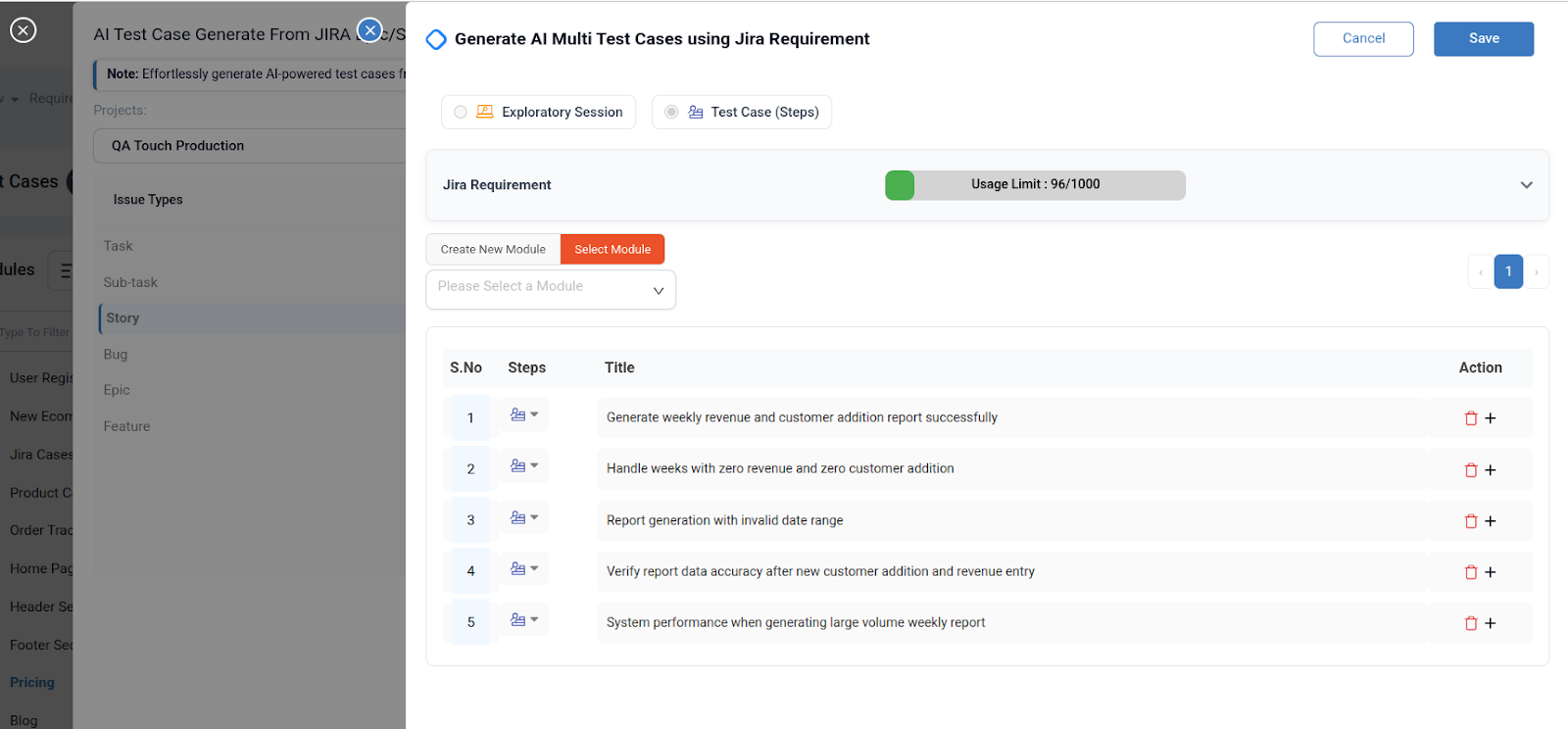
Every requirement needs a different approach. QA Touch allows you to choose between two distinct AI modes:
- Exploratory Session: Perfect for high-level testing where you want to uncover unexpected behaviors.
- Test Case (Steps): Ideal for formal documentation where you need structured, repeatable steps and expected results.
QA Touch enables you to automatically generate multiple test cases 5, 10, or 20 directly from Jira story descriptions. Each test case is created using a predefined step template, helping QA teams save time, reduce manual effort, and maintain consistency across test cases.
AI Test Case Management The smart way to test software. Let AI handle test case creation and management automatically while you focus on delivering quality software faster. Integrates with all major development tools.
Please select the Test Case (Steps) Template and click the “Generate” Button.
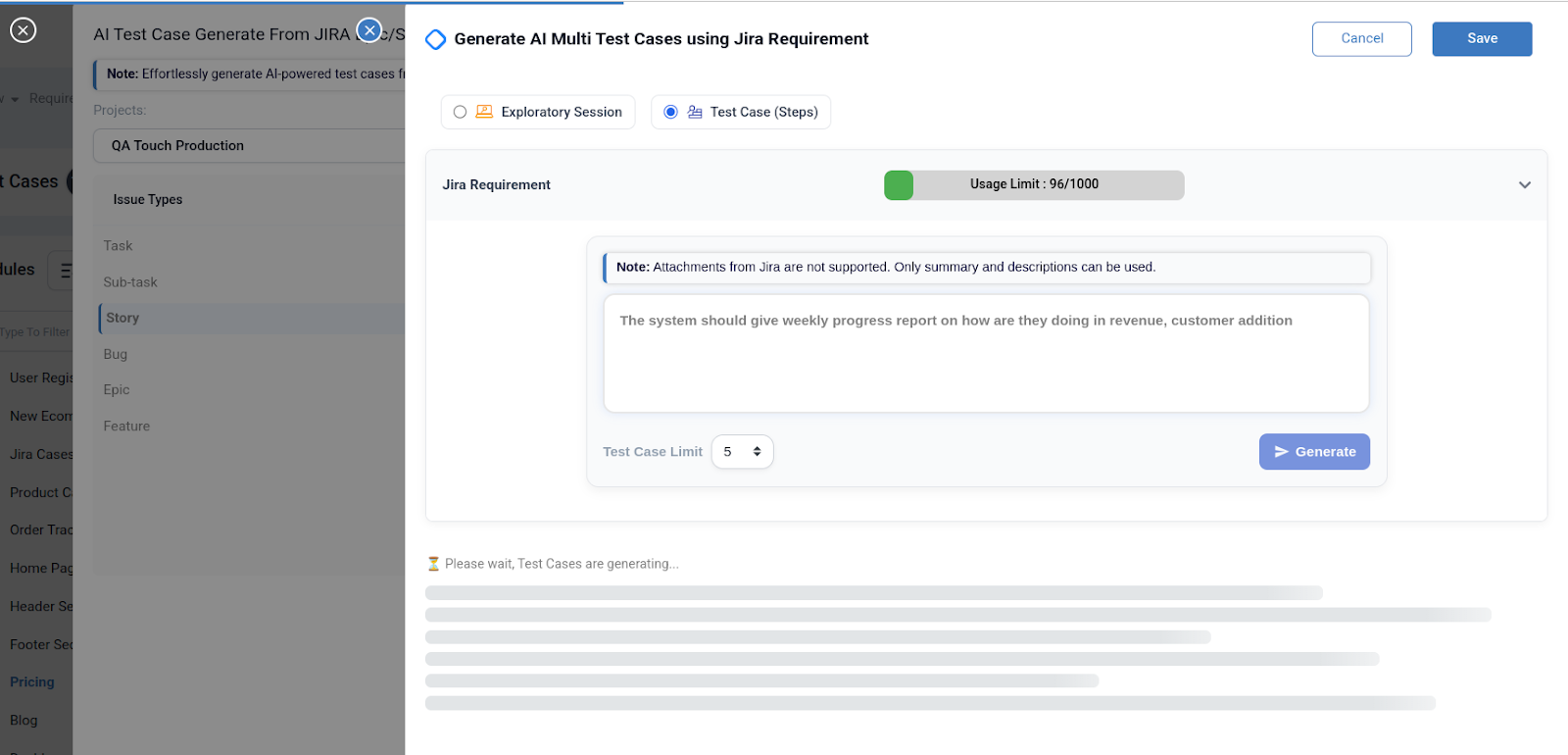
Test Cases Generate processing it will take few second to generate.
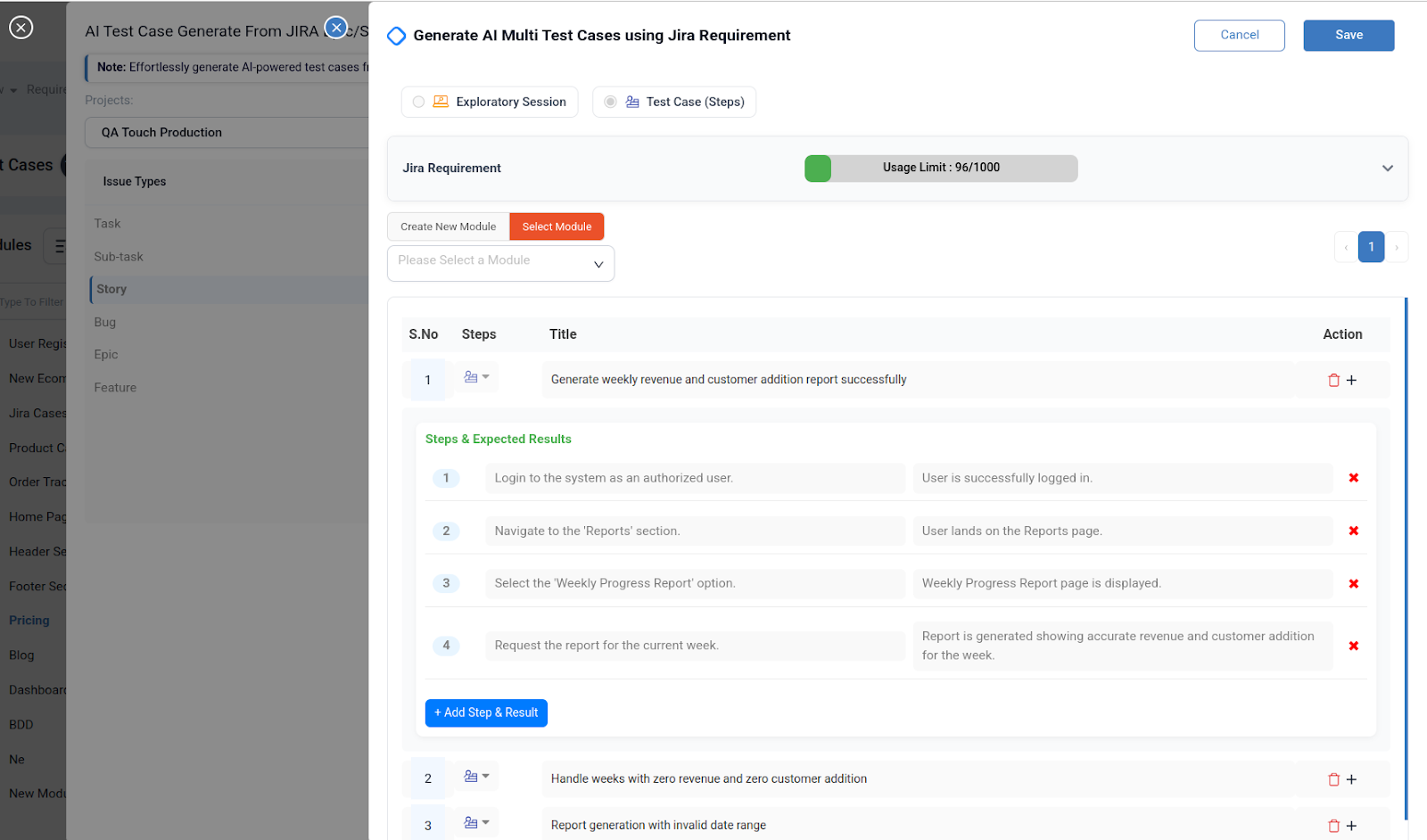
Key Benefits for QA Teams
- Massive Time Savings: What used to take hours now takes seconds.
- Improved Coverage: The AI suggests scenarios you might have overlooked, ensuring a more robust test suite.
- Seamless Traceability: Every generated test case is inherently linked to its Jira requirement, making audit trails and progress tracking effortless.
Log in to your QA Touch account, connect your Jira project, and let the AI handle the heavy lifting of test case creation.
Are you ready to see what your Jira stories look like as a full-blown test suite?
[Try QA Touch for Free] and experience the power of AI-driven testing today.