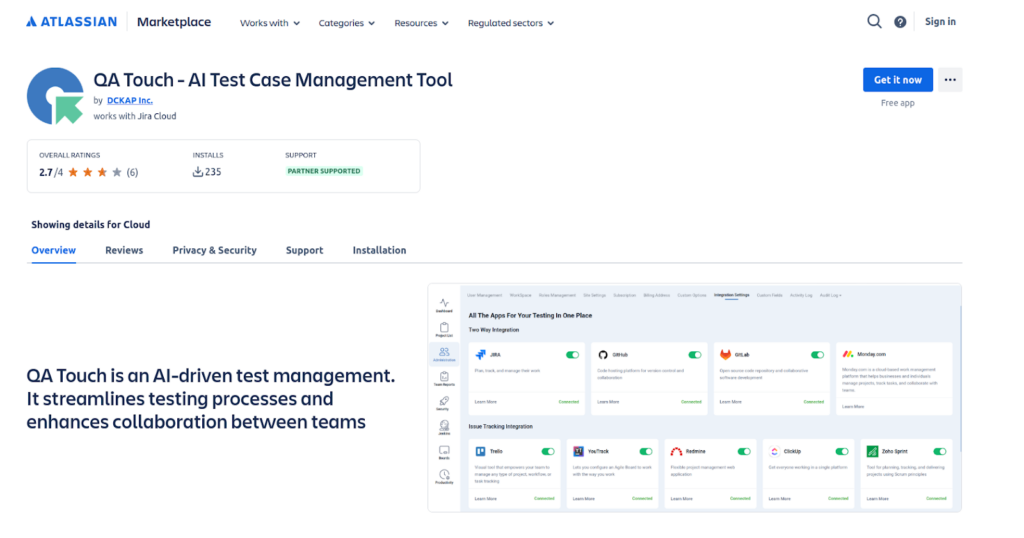
QA Touch is the best test case management tool for Jira, helping QA teams create, manage, and track test cases while generating test cases from Jira stories using AI.
Why Choose QA Touch as the Best Test Case Management Tool for Jira
QA Touch is built to work seamlessly with Jira, helping QA teams manage test cases, improve traceability, and speed up testing with AI-powered features. Everything stays connected, clear, and easy to track.
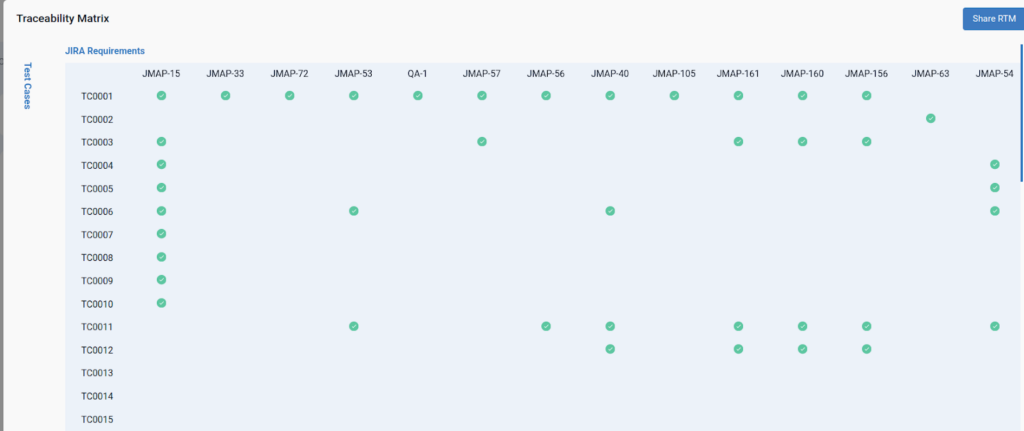
Automatic Traceability
Link test cases and requirements to JIRA issues for improved traceability. You can easily trace test cases back to requirements in JIRA, and get easy clarity, coverage, and audit trails.
Exploratory Test Case
Test Case Steps
Test Case Text
Manage Issues
Track, create, and manage issues directly from QA Touch, all in one place. It allows you to track issues from multiple sources in one place, minimizing the need to switch between platforms.
JIRA KEY
QT
QATP
QTR
JIRA PROJECT
QA Touch
QA Touch Production
QA Touch Requirements
Multi Projects Supported in JIRA
QA Touch seamlessly integrates multiple Jira projects into a single QA Touch project, ensuring a hassle-free experience.
Seamless Project Synchronization
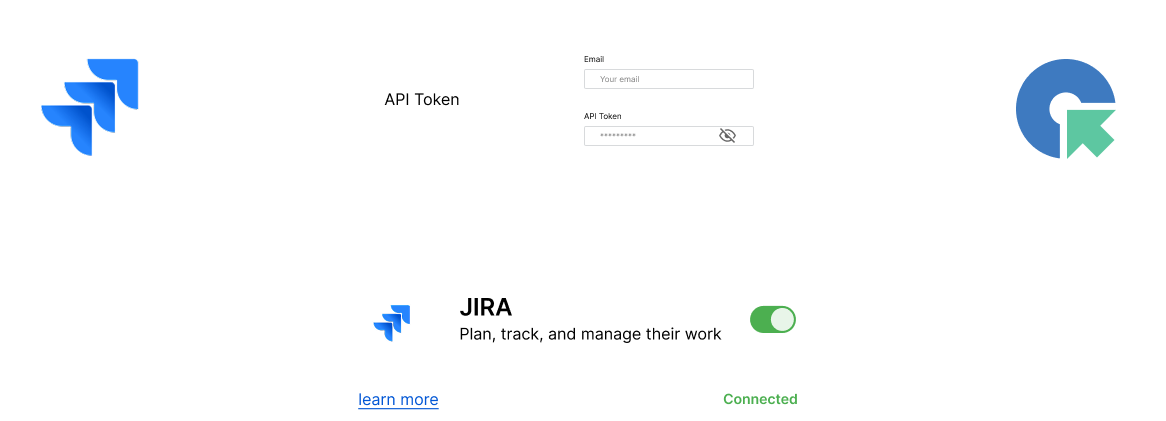
Effortlessly connect your testing projects with JIRA by configuring API details. This allows smooth data synchronization, enabling teams to manage tasks, test cases, and issues across both platforms without duplication.
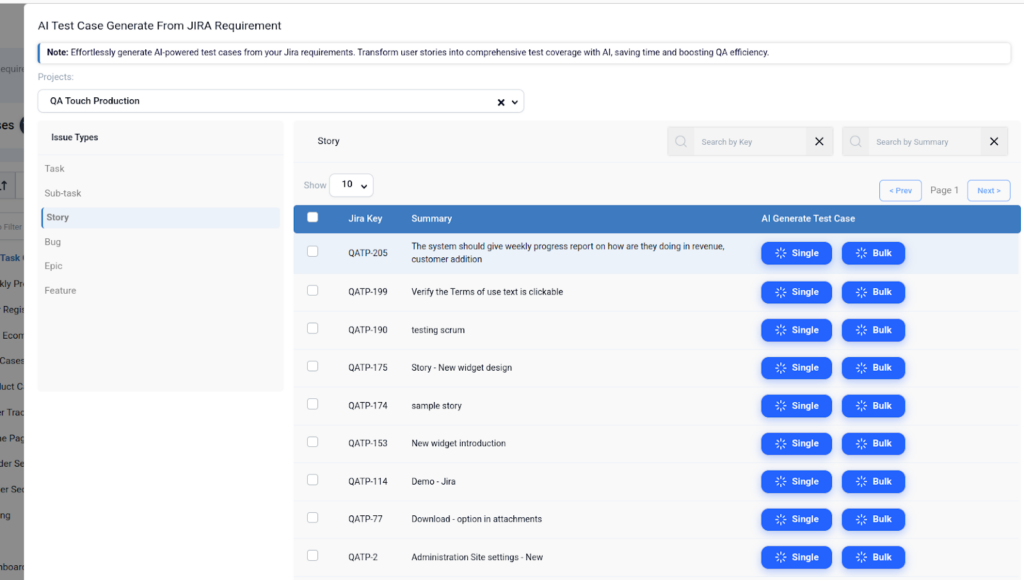
AI Test Case Generate From JIRA EPIC/STORY Requirement
Create AI-powered test cases from your JIRA requirements with ease. Use AI to turn user stories into thorough test coverage to increase QA efficiency and save time.
QA Touch App links, manages, and tracks test cases straight from JIRA issues for a more effective QA process with the QA Touch App for JIRA, which smoothly incorporates test management into your JIRA workflow.
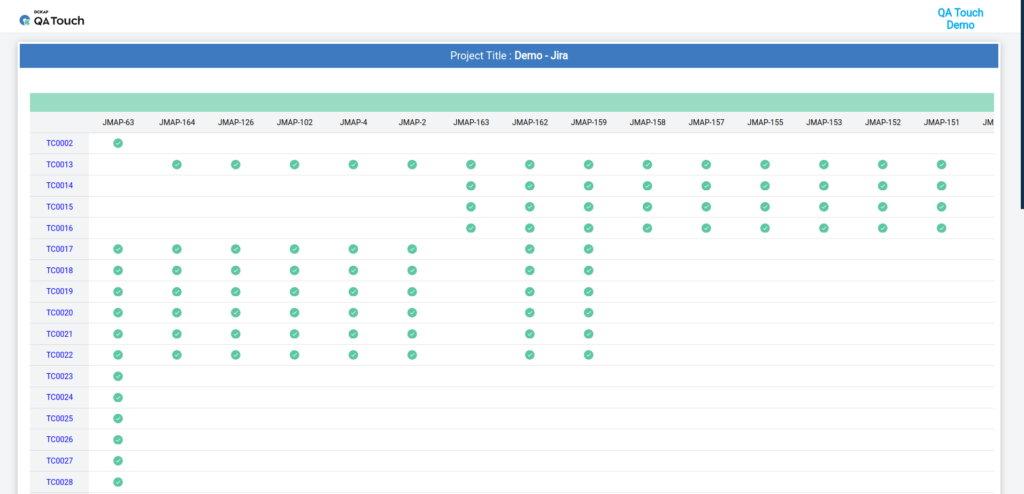
In order to ensure bidirectional sync and clear visibility between development and testing efforts, QA Touch provides a Requirement Traceability Matrix (RTM) that integrates with Jira. This allows you to link Jira requirements (stories, epics) to test cases, track execution, and generate reports showing test coverage and linked issues. It even uses AI to automatically generate tests from Jira content for seamless, traceable test management.
Public Shareable JIRA RTM
QA Touch offers Public Shareable JIRA RTM Report Links for a variety of reports (Test Cases, Runs, Releases, etc.) that enable anyone to view detailed test progress and results without logging in, facilitating simple stakeholder updates and public sharing. For tracking and making decisions, these shareable links provide a real-time, read-only view of your project’s testing status.
Features + Benefits
Powerful features designed to streamline testing, enhance collaboration, and drive efficiency with intelligent automation.
AI-Powered Test Case Generation
Generate multiple test cases from Jira stories and epics using AI. Save time and improve requirement coverage.
Project Connectivity
Connect multiple JIRA projects to your QA Touch workspace with easy API setup.
Audit Log
Map custom fields between QA Touch and JIRA to maintain consistency and data accuracy.
Two-Way Sync
Automatically sync issues, test cases, and statuses between QA Touch and JIRA in real time.
Real people with life changing results
Insights from QA Teams on QA Touch’s Impact
QA Touch offers a lot of great functionalities to manage the testing life cycle of the products. It is simple to use and really powerful.
Streamline Your Testing Lifecycle
Experience a simple yet powerful solution to manage your entire test management process effortlessly.
QA Touch has greatly improved our testing efficiency. Its intuitive interface simplifies test case management, and seamless integration with bug-tracking tools streamlines communication between teams.
Streamline Your Testing Lifecycle
Experience a simple yet powerful solution to manage your entire test management process effortlessly.
QA Touch is a user-friendly product that is currently changing the way we test. The QA Touch Team is always willing to assist with issues and requests are dealt with very quickly.
Streamline Your Testing Lifecycle
Experience a simple yet powerful solution to manage your entire test management process effortlessly.
Everything you need to know about QATouch as your Best Test Case Management Tool for Jira
What is the best test case management tool for Jira?
QA Touch is one of the best test case management tools for Jira, helping QA teams create, manage, and track test cases with full Jira integration and AI-powered features.
Why should I use a test case management tool with Jira?
Using a test case management tool for Jira helps teams maintain clear traceability between requirements, test cases, and defects while improving collaboration and test visibility.
How does QA Touch integrate with Jira?
QA Touch integrates seamlessly with Jira to sync issues, link test cases to stories and defects, and keep testing activities aligned with development work.
Can I generate test cases from Jira stories using AI?
Yes. QA Touch supports AI-powered test case generation, allowing teams to generate test cases directly from Jira stories and reduce manual effort.
Does QA Touch support two-way sync with Jira?
Yes. QA Touch offers two-way sync with Jira, ensuring updates to issues, test execution, and defects stay in sync across both platforms.
Can QA Touch manage test cases across multiple Jira projects?
Yes. QA Touch allows teams to connect and manage multiple Jira projects from a single dashboard for better control and visibility.
Is QA Touch suitable for Agile and Scrum Jira teams?
Yes. QA Touch is designed for Agile Jira teams, supporting sprint-based testing, continuous testing, and fast-moving development cycles.
Does QA Touch improve traceability in Jira testing?
Yes. QA Touch improves traceability by linking requirements, test cases, test execution, and defects directly with Jira issues.