Robot Framework is a powerful, Python-based open-source automation framework that has popularised keyword-driven testing in modern QA practices. Its intuitive, human-readable syntax enables both technical and non-technical team members to easily create, understand, and maintain test cases.
This guide provides a comprehensive introduction to Robot Framework, covering its core concepts, syntax, and practical applications. It will help you learn how to leverage Robot Framework effectively for automated testing from building your first test cases to creating scalable and maintainable automation solutions.
What is Robot Framework?
Robot Framework is an open-source automation framework primarily used for test automation and robotic process automation (RPA). It is designed to support keyword-driven testing, allowing users to create automated test cases using simple, readable syntax.
It is built on Python, but it can also work with other languages like Java. One of its biggest advantages is that both technical and non-technical team members can understand and write test cases because the syntax is easy to read..
Key Features of Robot Framework:
- Keyword-driven testing : Test cases are written using reusable keywords.
- Easy-to-read syntax : Uses plain text, tabular format, or simple structured files.
- Extensible : Supports external libraries for web, API, database, and desktop testing.
- Open-source : Free to use and supported by an active community.
- Cross-platform : Works on Windows, macOS, and Linux.
Types of Testing Supported by Robot Framework
Robot Framework is a versatile automation tool that supports a wide range of testing types through its extensive library ecosystem. Whether you’re testing user interfaces, APIs, or backend systems, Robot Framework provides the flexibility to handle it all.
1.Web Application Testing
Robot Framework enables robust web UI automation using libraries like SeleniumLibrary and Browser (Playwright-based).
What you can test:
- User login and authentication flows
- Form submissions and validations
- End-to-end user journeys
- Cross-browser compatibility
2. API Testing
With libraries such as RequestsLibrary, Robot Framework can efficiently validate REST APIs.
What you can test:
- HTTP methods (GET, POST, PUT, DELETE)
- Response status codes
- JSON/XML response validation
- API data integrity
3. Mobile Application Testing
By integrating with AppiumLibrary, Robot Framework supports mobile app testing for both Android and iOS.
What you can test:
- Mobile UI interactions (tap, swipe, input)
- App functionality and workflows
- Cross-device behavior
4. Database Testing
Using DatabaseLibrary, you can validate backend data and ensure consistency.
What you can test:
- Database queries
- Data validation and integrity
- Backend verification for UI/API actions
5. Acceptance Testing (ATDD)
Robot Framework is widely used for Acceptance Test-Driven Development, promoting collaboration across teams.
What you can test:
- Business requirements
- User acceptance scenarios
- End-to-end workflows from a user perspective
6. Regression Testing
Automated test suites help ensure that new changes don’t break existing functionality.
What you can test:
- Existing feature stability
- Continuous integration pipelines
7. Data-Driven Testing
Robot Framework supports running tests with multiple data sets for broader coverage.
What you can test:
- Different input combinations
- External data sources (CSV, Excel, JSON)
8. Keyword-Driven Testing
This is the core concept of Robot Framework, where reusable keywords simplify automation.
What you can achieve:
- Reusable test steps
- Easy maintenance and scalability
- Better collaboration between technical and non-technical users
Components of Robot Framework
Robot Framework is built on a modular architecture, where different components work together to enable efficient and scalable test automation. Understanding these components helps you design better test frameworks and maintain them effectively.
1. Test Cases
Test cases are the core of any Robot Framework project.
- Written using keywords
- Represent individual test scenarios
- Organized into test suites
2. Test Suites
A test suite is a collection of test cases.
- Group related test cases together
- Helps in better organization
- Can be executed as a whole
3. Keywords
Keywords are the building blocks of Robot Framework.
- Predefined (built-in keywords)
- Library keywords (from external libraries)
- User-defined keywords (custom reusable steps)
4. Libraries
Libraries extend the capabilities of Robot Framework.
- Provide keywords for specific functionalities
- Examples:
- SeleniumLibrary (Web automation)
- RequestsLibrary (API testing)
- AppiumLibrary (Mobile testing)
5. Variables
Variables are used to store test data.
- Scalar variables: ${username}
- List variables: @{items}
- Dictionary variables: &{user}
***Variables***
${BROWSER}    Chrome
${LOGIN_URL}   https://example.com/login
${USERNAME_FIELD}  id:username
${PASSWORD_FIELD}  id:password
${LOGIN_BUTTON}   xpath://button[@type='submit']
6. Test Data
Robot Framework separates test logic from test data.
Data can be stored in:
- Variable files
- External files (CSV, JSON, Excel)
7. Reports and Logs
Robot Framework automatically generates execution outputs.
- HTML reports (summary of test execution)
- Detailed logs (step-by-step execution)
- Helps in debugging failures
8. Output Files:
Robot Framework generates three output files by default after running tests:
- Output. XML: The detailed execution log in XML format.
- Log.html: A human readable log showing what happened during the test run.
- Report.html: A summary report showing which tests passed or failed.
Installation and Basic Setup of Robot Framework
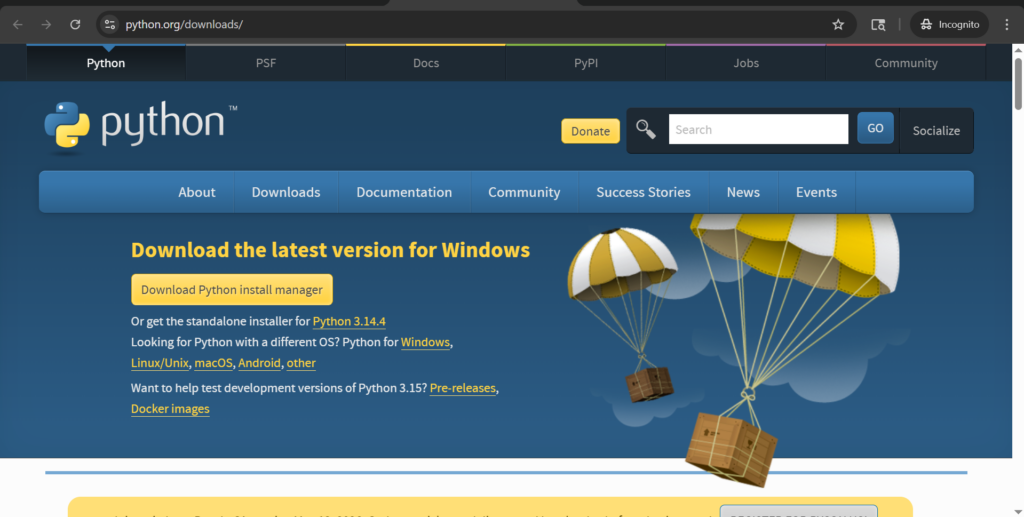
1. Install Python in Windows
Robot Framework is built on Python, so installing Python is the first step.
- Download Python (3.7 or higher recommended)
- During installation, make sure to check “Add Python to PATH”
Verify installation: python –version
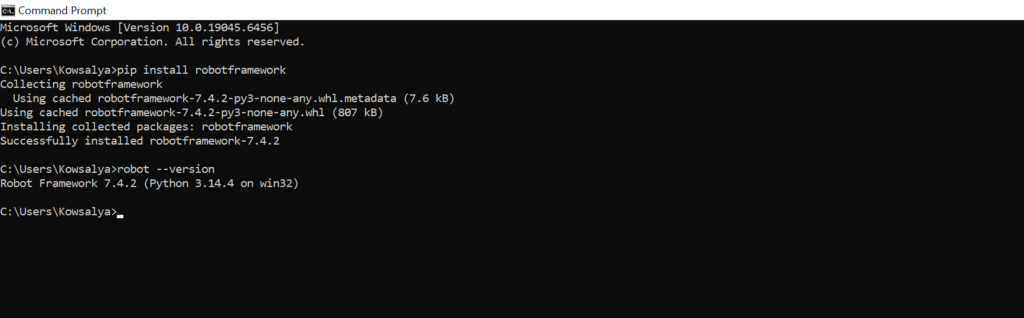
2. Install Robot Framework
Once Python is installed, you can install Robot Framework using pip.
Install Robot framework : pip install robotframework
Verify installation: robot –version
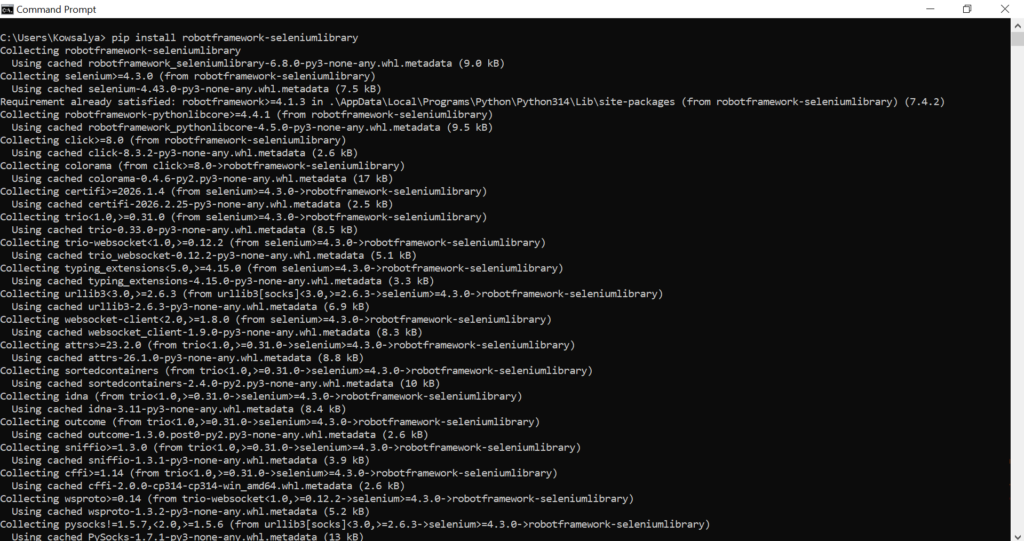
3. Install SeleniumLibrary (For Web Testing)
If you plan to automate web applications,
pip install robotframework-seleniumlibrary
4. Install Browser Drivers
To run browser tests, you need drivers:
- Chrome → ChromeDriver
- Edge → EdgeDriver
- Firefox → GeckoDriver
Make sure the driver version matches your browser and is added to your system PATH.
Create a Test Case in Robot Framework
Now that you have Robot Framework installed, let’s write a simple test case.
- Create a New File: Open any text editor (like Notepad, Visual Studio Code, or Sublime Text) and create a new file with the extension .robot. For example, my_first_test.robot.
- Write a Test Case: In the .robot file, write a simple test. Here’s an example that checks if we can open a web browser and go to a website.
Sample code for open browser:
*** Settings ***
Library    SeleniumLibrary

*** Test Cases ***
Open Google
    Open Browser    https://www.google.com    chrome
    Title Should Be    Google
    Close Browser
Data Driven Testing:
*** Settings ***
Library    SeleniumLibrary
Test Template    Login Should Fail For Invalid Credentials

*** Test Cases ***        USERNAME              PASSWORD        ERROR
Empty Username            ${EMPTY}              password123     Username required
Empty Password            user@example.com      ${EMPTY}        Password required
Invalid Email Format      invalid-email         password123     Invalid email format
Wrong Password            user@example.com      wrongpass       Invalid credentials
Locked Account            locked@example.com    password123     Account is locked

*** Keywords ***
Login Should Fail For Invalid Credentials
    [Arguments]    ${username}    ${password}    ${expected_error}
    Open Browser    https://example.com/login    chrome
    Input Text    id=username    ${username}
    Input Password    id=password    ${password}
    Click Button    id=login
    Element Text Should Be    class=error    ${expected_error}
    Close Browser
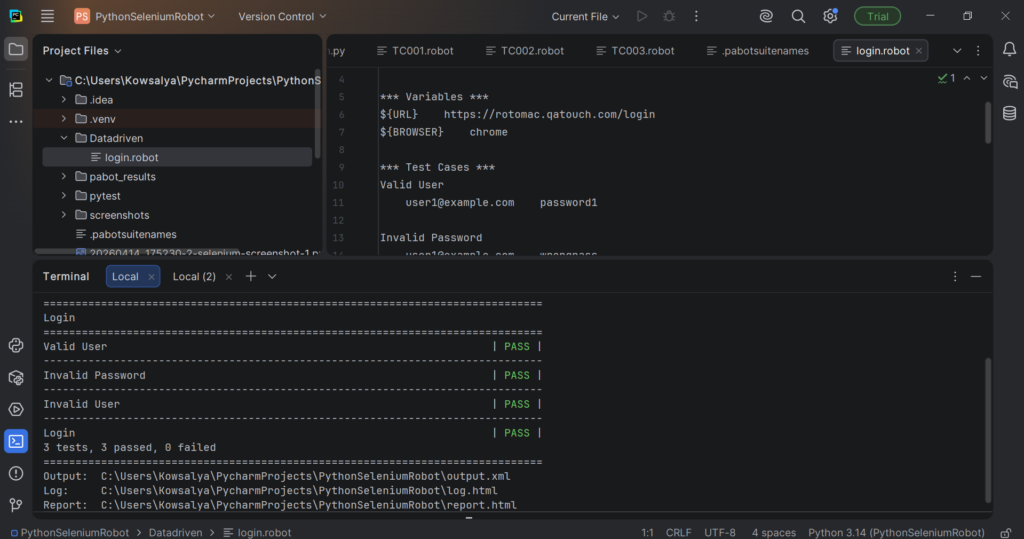
Report: A summary report that shows the overall results (passed, failed, etc.). It’s saved as report.html.
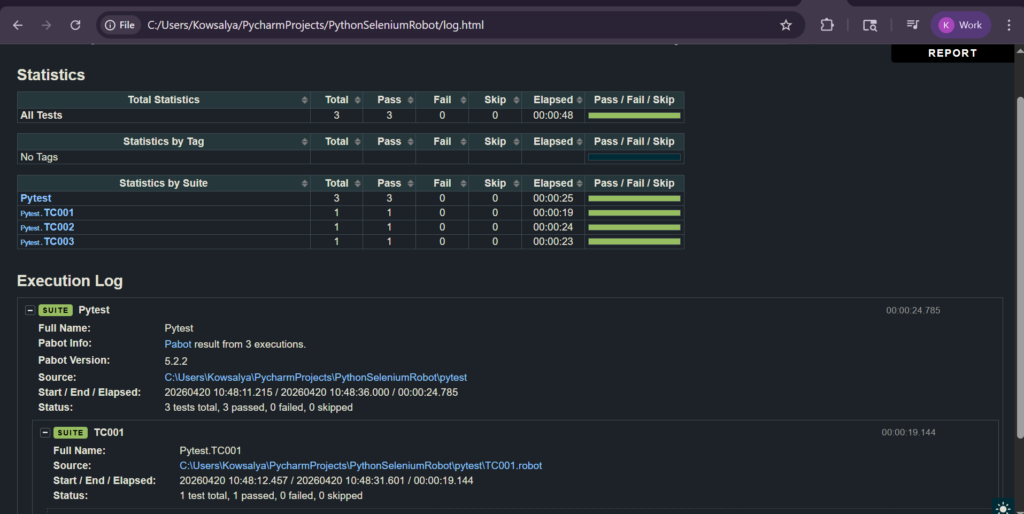
Both files will be generated in the same folder where you ran the test. To open them, just double-click the files in your file explorer, and they’ll open in your default web browser.
Advantages of Robot Framework
- Easy to learn with simple, human readable syntax
- Supports non-technical users through keyword-driven testing
- Reusable and maintainable test cases using keywords
- Rich library support for web, API, mobile, and database testing
- Highly extensible with Python and external integrations
- Detailed reports and logs for better debugging
- CI/CD integration for continuous testing
- Cross-platform support (Windows, macOS, Linux)
- Parallel execution support for faster testing
- Data-driven testing for better test coverage
Disadvantages of Robot Framework
- Limited programming flexibility compared to pure coding frameworks
- Performance can be slower for large and complex test suites
- Dependency on external libraries for advanced use cases
- Less suitable for highly dynamic UI testing without customization
- Setup can be complex for beginners in advanced scenarios
- Debugging can be difficult for large test cases
- Limited built-in support for parallel execution (requires tools like Pabot)
- Not ideal for unit testing (better suited for acceptance and functional testing)
Robot Framework is a simple yet powerful automation tool that makes testing easy with its keyword-driven approach and readable syntax. It’s a great choice for building scalable and maintainable test automation, especially for teams with mixed technical skills.