Skip to content
Automation
Features
Integrations
Blog
Pricing
Resources
Case Studies
Events
Guides
Partners
Testimonials
QA Masterclass
Automation
Features
Integrations
Blog
Pricing
Resources
Case Studies
Events
Guides
Partners
Testimonials
QA Masterclass
Request a Demo
Get started - it's free
How to add the Href link in QA Touch Editor?
June 17, 2026
How to add the Href link in QA Touch Editor?
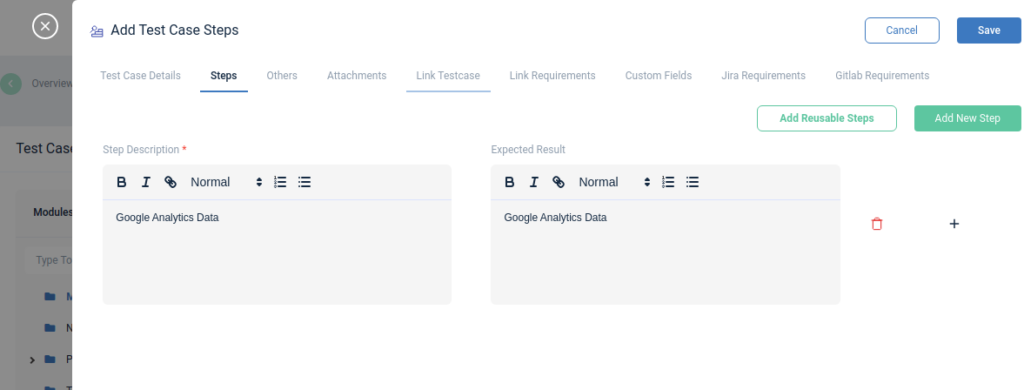
Select the text for which you need to add a link/referrer.
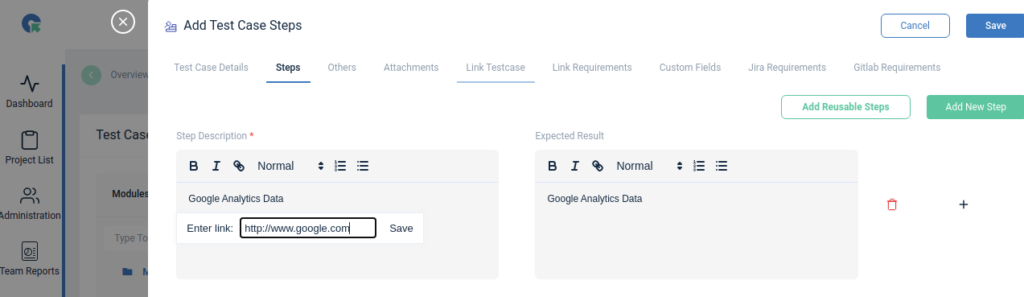
Click on the Link icon in Editor
Enter the URL in the given box
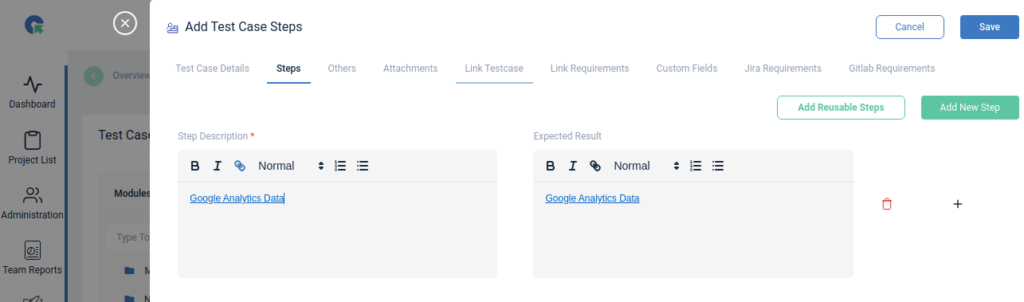
Click on Save
Please see the below screenshot for your reference.
Prev
Previous
Next
Next