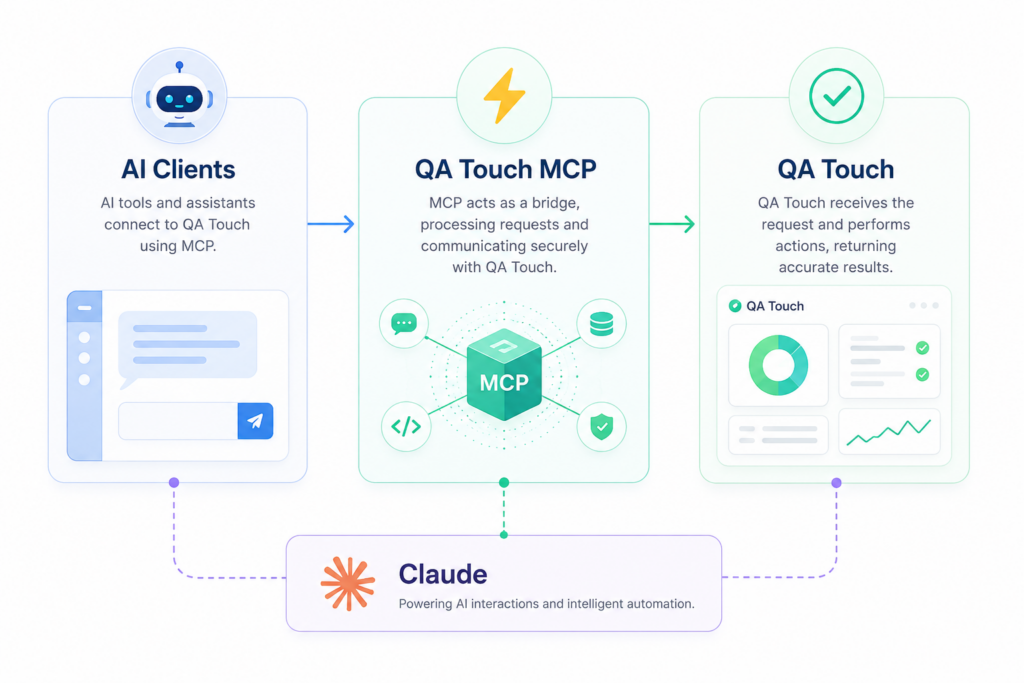
Connect
AI Assistants Directly To QA Touch
- Open Source
- MCP Compatible
- Secure API Access
- 2 Minute Setup
Everything You Need For
AI-Powered Testing
Projects
Create, search and manage projects.
Test Cases
Generate structured and exploratory test cases.
Modules
Manage project modules with AI.
Releases
Create milestones and releases instantly.
Requirements
Create and organize requirements.
Defects
Create and track defects using prompts.
Test Runs
Execute and update test results.
Search
Search across QA Touch instantly.
Just Ask Your AI
Natural language commands become QA actions.
Create 10 checkout test cases
Create release June Regression
Show login defects
Generate QA status report
Search requirements for password reset
Identify unexecuted test cases
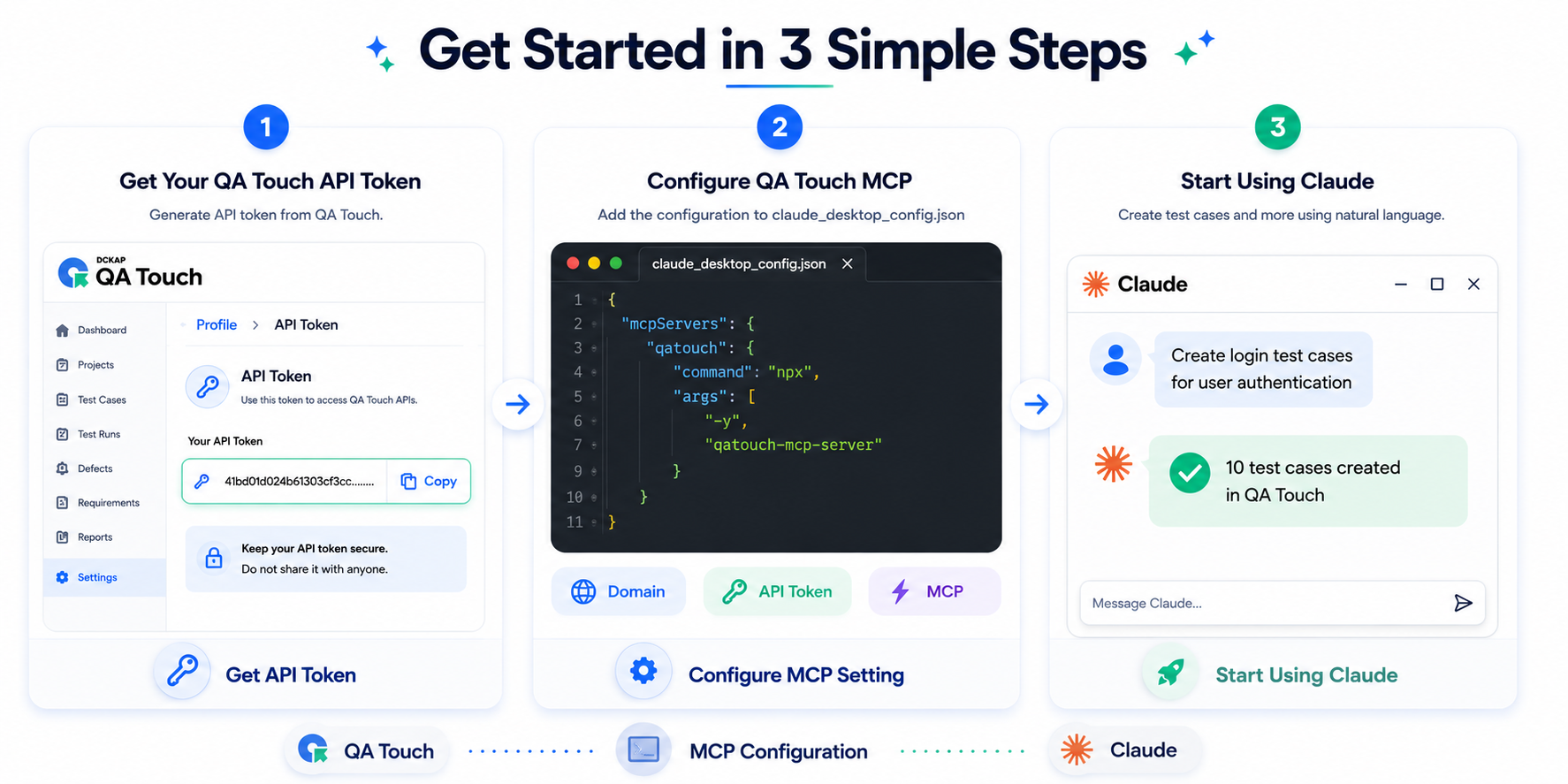
Install In Minutes
					Install Using NPX
    npx -y qatouch-mcp-server

Environment Variables
    QATOUCH_DOMAIN=yourdomain
    QATOUCH_API_TOKEN=yourtoken
Why QA Teams Love QA Touch MCP
Manage projects, test cases, modules, releases, requirements, defects and test runs directly from your AI assistant.
Save Time
Reduce repetitive QA tasks.
Work Through AI
Manage QA workflows naturally.
Secure
Uses QA Touch API authentication.
Faster Testing
Generate test assets in seconds.
AI Agents
Explore AI-powered integrations and testing workflows.
MCP Setup
Set up MCP with simple, step-by-step guides.
MCP JIRA
Connect JIRA with MCP for seamless testing.
MCP Playwright - Capture
Capture browser actions as test cases.
Android-MCP with Claude Desktop
Explore Android apps and generate test cases.
AI Cursor IDE
Generate test cases quickly with Cursor AI and MCP.
KIRO Agentic IDE
Generate test cases with KIRO and MCP.
MCP Claude CoWork
Generate test cases with Claude CoWork.
MCP Browser - Capture
Turn browser actions into test cases.
Test Case Management Tutorials by QA Touch
Explore QA Touch video tutorials and step-by-step guides to improve your test case management and streamline your QA workflows.