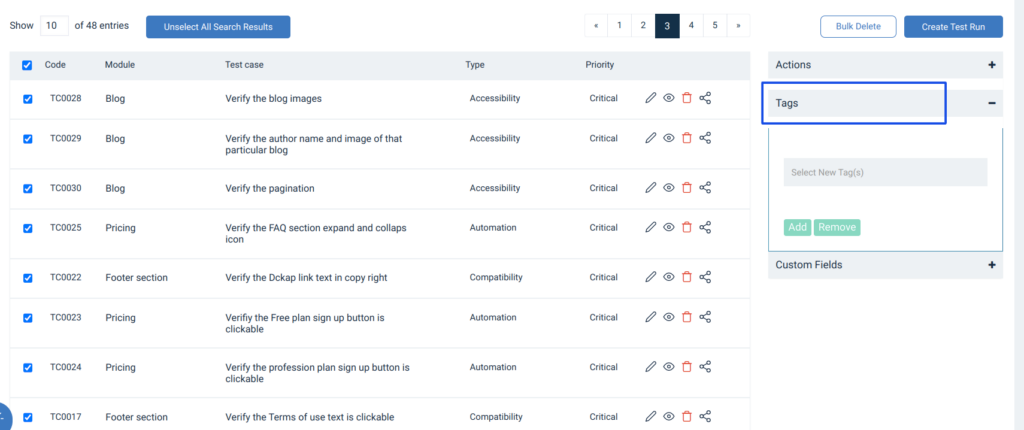
Add New Tag
- Go to Administration-> Custom option
- Go to the Test Cases tab and click on Tags
- Add new Tags here
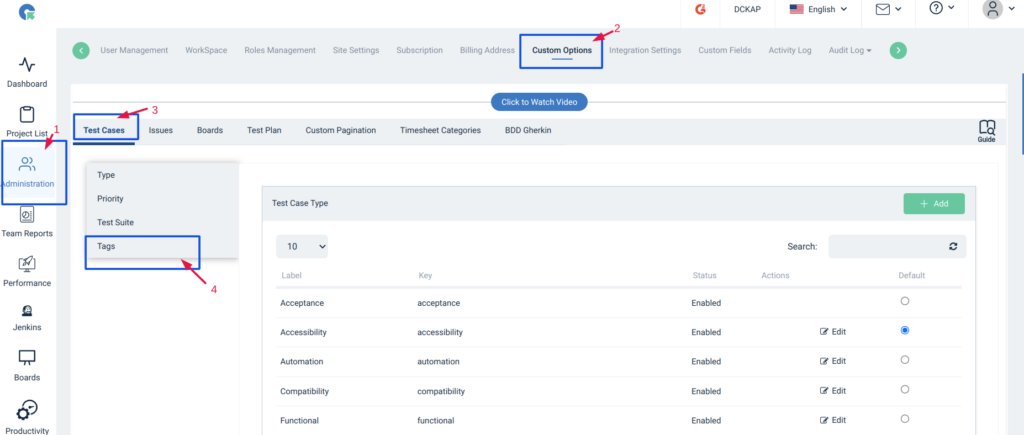
Adding / Updating New Tags to Test case
- Adding/updating Tags can be done using the Add / Edit Test case
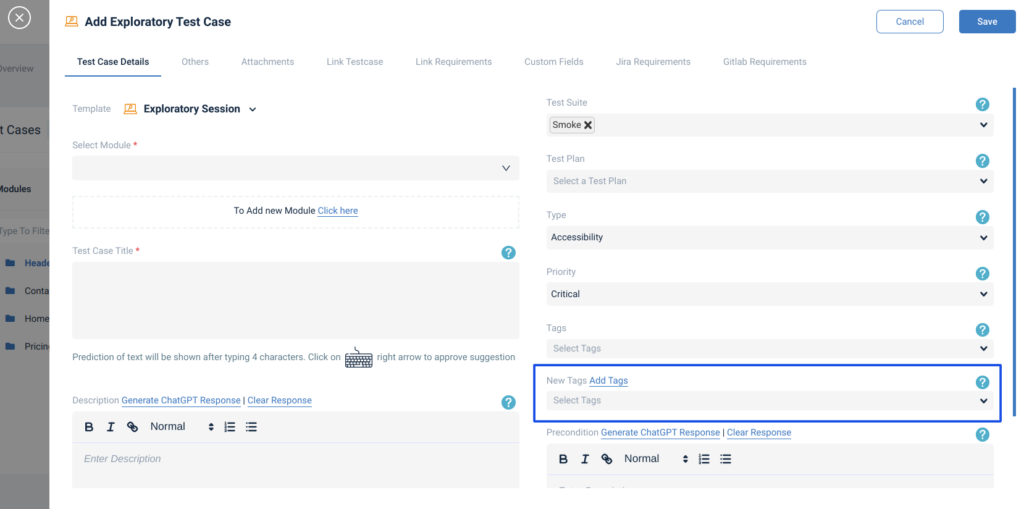
Bulk update of Tags
- Check the required Test cases, and use the Bulk update option in the Test case List page
Test Case search
- Search using New Tags introduced in the search page
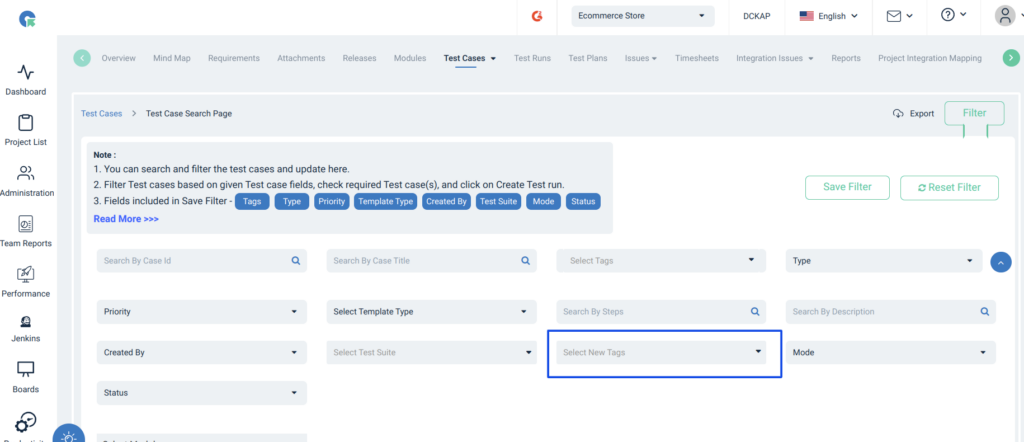
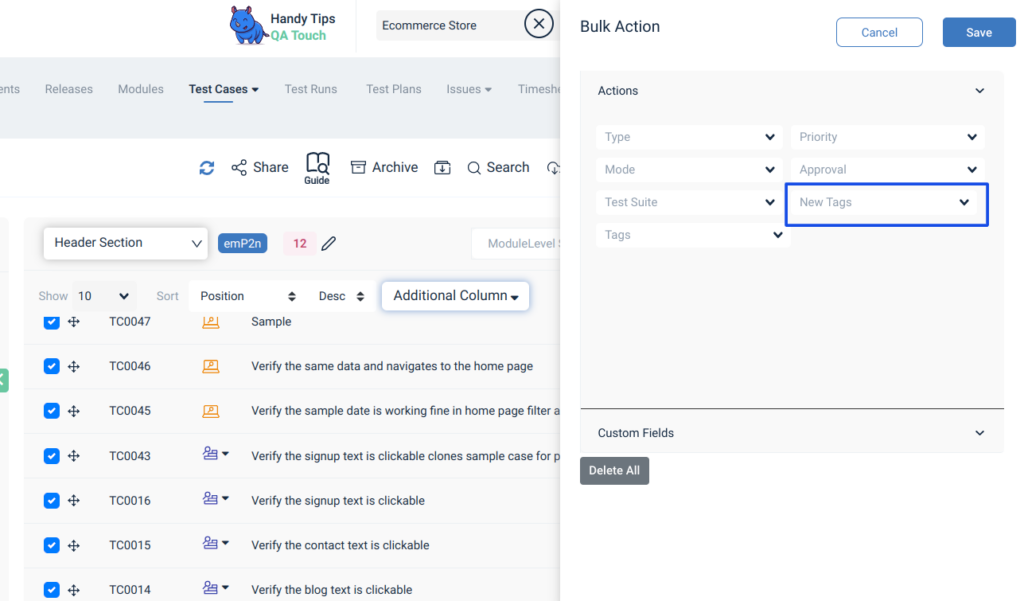
Bulk add/ remove Tags in the search page
- Select the required Test cases in the search page
- Click on Tags in accordion
- Choose the required Tag
- Click on Add to add the tag to all selected Test cases / Click on Remove to remove the tag from all selected Test cases