
In today’s fast moving development world, testing teams are under constant pressure to speed up their work while still maintaining high quality. One of the biggest shifts happening right now is AI powered test case generation, especially when it can read directly from your design mockups. Instead of spending hours writing cases by hand, testers can now use the Figma mockup design or any image along with simple prompts to generate complete, meaningful test cases in seconds.
This does more than just save time. It changes how we think about coverage and frees testers to focus on deeper, more impactful work.
QA Touch is the #1 AI Test Case Management Tool that simplifies software testing. Everything you need for test cases, execution, bug tracking, and reporting lives in one unified platform, helping teams stay organized and ship faster.
AI Test Case Management Features
Here is what our AI Helper can do for you:
- AI Prompt to generate Multiple Test Case: Turn a short requirement into a clear and detailed test cases.
- Figma/Mockup to generate Multiple Test Case: Generate a full test suite straight from a Figma design or image.
- JIRA Stories/Epic to generate Single and Multiple Test Case: Create coverage automatically from your existing JIRA stories.
- Transform your BRD Document into Test Cases : BRDs requires long reading sessions, careful interpretation, and manual documentation.
- BDD Scripting: Let the AI produce well structured test case descriptions and BDD scripts instantly.
Built for Speed and Simplicity Easy to set up and perfect for growing teams that need visibility and control without bureaucratic overhead. Real-time dashboards, built-in issue tracking, and seamless integrations help teams collaborate better and release with confidence. This feature is part of QA Touch’s broader AI suite, which also includes generating test cases from Jira Stories/Epics, Images (UI mockups), and Business Requirement Documents (BRDs).
Plays Well with Others Integrates smoothly with the JIRA, Playwright, etc tools your team already loves, making adoption effortless and collaboration natural.
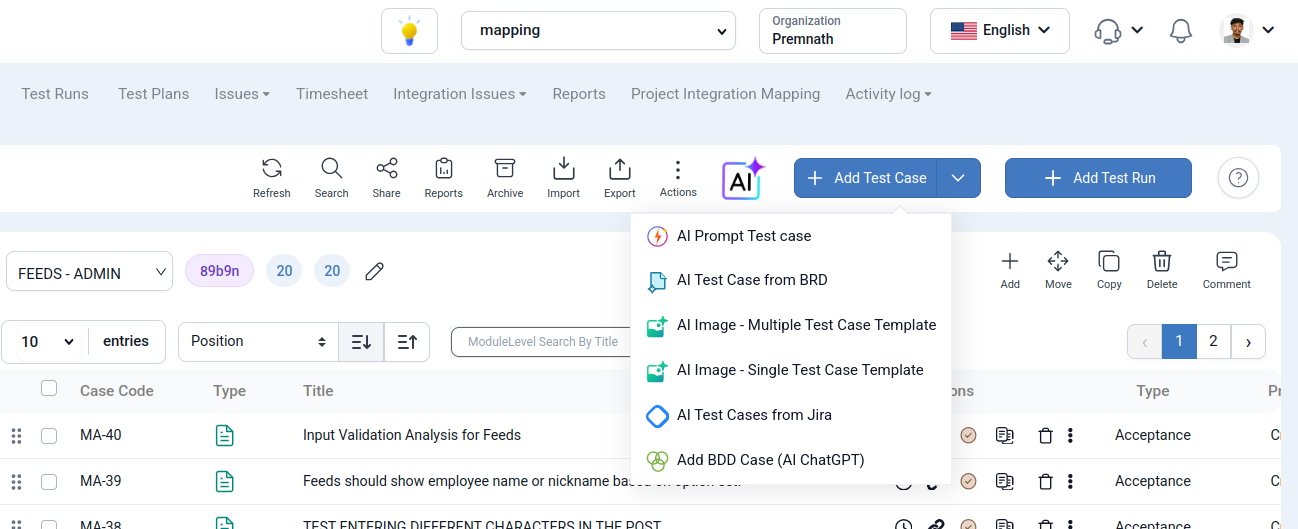
AI Prompt to generate Multiple Test Case
QA Touch has introduced an innovative AI Prompt-to-Test Case feature that allows QA teams to generate a complete suite of test cases using natural language descriptions. Instead of manually drafting scenarios from scratch, users can simply type a feature description or a testing goal (e.g., “Login module with session handling”) to receive multiple structured test cases instantly.
Reduces documentation time by up to 70%, allowing testers to focus on high-value execution rather than manual typing.
Figma/Mockup to generate Multiple Test Case
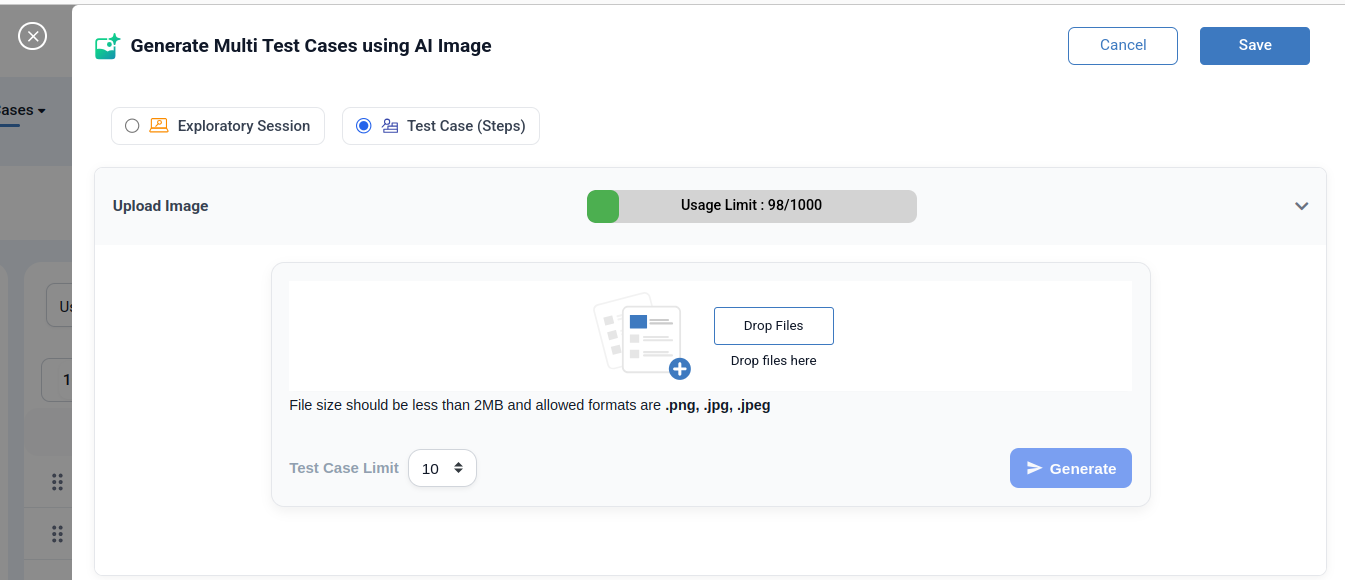
QA Touch will now automatically create structured test cases from an image uploaded by QA engineers, such as a Figma Mockup, Wireframe, UI screenshot, workflow screen.
This innovative AI-powered improvement turns static images into useful testing resources.
Requirements are frequently provided as wireframes, mockups, or screenshots, and many applications are UI-heavy.
Testers devote a significant amount of time to the analysis of every screen element and the creation of corresponding test cases.
Before comprehensive documentation is available, design modifications are occasionally shared as pictures.
JIRA Stories/Epic to generate Single and Multiple Test Case
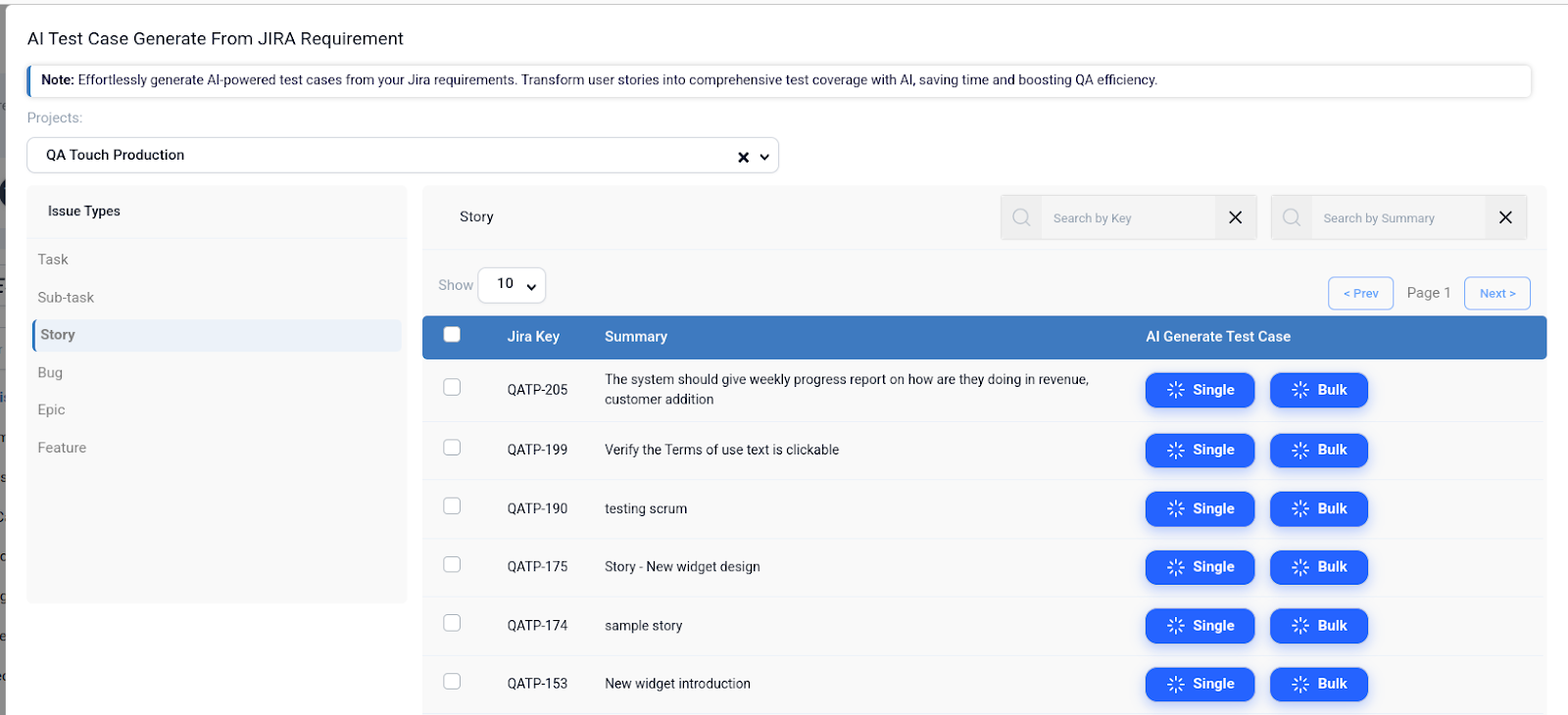
- Configure JIRA Integration
- Sync Your Project on Jira: Connect QA Touch to your Jira instance if you haven’t already.
- Choose your JIRA requirement (epic/story): Go to the menu labelled “AI Test Case From JIRA.” Your epics and stories will be listed there.
- Select Your Format: Desire a methodical, structured exam Or perhaps an advanced exploratory session? The template is up to you.
- Produce: The AI evaluates the Jira ticket’s summary, description, and acceptance criteria when you click the button.
- Examine and store: The Title, Description, and specific Steps are filled in by the AI. All you have to do is go over them, make any necessary human adjustments, and save them to your module.
Transform your BRD Document into Test Cases
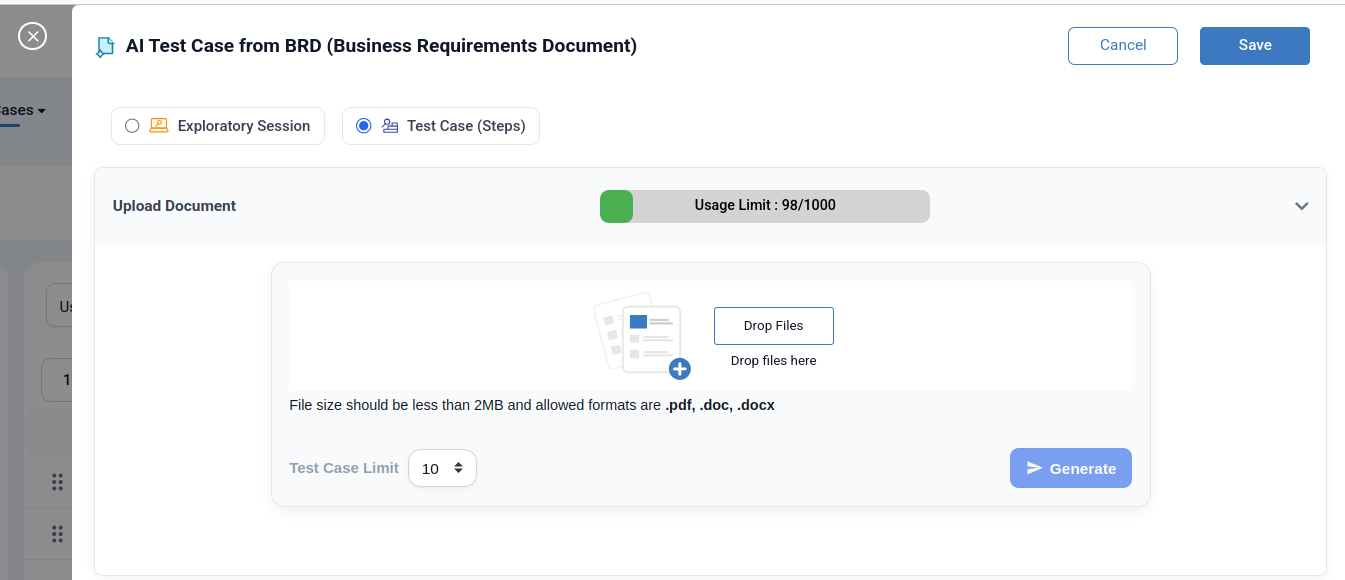
- Login QA Touch and redirect to Test Case List page.
- Click the AI Test Case Management Menu
- Select the AI Test Case from BRD (Business Requirements Document)
- Upload your BRD in DOCX, DOC, or PDF format. Choose whether you want to generate five, ten, or twenty test cases.
- Select “Generate.”
- Examine the test cases produced by AI and immediately save them to your project.
Security Testing
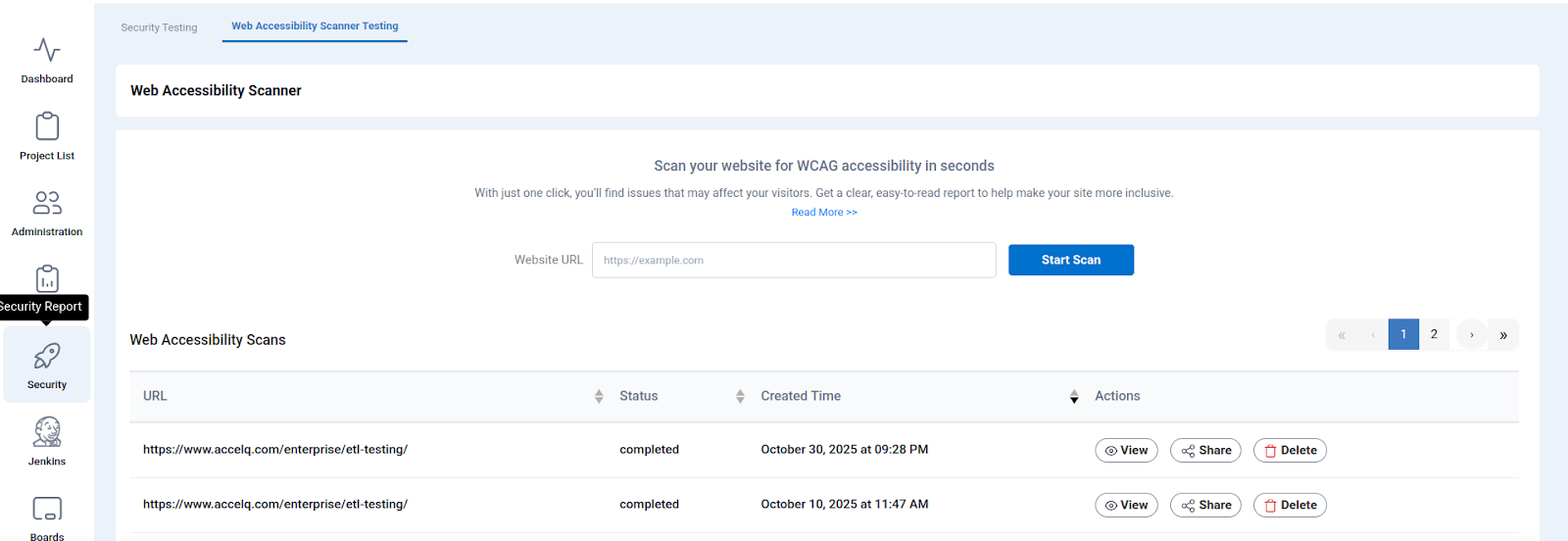
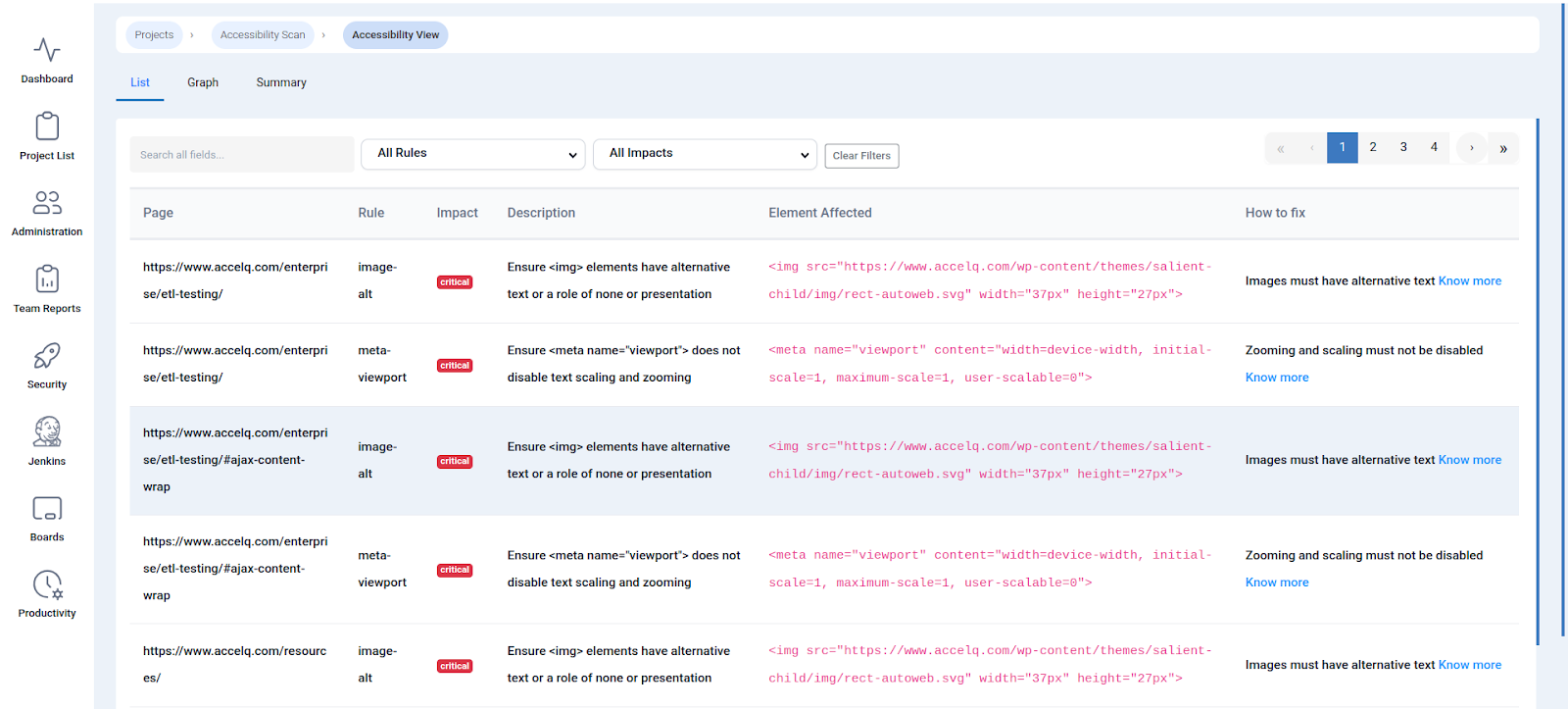
Web Accessibility Scanner (WCAG Scanning)
One-click WCAG accessibility scanning in seconds. Uncover visitor-impacting issues instantly and get a straightforward report to transform your site into an inclusive experience for everyone.
Accessibility is now essential rather than merely desirable. Accessible websites are essential for millions of people around the world to connect, work, learn, and navigate. However, many businesses still find it difficult to adhere to accessibility guidelines like WCAG (Web Content Accessibility Guidelines).
Website Accessibility Scanning for WCAG compliance is a brand-new feature of QA Touch. This feature allows you to quickly scan your website, find accessibility gaps, and take quick action to ensure that everyone has an inclusive online experience.
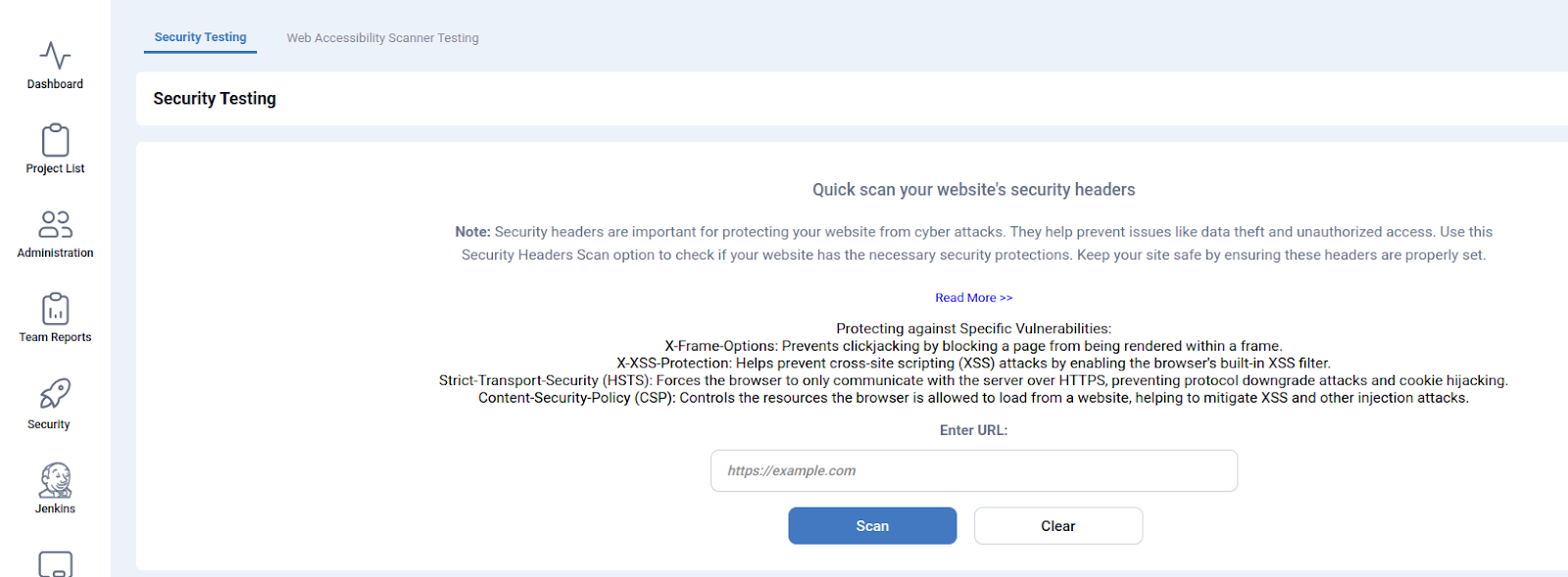
Quick scan your website’s security headers
In order to defend your website against online threats, security headers are crucial. They aid in preventing problems like illegal access and data theft. To determine whether your website has the required security measures, use this Security Headers Scan option. Make sure these headers are set correctly to protect your website.
Defending Against Particular Vulnerabilities:- X-Frame-Options: Prevents clickjacking by preventing the rendering of a page inside a frame.
- By turning on the browser’s built-in XSS filter, X-XSS-Protection helps stop cross-site scripting (XSS) attacks.
- Strict-Transport-Security (HSTS): Prevents protocol downgrade attacks and cookie hijacking by requiring the browser to only communicate with the server via HTTPS.
- Content-Security-Policy (CSP): Helps prevent XSS and other injection attacks by limiting the resources that a browser can load from a website.
Boost Your Security How QA Touch’s Two-Factor Authentication (2FA) Feature
By guaranteeing that only you have access to your projects and data, this potent new feature strengthens the security of your account. We’ll explain why 2FA is revolutionary for your security, how it operates, and provide a straightforward, step-by-step tutorial on how to activate it on your QA Touch account in this blog. Take this important step towards a more secure testing environment to safeguard your team and your work.
For this reason, we are extremely proud to announce the introduction of QA Touch’s new Two-Factor Authentication (2FA) and Multi-Factor Authentication (MFA) features.

QA Touch seamlessly integrates with the tools your team already relies on, delivering unmatched versatility for any workflow. If you’re ready to infuse clarity, structure, and visibility into your testing processes, QA Touch empowers you to get there with minimal friction—so you can zero in on what truly drives results.
Unlock smarter testing with QA Touch’s AI-driven features designed to automate the mundane and amplify your efficiency:
- Instant Test Case Generation: Transform your Business Requirements Document into actionable, comprehensive test cases with a single prompt.
- Visual-to-Test Magic: Extract and generate multiple test cases straight from Figma wireframes or uploaded images, bridging design and execution seamlessly.
- Robust Audit Logs: Track every action with detailed, tamper-proof logs for ultimate compliance and accountability.
- Frictionless SSO: Secure, one-click logins via Google, Microsoft Azure, or Okta keeping your team agile without the hassle.
- Integrated Bug Tracking: Built-in tools to log, assign, and resolve defects on the fly, without switching apps.
- Insightful Reports & Test Suites: Customizable analytics and organized suites to monitor progress and pinpoint bottlenecks.
- Dynamic Agile Board: Visualize sprints, tasks, and workflows in a Kanban style hub for real-time collaboration.
- Tailored Custom Dashboards: Build personalized views that surface the metrics that matter most to your team.
- Seamless Integrations: Connect effortlessly with powerhouse apps like Monday, Jira, Slack, and dozens more for a unified ecosystem.
- Automation-Ready Framework: Plug-and-play compatibility with top tools Playwright, Selenium, TestCafe, and Cypress to supercharge your automated testing.
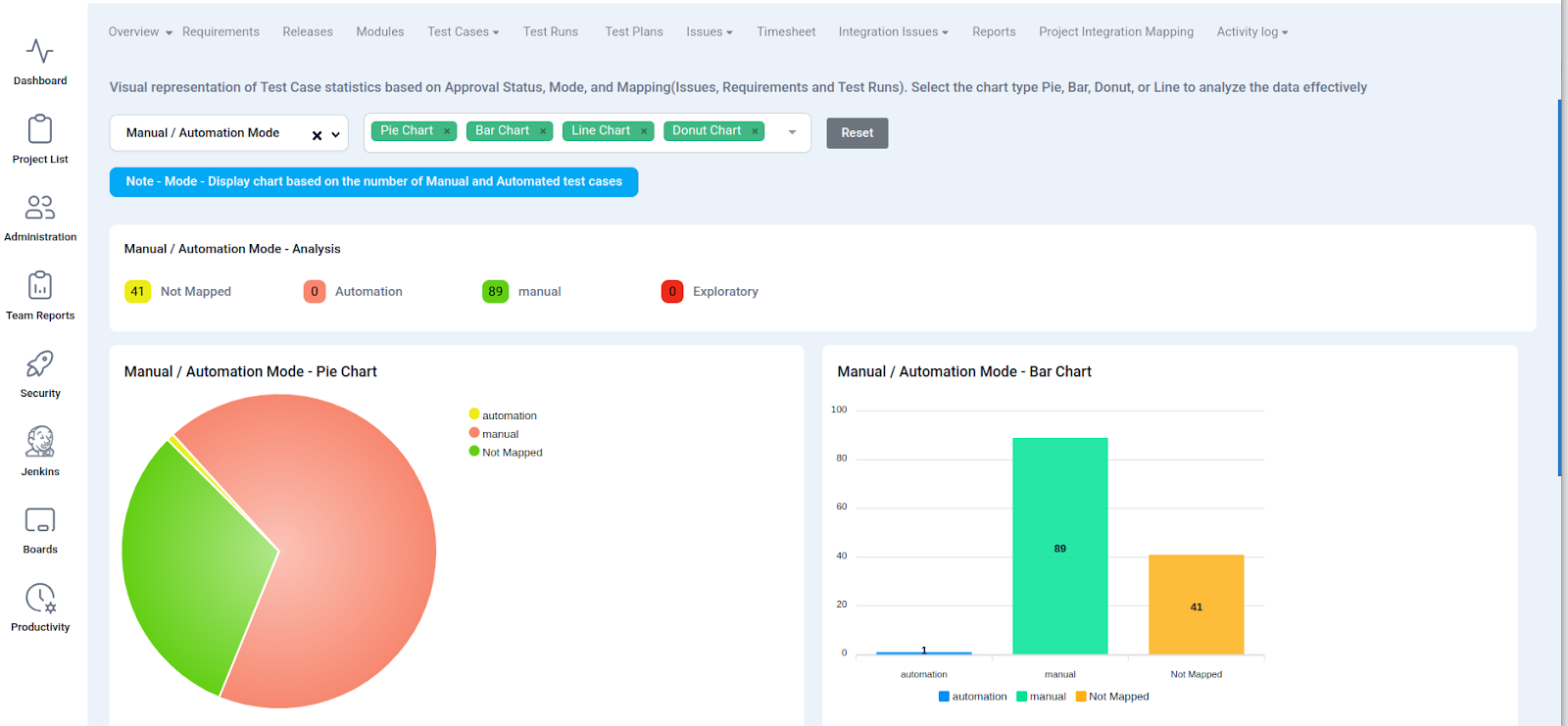
Dynamic Test Case Analytics: Visualize and Decode Your Data
Dive into intuitive visuals that break down Test Case statistics by Approval Status, Mode, and Mapping (linking seamlessly to Issues, Requirements, and Test Runs). Choose your preferred chart Pie, Bar, Donut, or Line to slice through the data and uncover actionable insights at a glance.
Manual / Automation Mode
Displays a chart showing the distribution of test cases based on their execution type: Manual vs. Automated.
Test Cases with Issues
Mapped Issues – Display chart based on Test Cases With Or Without Issues.
Test Cases with Test Runs
Mapped Test run – Display chart based on Test cases linked with test run and test cases not linked with test run.
Test Cases with Requirements
Mapped Requirements – Display chart based on Test cases mapped with requirements and test cases not linked with requirements.