How to configure Multi Trello Board Integration in Test Management Tool?
QA Touch offers the capability to set up integration with multiple Trello boards. Below, we provide a concise overview of the steps for configuring multi-Trello boards, with detailed instructions provided subsequently.
How to configure Trello in QA Touch?
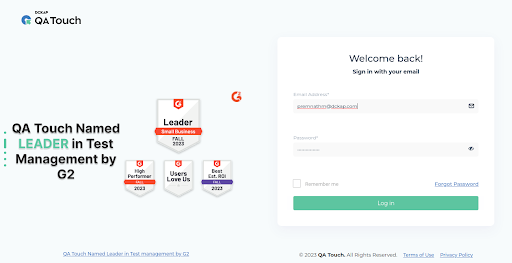
- Login to QA Touch as an Administrator
- Click Administration → Integration Settings → JIRA
- Enter API Key, API Token
- Click Submit button
- After a successful configuration, the status button turns connected
How To Generate An API Token In Trello?
The below snapshots show the steps to access the avatar.
The API Key and API Token are generated in Trello, https://trello.com/app-key/
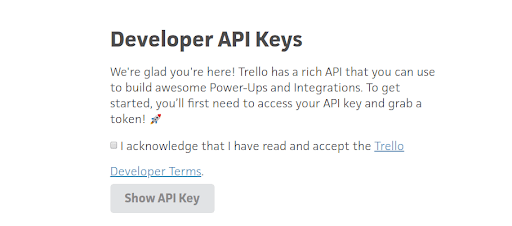
We should select the acknowledgment checkbox first and then proceed to click the ‘Show API Key’ button.
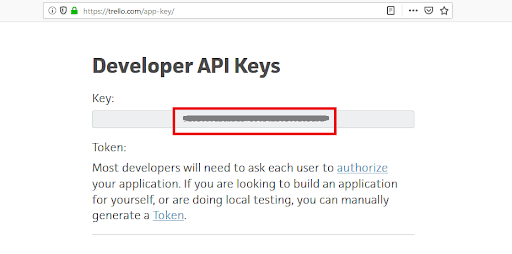
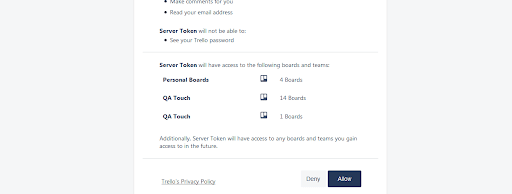
Select the ‘Token’ link, which will take you to the screenshot below. Once there, click the ‘Allow’ button to generate the token
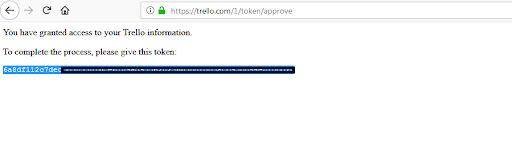
How to Map Multiple Trello Board(s) to a QA Touch Project
Click on Projects → Project Integration Mapping.
Click on Trello tab
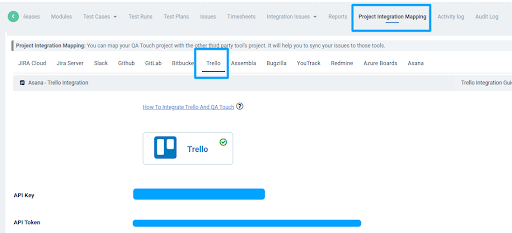
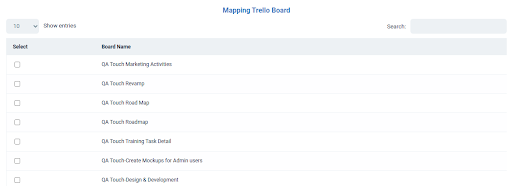
All Boards in your Trello will be listed here.
Mapped Trello Board
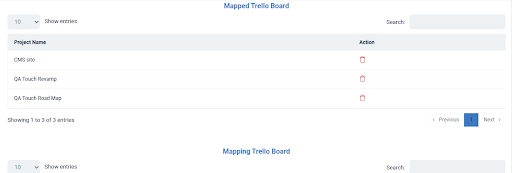
Mapped Boards are to view a list of every mapped project that has already been planned.
Trello Two-Way Integration
- Click Integration Issues -> Trello
- All Trello Board will be listed here
- Click on view icon to navigate to the list out all of card list
- Click any card to navitage to the list out all the board items
- Here you can Add, Edit and View Boards
The below snapshots show the steps

Trello Boards Menu
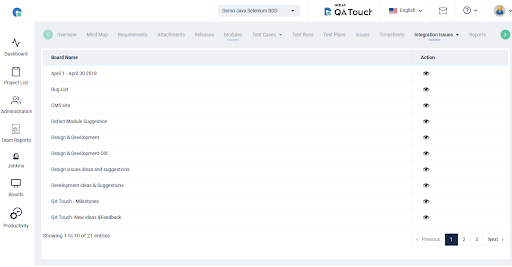
Boards – Click View Icon Navigation to Card list
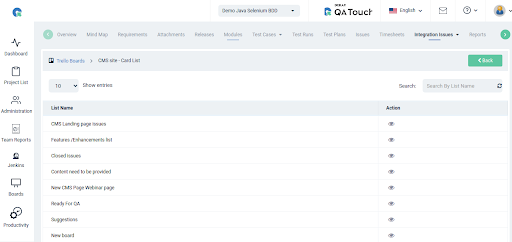
Cards – Click View Icon Navigation to Trello Issues list
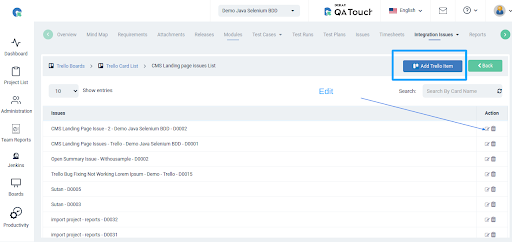
Trello Issues – Here you can Add, Edit and View Board
Executing Test Run and Add Issues into Trello
Go to the Test Run & Result page, and click the Add Issue icon as referred to in the screenshot below.
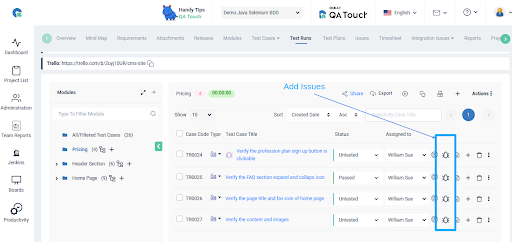
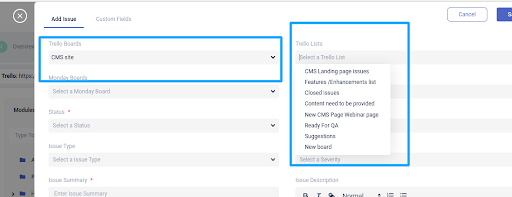
Posted Issue in Trello

Executing Test Run and Fetch Trello Tickets and Mapped Existing Trello Issues
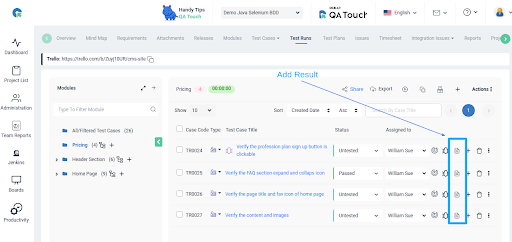
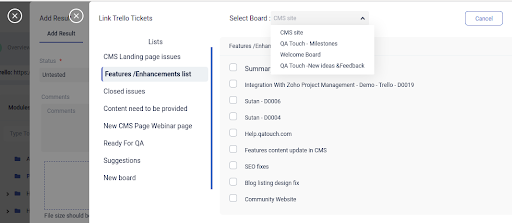
Click Add Result Icon – Add Result popup will be trigger
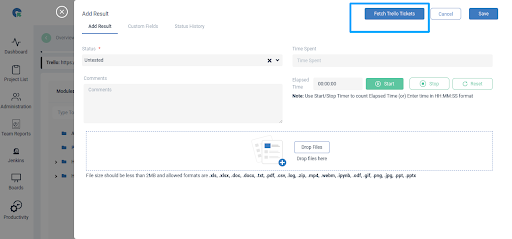
Click Fetch Trello Tickets button see all the trello tickets with multi boards