
Many teams begin managing their test cases in spreadsheets linked to Jira. When the team is small with a simple testing process and works well in the early stages. However, as projects grow, maintaining test cases, tracking execution, and collaborating with multiple testers becomes difficult. Soon, version conflicts and broken formulas slow down everyone and make the data unreliable.
Throughout my years in software quality assurance, test management, and working with teams using Jira, I have seen this transition repeatedly happening. Teams start with spreadsheets, move to a Jira add-on as their testing needs grow, and eventually adopt a dedicated test management platform when collaboration, traceability, reporting, or compliance become business priorities.
This transition is a next stage in the growth of a software team. The question is not whether to move beyond spreadsheets, but which solution best fits your team’s needs.
In this guide, I have compared twelve of the most widely evaluated test management solutions for Jira users, including QA Touch, TestRail, Xray, Zephyr Scale, Zephyr Squad, Qase, PractiTest, Testmo, Testiny, Tuskr, BrowserStack Test Management, and Aqua ALM. The comparison covers key capabilities, pricing, strengths, limitations, and overall suitability for different types of teams. While every effort has been made to ensure the information is accurate, product capabilities and pricing can change over time, so it is always worth reviewing the latest information on each vendor’s website before making a decision.
In the interest of transparency, this guide is published by QA Touch, and QA Touch is covered in more detail than the other platforms. At the same time, the goal of this comparison is to provide a fair and balanced evaluation. Where another solution is a better fit for a particular use case, that has been highlighted, and where QA Touch has limitations, those have been acknowledged as well. My intention is to help teams make an informed decision based on their requirements instead of marketing claims.
Quick Answer: The Best Test Case Management Tools for Jira
If you only have two minutes, the short version is here:
- Best overall for most Jira teams: QA Touch the strongest combination of AI-assisted test case generation, Claude MCP integration, native Jira two way integration, and price, with a genuinely usable free forever plan.
- Best for regulated, compliance-heavy enterprises: TestRail or Aqua ALM the deepest audit trails and the longest enterprise track record.
- Best for teams that want tests to live natively as Jira issues: Xray unmatched requirement-to-test-to-defect traceability because tests are Jira issues.
- Best lightweight, no-frills Jira add-ons: Zephyr Scale (structured) or Zephyr Squad (simple pass/fail).
- Best modern, automation-first standalone tool: Qase polished UX, deep CI/CD integrations, credit-based AI.
- Best for multi-tool enterprises juggling several bug trackers: PractiTest built to run several two-way integrations (Jira, Azure DevOps, ClickUp) at once.
- Best genuinely free plan: Tuskr five users, permanently free, no credit card.
- Best if you’re already paying for BrowserStack: BrowserStack Test Management the value multiplies once you are in that ecosystem.
The rest of this guide explains exactly why, tool by tool, with pricing, honest pros and cons, and a decision framework at the end so you are not taking anyone’s word for it, including ours.
Why Jira Alone Isn’t Enough for Test Management
Jira is great at tracking issues and managing agile workflows, since it was specifically designed for it. It was not designed to be a test case repository, and the team tried to force it into something that will have limitations.
Treating test cases as issues, breaks down fast. A test case has preconditions, steps, expected results, pass/fail/blocked outcome need to be tracked for the multiple executions over time. Jira issues are built in status transitions(To Do, In Progress, Done), and won’t have the test execution history. When the teams try to manage the test cases as native Jira tickets will have Verify – Login – Valid Credentials tickets which will make the sprint boards disorganized without any execution history.
There is no built in concept of a test run. Running the same 200 regression test cases in three different environments (staging, pre-prod, production) before a release is a regular QA task. Jira does not have an option to show “there are 200 same test cases executed for the build 2.4.6, with the test results with the timestamp and done by this tester. When the team tries to create the workflow manually with labels, custom fields will face difficulties.
Requirements traceability becomes a spreadsheet side project. During the review, the auditors, compliance teams and product managers ask the same questions in different ways: Which specific requirement is verified by this test case? Have we tested all the requirements? Cross referring the epics, stories and test tickets is error prone, manual process a dedicated test management tool solves this problem.
Reporting stays shallow. Jira dashboards are great for reviewing the sprint velocity and issue aging. It is not built to show “what percentage of our P1 requirements have passed test coverage in this sprint” or which modules have the repeated failures in the last three sprints. This kind of QA specific reporting can be filled by the dedicated test management tools.
Reusability and versioning get lost. A well designed regression suite reuses the same test cases release after release, ideally with version history showing what changed and why. Jira issues don’t version test steps useful for this, every “update” edits the ticket, with no meaningful before/after for a specific test step.
These cons are not a knock on Jira, since it is not designed for test management. That’s why “Jira test management tool” and “test case management for Jira” are two of the most searched terms in this space: teams do not want to replace Jira, they are looking for the missing layer that sits alongside it.
What Makes a Great Test Management Tool for Jira
First, we will see what separates a strong Jira test management tool from an ordinary one. These are the criteria used in this guide:
| Criterion | Why it matters |
| Jira integration depth | One-way linking ( attaching a Jira ticket number) is different from true two-way sync, where status changes, comments, and requirements flow both directions in real time. |
| AI capability | Can it generate test cases from a user story, a BRD, a Figma mockup wireframe, or a screenshot and does that actually save time, or create more test cases to maintain? |
| Requirements traceability | Can you get a requirements traceability matrix (RTM) automatically, without a spreadsheet side-project? |
| Test planning and execution | How easily can you build a test plan, assign a test run, and track step-by-step execution in a distributed team? |
| Automation support | Native reporters for Playwright, Cypress, Selenium, TestNG, PyTest, and WebdriverIO, or generic JUnit XML imports? |
| Reporting and dashboards | Real time, exportable, stakeholder ready dashboards versus static exports that need manual rebuilding every sprint. |
| Ease of use and onboarding | How long does it take a five person QA team to get from signup to their first actual test run? |
| Pricing and free plan | When a team scales, Per-user, per-seat, or per-Jira-instance pricing all behave differently. |
| Enterprise readiness | SSO, audit logs, role-based access control, and data residency, without which no regulated industry can adopt a tool at all. |
| Support quality | Especially relevant for smaller vendors, where the difference between “responsive founder-led support” and “generic ticket queue” is enormous. |
With that framework in, here is how the 12 leading options compare.
The Complete Comparison Table
This is the fast-reference version. Full detail on every tool follows below.
| Tool | AI Features | Jira Integration | Requirements Mgmt | Automation Support | Reporting | Ease of Use | Starting Price | Free Plan | Best For |
| QA Touch | Generates from Jira stories, BRDs, Figma/images, or free prompts; AI Chat Assist, AI bug writing, AI BDD script generation, Claude MCP Integration, Cursor Integration | Native two-way, Jira Cloud | Built-in, Auto-RTM | Playwright, Cypress, Selenium, WebdriverIO, TestCafe reporters + Jenkins | Dashboards, Custom Dashboard, productivity & managerial reports | Very easy, minimal onboarding | $5/user/mo | Yes usable free tier | Small-to-mid teams wanting AI + Jira + affordability |
| TestRail | Emerging (auto-generate from user stories) | Deep two-way, Cloud/Server/DC | Coverage & traceability reports | Broad via API/CI, mature integrations | Strong, compliance-grade | Moderate, dated UI | $35-38/user/mo | No | Regulated mid-market to enterprise teams |
| Xray | Emerging (requirement-to-test AI) | Native tests are Jira issues | Automatic (native issue links) | Deep BDD/Cucumber, Selenium, JUnit, TestNG | Relies on native Jira dashboards | Moderate, learning curve | ~$1-10/user/mo (Jira-tier priced) | Free trial only | Teams that want testing fully inside Jira |
| Zephyr Scale | AI via Zephyr/Rovo skills | Native Jira Marketplace app | Folder hierarchy, reusable libraries | Cucumber/BDD, Jenkins, Bamboo | 70+ built-in reports | Moderate | ~$10-15/user/mo | Free under 10 users | Structured regression testing inside Jira |
| Zephyr Squad | Basic | Native Jira Marketplace app | Minimal | Thin API, limited import formats | Basic | Easy | ~$10/mo (10 users) | Free under 10 users | Small agile teams wanting lightweight pass/fail |
| Qase | AIDEN case generation + auto-conversion to Playwright/Cypress/Selenium scripts | Bidirectional | Traceability report (Jira Cloud/Server, GitHub, GitLab only) | Strong, CLI-first, 35+ integrations | Custom dashboards, QQL queries | Very easy, modern UI | ~$20-24/user/mo | Yes 3 users | Automation-first modern engineering teams |
| PractiTest | SmartFox duplicate detection, step/test generation, Test Value Score | Two-way, side-by-side with Jira | Strong, multidimensional filtering | REST API, xBot, Firecracker, BDD/Cucumber | Unlimited custom dashboards | Moderate learning curve | ~$49-54/user/mo | No | Enterprises running multiple bug trackers at once |
| Testmo | Testmo AI (case assistance) | Native New Issue dialog support | Basic | Strong CI ingestion, any framework | Reporting Center (paid tiers) | Easy | $99/mo (10 users) | Trial only | Teams wanting cases + exploratory + automation unified |
| Testiny | Limited/emerging | Full two-way via API | Requirements linking | Growing integration list | Real-time dashboards | Easy | ~$17-20/user/mo | Yes, small tier | Small-to-mid teams wanting a lean standalone tool |
| Tuskr | AI-assisted test case creation | Two-way via API, Jira-independent | Basic-to-moderate | Playwright, Cypress, Jenkins, REST API | Burndown charts, PDF exports | Easy | Free (5 users) / $9/user/mo | Yes permanent, 5 users | Budget-conscious teams wanting a real free plan |
| BrowserStack Test Mgmt | Auto-generates from Jira issues, docs, Confluence, images | Two-way binding | End-to-end, per BrowserStack | Deep if paired with BrowserStack Automate | Customizable dashboards | Easy | Bundled in BrowserStack plans | Limited free tier | Teams already using BrowserStack for cross-browser testing |
| Aqua ALM | AI Copilot test case ⇄ description generation | Yes, plus Selenium/Jenkins/JMeter | Strong, built for regulated industries | REST API, CI tools | Drag-and-drop, exportable (PDF/Word/Excel/HTML) | Moderate | ~$36-39/user/mo | Free Guest licenses only | Regulated industries (MedTech, FinTech, GovTech) |
Ratings and pricing reflect our editorial synthesis of vendor pricing pages, G2 and Capterra data, and independent reviews as of mid-2026. Specific third-party review scores, where publicly verifiable, are cited in each tool’s section below. Always confirm current pricing directly with the vendor before purchasing, since SaaS pricing changes frequently.
1. QA Touch Best Overall Test Case Management Tool for Jira
Overview
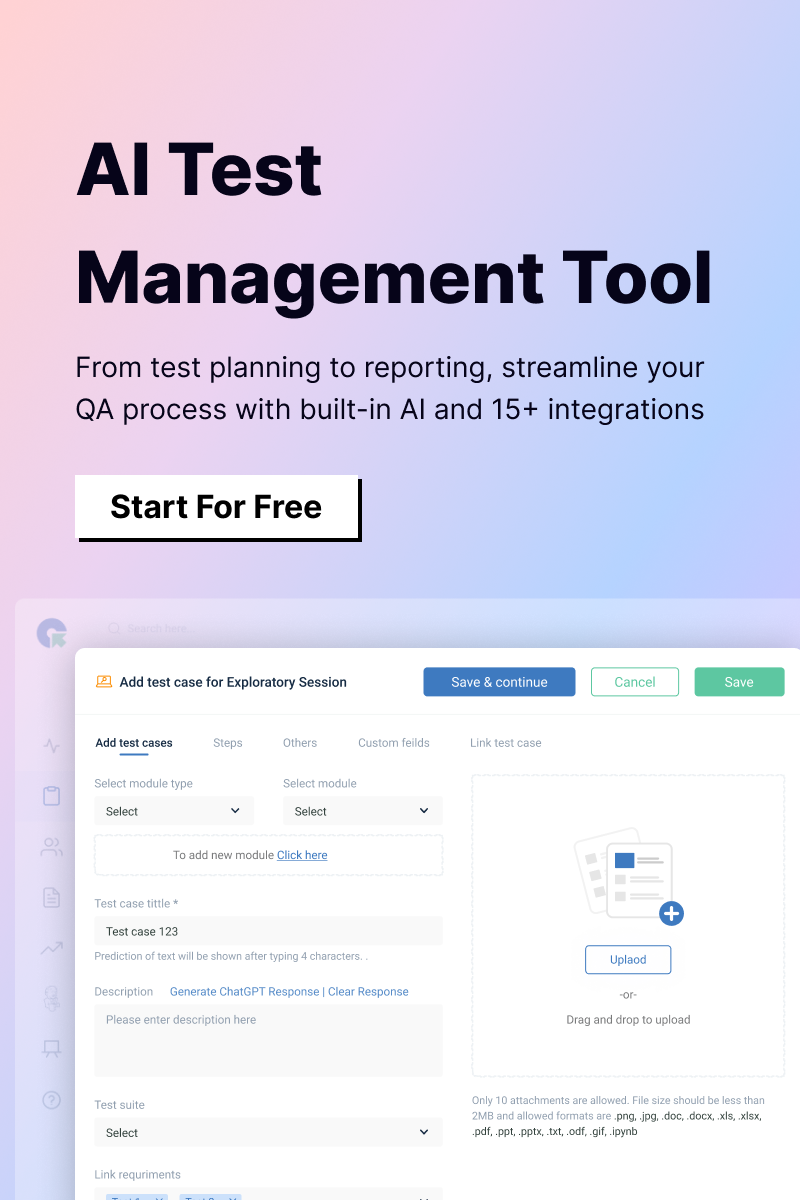
QA Touch is a cloud-based, AI-powered test management platform developed by DCKAP to help QA teams manage test cases, execute tests, and track quality throughout the software development lifecycle. It integrates closely with Jira, making it a practical choice for teams that already manage their development work there but need a dedicated platform for test management. It is particularly well suited for teams that have moved out from the spreadsheets and are looking for a solution that is easy to adopt without the complexity associated with larger enterprise tools.
One area where QA Touch stands out is its approach to AI-assisted test case creation. Instead of limiting AI to a single input source, the platform supports generating test cases from multiple types of requirements, including user stories, Jira epics and stories, Business Requirement Documents (BRDs), Figma designs or screenshots, and natural language prompts. Since different teams capture requirements in different ways, having the flexibility to generate test cases from multiple sources can help reduce manual effort and fit more naturally into existing workflows.
Best For
Small-to-midsize QA teams, startups, and mid-size companies ( 3-150 testers) that want AI-assisted test case authoring, solid native Jira integration, and affordable per user pricing without a lengthy procurement cycle. It also suits agencies and freelance QA consultants working across multiple client Jira instances. QA Touch charges based on the number of users in QA Touch not based on the number of users in the Jira.
Key Features
- AI Test Case Generator with five distinct input modes: Jira user stories, Jira epics, BRDs, Figma/image uploads, and natural-language prompts
- AI Chat Assist for conversational test case creation
- AI Bug Writing to draft structured defect reports from a description or screenshot
- AI BDD Script Generator create Gherkin (Given-When-Then) scenarios
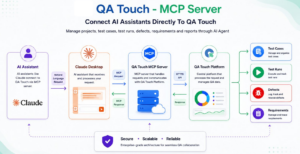
- QA Touch MCP integrated with Claude and Cursor.
- Mind Maps for visual test design and exploratory test planning
- Built-in Requirements Management with automatic requirements-to-test-case mapping (RTM)
- Reusable test cases and shared steps across projects and modules
- Test suites, release/test plans, and structured regression testing workflows
- Sprint planning views aligned to agile/scrum workflows
- Native two-way Jira Cloud integration, plus Slack, GitHub, Monday.com, Trello, GitLab, Bitbucket, Asana, ClickUp, Azure, Linear 18+ integrations total
- Screen recording and audio recording for bug reproduction steps
- Automation reporters for Playwright, Cypress, Selenium, WebdriverIO, and TestCafe, plus Jenkins/CI support
- Timesheet management and productivity reporting
- Multi-language support, audit logs, and role based access control
- REST API and custom fields
Pros
- The broadest AI test case generation of any tool in this list (Jira, BRD, image/Figma, and prompt-based, in one product).
- Low learning curve reviewers consistently describe onboarding a team in under a day.
- The free-forever plan, not a trial, including basic Jira integration and requirements mapping.
- Among the most affordable per user pricing of any actively developed tool reviewed here
- Responsive, hands-on customer support, frequently called out by name in reviews
- Built-in bug tracking removes the need for a second tool for defect management
- The pricing is straightforward and competitive, particularly for small and mid-sized teams.
Cons (an honest look)
No tool is without trade-offs, and QA Touch is no exception. In the interest of the trust this guide is asking readers to extend, here are the limitations users and reviewers raise:
- The reporting capabilities are well suited for day-to-day test execution, release tracking, and quality visibility. However, teams that require highly customized dashboards or complex reporting may find the available options less flexible than they would like.
- If your organization uses newer or highly specialized automation frameworks, it is worth evaluating whether the current integrations meet your specific requirements. You have to customize with the REST APIs to sync your test results.
Pricing
QA Touch uses straightforward per user monthly pricing with a free tier, which is unusual in this category:
| Plan | Price | Highlights |
| Free | $0/user/month | 3 projects, 100 test cases, 10 test runs, 10 requirements, basic Jira Cloud integration, limited AI usage (2 uses for image/BRD generation) |
| Startup | $5/user/month | 10GB storage, AI generation (10-use limit), role management, custom fields, Jira Cloud integration, advanced reports |
| Professional (most popular) | $7/user/month | 50GB storage, AI generation (20-use limit), AI test case generation from Jira, 100 projects, version history, 18+ integrations, API access |
| Unlimited | $15/user/month | 150GB storage, unlimited AI usage, unlimited projects, SSO, MFA, automation reporters (Playwright/Selenium/PyTest), Jenkins/DevOps support |
Teams above 50 users can request custom enterprise pricing directly.
Jira Integration
QA Touch offers native two-way Jira Cloud integration, available even on the free plan at a basic level (a genuine differentiator most competitors gate any Jira integration behind a paid tier). Higher tiers unlock two-way sync for AI-generated test cases directly from Jira epics and stories, so a product manager writing a story in Jira can trigger structured test case generation without a QA engineer manually re-keying requirements.
AI Capabilities
This is QA Touch’s key area of differentiation. Most competitors offer one AI entry point, QA Touch offers five: Jira stories/epics, BRDs, Figma files or plain images, and open ended prompts, plus a conversational AI Chat Assist and AI-drafted bug reports. The AI BDD Script Generator is also specifically for teams practicing behavior-driven development, since it turns a plain language scenario into Gherkin syntax automatically.
Ease of Use
Consistently the most praised attribute in independent reviews. Teams report the onboarding, including Jira integration, in under an hour, and describe the interface as requiring minimal training even for testers new to dedicated test management tools.
Enterprise Readiness
SSO and multi-factor authentication are available on the Unlimited plan, along with audit logs and role based access control in all paid tiers. It is a reasonable enterprise story for mid-market compliance needs, though teams in heavily regulated sectors (see the Enterprise Considerations section below) should compare its audit trail depth directly against TestRail or Aqua ALM before standardizing on it for something like FDA or SOC 2-scoped testing.
Test Management Capabilities
QA Touch includes the core capabilities most QA teams expect from a modern test management platform. Requirements can be linked directly to test cases through a built-in Requirements Traceability Matrix (RTM), making it easier to track coverage without relying on external spreadsheets. The platform also supports structured test plans, release management, step-by-step test execution, and dashboards provide visibility at both the project and organization levels.
For teams using automation, QA Touch integrates with popular frameworks such as Playwright, Cypress, Selenium, WebdriverIO, and TestCafe. Automation results are consolidated alongside manual test execution, allowing teams to monitor overall test coverage and execution status from a single place instead of switching between multiple tools.
Customer Support
One area where QA Touch is frequently recognized by users is customer support. In the customer reviews, teams mention the responsiveness of the support team and the willingness to address questions, feature requests, and implementation challenges in a timely manner. For organizations looking for a collaborative onboarding experience, this can be an important consideration.
Who Should Consider QA Touch?
QA Touch is well suited for startups, small and medium-sized businesses, and growing QA teams that want a dedicated test management solution without the complexity or cost associated with larger enterprise platforms. It is also a great option for testing agencies managing multiple client projects in Jira and for teams that want to take advantage of AI-assisted test case creation from a variety of requirement sources.
For larger enterprises with extensive governance, regulatory, or compliance requirements, it is worth comparing QA Touch with platforms like TestRail or Aqua ALM to determine which solution best aligns with their audit and compliance needs.
For teams already using Jira and looking for a balance of usability, AI-assisted capabilities, and cost, QA Touch offers a comprehensive set of features that meets the needs of many modern QA organizations.
[Start Free with QA Touch →] No credit card required, and the free plan includes real Jira integration, not just a trial countdown.
2. TestRail Best for Regulated Mid-Market and Enterprise Teams
Overview
TestRail, owned by Idera since 2016, is one of the established test management platforms in the market. The solution is available as both cloud and self hosted. It has Jira integration and has built in the industry a dedicated test management platform to manage their test cases and execution.
Best For: Mid-market and enterprise QA teams,from the regulated industries like finance, healthcare, and pharmaceuticals, that need strict audit capabilities, test management, and a platform with a long track record.
Key Features
- Core Management: Organized test suites, runs, milestones, and cross-project dashboards.
- Integrations: Deep connections with Jira, GitHub, GitLab, Bitbucket, Azure DevOps, Jenkins, and REST APIs.
- Enterprise Security (Enterprise Plan): SSO (SAML/OAuth), LDAP/Active Directory, test case versioning, and approval workflows.
- Deployment Options: Available in the Cloud or On-Premise (Unavailable in newer platforms).
The Pros
- Best Jira Integration: Flawlessly syncs defects, requirements, and test results across Jira Cloud, Server, and Data Center.
- On-Premise Hosting: Ideal for organizations with strict security or data sovereignty requirements.
- Audit-Ready: Industry-standard reporting, role-based access, and complete requirements traceability for regulated spaces.
- Proven Track Record: Large user base and well-documented support community.
The Cons
- Dated Interface: The UI is reliable, but it feels clunky compared to modern web apps.
- Paywalled Features: Essential security features like SSO, test versioning, and approvals are locked behind the high-tier Enterprise plan.
- Costs Scale Quickly: Per-seat pricing, storage caps, and API limits make it expensive for growing teams.
Pricing, AI, & Usability
- Pricing:
- Professional Cloud: ~$35–$38 / user / month
- Enterprise Cloud: ~$71–$74 / user / month
- Enterprise Server (On-Prem): Starts at ~$1,412 / year (minimum seat requirement)
- Note: Includes a 30-day free trial, but there is no permanent free tier. The pricing might change anytime in SaaS products. Refer to their website for the correctness.
- AI Features: Basic AI tools exist to help generate test cases from user stories, but AI is not the core focus of the product.
- Ease of Use: Day-to-day testing is easy to learn, though admin settings and setup workflows feel a bit outdated.
Who Should Use TestRail:
TestRail is best for enterprise QA teams and regulated industries that prioritize data control, audit trails, and Jira workflows over the latest AI features or slick modern interfaces.
3. Xray Best for Teams That Want Testing Fully Native to Jira
Overview
Xray, built by Xblend, takes the opposite architectural approach from standalone tools: instead of syncing with Jira, it makes tests as the Jira issue types. Every test, test plan, and test execution will be inside Jira’s own data model, which has genuine implications for traceability.
Best For: Jira-centric engineering organizations that want test management to live entirely inside Jira rather than in a separate application, and teams already running BDD/Cucumber workflows.
Key Features: Tests, test plans, and test executions as native Jira issue types; folder and test-set organization; requirement coverage via interactive charts; REST API for CI result ingestion; recently added AI to convert requirements into structured manual or BDD test cases; Standard and Advanced/Enterprise editions, with Enterprise adding unlimited storage and 24/7 SLA versus Standard’s 100GB cap.
Pros: Because tests are Jira issues, requirement-to-test-to-defect traceability is automatic and airtight not “produce a nightly traceability report,” but structurally inherent to how the data is stored; massive scale, with the Atlassian Marketplace listing citing over 10 million testers and developers and 100 million+ test cases managed monthly across 10,000+ companies; deep BDD/Cucumber and CI/CD integration (Jenkins, Bamboo, GitHub, GitLab, Bitbucket, Selenium, JUnit, TestNG).
Cons: Pricing is tied to your total Jira user-tier, not your number of testers a five-person QA team inside a 500-user Jira instance pays Xray’s 500-user-tier rate, which can make it surprisingly expensive for exactly the team composition many mid-size companies have; reporting leans heavily on native Jira dashboards, which reviewers describe as comparatively basic out of the box; a real learning curve, and execution views can feel cluttered with large test volumes.
Pricing: Tier based, scaling with total Jira user count (not testers specifically), starting in the neighborhood of $1-10/user/month with a 10-user minimum; Standard and Enterprise editions priced separately, and Data Center licensed annually. Always check the live Atlassian Marketplace listing for current tier pricing, since Marketplace apps reprice periodically.
Jira Integration, Requirements Traceability: As close to “perfect” as this category gets, precisely because there’s no external sync involved, tests, requirements, and defects are all first Jira objects.
AI Capabilities: Newer than QA Touch’s or Qase’s; current AI features focus on converting requirements into structured test cases, without the broader multiple input (image/BRD/Figma) coverage QA Touch offers.
Ease of Use, Enterprise Readiness: Moderate learning curve, specifically in the test execution setup. Enterprise edition adds meaningfully to scalability and supports SLAs versus Standard.
Who Should Use Xray: Organizations fully committed to Jira as the system of record for QA, with the automation and BDD maturity to take advantage of native issue-level traceability, and a Jira user base small enough relative to QA headcount that the per-Jira-user pricing model doesn’t hurt.
4. Zephyr Scale Best for Structured Regression Testing Inside Jira
Overview
Zephyr Scale, from SmartBear, is the more full-featured half of the Zephyr product family (the other being Zephyr Squad, reviewed next). Note that SmartBear has been consolidating branding “Zephyr Squad” now appears on the Atlassian Marketplace as “Zephyr Essential,” and “Zephyr Scale” has been folded into a unified “Zephyr” listing but both original names remain in wide use and are what most teams still search for.
Best For: Jira teams have the structured, folder-organized regression suites who want reusable, parameterized test libraries without leaving Jira.
Key Features: Folder-hierarchy test organization, reusable and parameterized test libraries shared across projects; native Cucumber/BDD support,; 70+ built-in reports; REST API for importing JUnit and other automated result formats; integrates with Jenkins, Bamboo, and GitHub Actions; newer “Zephyr Skills” AI functionality for bulk test case generation from a Jira issue or prompt, plus natural-language querying of test data through tools like Copilot or Claude.
Pros: Genuinely deep native Jira dashboards (test cycle reports, execution gadgets) that mirror how most QA teams already think about regression suites; strong reusability model for large, long-lived test libraries with the reasonably priced entry tier.
Cons: Reviewers note performance can lag on very large repositories, UI/UX can feel like it requires more clicks than necessary for simple tasks, and built-in reports are not always customizable enough for bespoke QA metrics; like Xray, it is a Jira Marketplace app, so cost scales with Jira licensing considerations.
Pricing: Roughly $10/month starting for Standard and $15/month for Advanced, both for the first 10 users, with per-user cost increasing beyond that band free for very small teams under the entry threshold. Zephyr Enterprise (a separate, non-Marketplace product) is quote-based with a 20-user minimum.
Jira Integration: Native Marketplace app, so integration is inherent instead of synced the same architectural advantage Xray has.
AI Capabilities: Newer “Zephyr Skills” functionality allows bulk test case generation and natural-language data queries, a meaningful step up from Zephyr’s historically feature-light AI story, though still narrower in scope than QA Touch’s multi-input generation.
Who Should Use Zephyr Scale: Teams that want Xray-style native Jira integration but prioritize Zephyr’s specific reusable-library and folder-based organization model, especially those already standardized on SmartBear’s broader tooling.
5. Zephyr Squad Best Lightweight Option for Small Agile Teams
Overview
Zephyr Squad (rebranded “Zephyr Essential” on the Atlassian Marketplace, though still widely called Squad) is the lighter sibling to Zephyr Scale: pass/fail execution tracking without the folder hierarchies, reusable libraries, or reporting depth of the Scale product.
Best For: Small agile teams that want basic test execution tracking inside Jira without the overhead of a formal, structured QA process.
Key Features: Lightweight test case creation and execution tracking; real-time visibility into pass/fail status inside Jira sprints; basic integration with Jira’s existing agile boards.
Pros: Extremely low cost of entry, minimal setup, and no learning curve for teams that just want quick pass/fail tracking without formal test management overhead.
Cons: Genuinely thin compared to every other tool in this guide, a limited API surface, fewer import formats for automated results, and essentially no reusability or requirements traceability infrastructure. Teams that outgrow “quick pass/fail tracking” outgrow Zephyr Squad quickly and typically migrate to Zephyr Scale, Xray, or a standalone tool.
Pricing: Around $10/month for the first 10 Jira Cloud users, scaling from there via Atlassian Marketplace tiers.
Who Should Use Zephyr Squad: Very small, early-stage agile teams that need the absolute minimum viable test tracking inside Jira and know they’ll likely migrate to something more structured as they grow.
6. Qase Best Modern, Automation-First Standalone Tool
Overview
Founded in 2019 by Nikita Fedorov in Austin, Texas, Qase built its reputation on being the test management tool for teams that wanted something as intuitive as consumer software but capable of handling both manual and automated testing in one workspace.
Best For: Modern engineering teams that are looking for a polished, automation-first standalone tool with deep CI/CD integration and are comfortable with a credit-based AI pricing model.
Key Features: AIDEN, Qase’s AI layer, generates structured test cases directly from Jira or GitHub issues and converts manual test cases into executable Playwright, Cypress, or Selenium scripts, grading each case by automation readiness; 35+ integrations spanning CI/CD pipelines, automation frameworks, and issue trackers; customizable dashboards with five widget types and a query language (QQL) for advanced filtering; bidirectional defect linking to Jira, GitHub, GitLab, and Asana environment/configuration groups for cross-browser and cross-device coverage tracking.
Pros: G2 rating of 4.7/5 from roughly 280 reviews, is the highest of any tool in this comparison; modern, fast-to-learn interface; a free tier (3 users) that includes API access and unlimited read-only seats, strong CI/CD and automation-framework depth.
Cons: AIDEN’s credit system (1,000 credits/month on Startup, 2,000 on Business, 4,000 on Enterprise, non-rollover, $0.40/credit overage) introduces cost unpredictability for teams that lean heavily on AI features; SSO is a paid add-on even on the Business plan; the requirements traceability report currently only supports Jira Cloud, Jira Server, GitLab, and GitHub teams on Azure DevOps, Linear, or Asana can’t generate it. workflow/status customization is less mature than tools with a longer enterprise history; G2 reviewers note occasional lag during high-volume test executions.
Pricing: Free for up to 3 users (500MB storage, core features, unlimited read-only seats); Startup around $20-24/user/month (up to 20 users, 250GB storage); Business around $30-36/user/month (up to 100 users, role-based access, Jira requirements traceability, unlimited storage); Enterprise custom-quoted with SSO/SCIM.
Note: Always refer to the pricing information in their website for accuracy since the pricing of SaaS products might change at any time.
Jira Integration: Bidirectional sync of test results, defects, and requirements production-ready for agile teams running sprints in Jira and test cycles in Qase.
AI Capabilities: Among the more automation-oriented AI implementations in this list AIDEN doesn’t just generate test cases, it converts existing manual cases into runnable automated test scripts, which is a meaningfully different capability than requirement-to-test-case generation only.
Who Should Use Qase: Engineering-led teams that want strong automation integration and a modern interface, and are comfortable managing a usage-based AI credit system instead of a flat unlimited allowance.
7. PractiTest Best for Enterprises Running Multiple Bug Trackers
Overview
PractiTest is an end-to-end test management platform built around five core modules requirements, test library, test sets and runs, issues, and milestones with a specific architectural choice that sets it apart from nearly everything else in this comparison: it’s designed to sit alongside Jira rather than embed inside it, and can maintain multiple simultaneous two-way integrations (Jira, Azure DevOps, ClickUp) within a single account.
Best For: Complex, multi-team enterprises that need cross-project visibility across several different bug trackers simultaneously, not just Jira.
Key Features: SmartFox, PractiTest’s AI layer, offers real-time duplicate test/issue detection, step and test generation from Jira or Azure DevOps user stories, and a Test Value Score that prioritizes which tests matter most using ML based analysis of risk and historical data and unlimited custom dashboards and downloadable reports, multidimensional “slice and dice” filtering, MCP integration for connecting AI assistants directly to test data, xBot and Firecracker for automation and CI/CD result ingestion and native BDD/Cucumber support.
Pros: SmartFox AI is included without credit metering on every paid plan, a real differentiator versus Qase’s consumption-based model; genuinely unique multi-tracker architecture for enterprises that have not standardized on a single bug tracker.
Cons: Among the pricier entry points in this comparison, a real learning curve, with reviewers consistently flagging a steeper ramp-up than Qase or QA Touch, particularly for advanced filtering and workflow configuration, SaaS only with the cloud, no on-premise deployment option; some third-party comparisons note lower default API rate limits than automation-heavy alternatives.
Pricing: Team plan around $49-54/user/month with a 5-tester minimum; Corporate plan is custom-quoted, with a 10-license minimum and annual billing, adding advanced security, custom workflows, and Test Versioning.
Note: Always refer to the pricing information in their website for accuracy since the pricing of SaaS products might change at any time.
Jira Integration: Two-way sync, including automatic filter syncing and embedded panels inside Jira issues but architected as a companion platform instead of a native Jira app, which is precisely the point for teams that don’t want to be Jira-locked.
Who Should Use PractiTest: Enterprises managing testing with multiple teams and multiple issue-tracking tools simultaneously, and organizations that need unlimited AI usage without a credit system.
8. Testmo Best for Unifying Manual, Exploratory, and Automated Testing
Overview
Testmo positions itself as a single unified platform for test case management, exploratory testing sessions, and automated test result reporting, aimed at teams tired of stitching together three separate tools for those three separate jobs.
Best For: Teams that want test cases, ad-hoc exploratory sessions, and CI/CD automation results all visible in one platform, with especially strong native Jira issue creation.
Key Features: Testmo is the only tool in this comparison offering genuinely native support for Jira Cloud’s full-featured New Issue dialog, including custom fields and add-ons, directly from test results; unlimited projects, test cases, plans, runs, and milestones on every tier; dozens of built-in metrics and charts; integrations with Bitbucket, GitHub, GitLab, Jenkins, CircleCI, and more; Testmo AI for case assistance.
Pros: Every tier, including the entry Team plan, includes the full unified feature set, automation results, exploratory sessions, and manual test cases are not gated behind higher pricing; Jira issue-creation workflow that other tools nearing that but don’t fully replicate.
Cons: No permanent free plan, only a trial; pricing is block-based (a flat rate for a bundle of seats, e.g. $99/month for 10 users) rather than strictly per-user, which can look worse for teams whose headcount doesn’t fit in the tier boundary; some reviewers cite integration and reporting limitations compared to the specialized platforms.
Pricing: Team plan around $99/month for 10 users; Business around $299/month for 25 users; Enterprise around $499-599/month for 25 users, adding SSO (Google, Microsoft, Okta, OneLogin, SAML), 2FA enforcement, and a full audit log.
Who Should Use Testmo: Teams that specifically want manual, exploratory, and automated testing unified in one platform and value Testmo’s native Jira issue creation over a lower headline price.
9. Testiny Best Lean, Standalone Alternative to Jira Add-ons
Overview
Testiny is a modern, cloud-based test management platform designed with simplicity and ease of use in mind. Unlike Jira-native Marketplace apps, it operates as a standalone platform while providing comprehensive bidirectional integration with Jira through its API. This approach allows teams to manage testing in Testiny while maintaining traceability with Jira issues, without requiring every Jira user to have access to the test management tool.
Best For
Small and mid-sized QA teams looking for a modern, easy to use test management solution integrate closely with Jira without the licensing model typically associated with Jira Marketplace apps.
Key Features
- Bidirectional Jira integration for linking test cases, executions, and defects
- Custom fields and rich text editor for test case authoring
- Granular role-based permissions
- Real-time dashboards and reporting
- Audit trail
- Single Sign-On (available on higher plans)
- Integrations with GitHub, GitLab, Jenkins, Confluence, Asana, Trello, Cypress, and other development tools
Pros
One of Testiny’s key strengths is its integration approach. Because it connects to Jira through APIs instead of being installed as a Jira Marketplace app, organizations can manage testing without extending test management licenses to every Jira user. This can be particularly beneficial for larger Jira deployments where only a subset of users are involved in testing.
The platform also offers a clean, intuitive interface with a relatively short learning curve, making it easy for new teams to get started. Customer feedback often highlights the responsiveness of the product team and the steady pace of product improvements.
Cons
Compared with some of the more established platforms in this category, Testiny has a smaller ecosystem of integrations and fewer advanced enterprise capabilities. Its AI-assisted features are also more limited than those offered by several competitors that have made AI a primary focus.
Earlier customer reviews also mentioned areas such as documentation and milestone management as opportunities for improvement, although the product has continued to evolve with regular feature updates.
Pricing
Pricing starts at approximately $17–20 per user/month for the Starter plan, around $20 per user/month for the Business plan, which adds features such as automation support and milestones, and approximately $30 per user/month for the Enterprise plan, which includes advanced administration capabilities such as custom roles. Testiny also offers both a free plan and a free trial. (Pricing should be verified on the provider’s website, as it may change over time.)
Who Should Use Testiny
Testiny is suited for small and growing QA teams that want a lightweight, easy-to-adopt test management platform with Jira integration. It is great for companies that want standalone testing with full traceability, without paying for extra Jira Marketplace add-ons.
10. Tuskr Best Genuinely Free Plan
Overview
Tuskr is a standalone, Jira-independent test case management platform built around a specific pitch: modern test management at a fraction of legacy pricing, with a free plan.
Best For: Budget conscious teams, startups, and small QA groups that want a free plan and a low, predictable per-user cost as they grow, without being tied to a Jira license to use it.
Key Features: Free plan covering 5 users, 5 projects, and 1,000 test cases with no time limit and no credit card required; AI-assisted test case creation, burndown charts and stakeholder ready PDF reports, CSV import for migrating from spreadsheets; integrations with Jira, GitHub, GitLab, Slack, Microsoft Teams, Google Chat, Cypress, Playwright, Jenkins, and 400+ additional apps via a platform-independent REST API; role-based permissions, audit logs, SSO, and 2FA available even at accessible price points.
Pros: G2 rating of 4.6/5 across roughly 555 reviews and 4.7/5 on Capterra, among the strongest review profiles in this comparison; genuinely the most generous permanent free tier reviewed here. Jira integration is available on the free plan, not gated behind a paid upgrade. enterprise security features (SSO, audit logs) available at a much lower price point than most competitors offer them.
Cons: As a newer entrant, its ecosystem and third-party integration maturity is still behind category platforms like TestRail or Xray. Several reviewers note reporting and dashboard customization could be more flexible, automation-framework depth is lighter than automation-first tools like Qase or Testmo, though core Playwright/Cypress/Jenkins integrations are solid.
Pricing: Free permanently for up to 5 users, 5 projects, and 1,000 test cases; Team plan around $9/user/month; Business plan around $15/user/month.
(Note: Always refer to their official page for the pricing, since it can be changed any time)
Jira Integration: Two-way, via API Tuskr doesn’t require a Jira license or Marketplace installation to connect, which is structurally different from Xray or Zephyr and can meaningfully lower total cost for teams that don’t want test management tied to Jira’s own licensing.
Who Should Use Tuskr: Startups, small QA teams, and budget-constrained organizations that want a free plan with Jira connectivity included, and predictable low-cost scaling beyond that.
11. BrowserStack Test Management Best If You’re Already in the BrowserStack Ecosystem
Overview
BrowserStack is widely recognized for its cloud platform for cross-browser and real-device testing. BrowserStack Test Management extends that ecosystem by bringing test case management, test execution, and Jira integration into the same platform. Rather than positioning itself as a standalone test management tool, it is designed to complement the BrowserStack products many teams already use for test execution.
Best For
Teams already using BrowserStack for browser, mobile, or visual testing that want to manage test cases and test execution within the same ecosystem.
Key Features
- AI-assisted test case creation from supported requirement sources
- Bidirectional Jira integration for synchronizing test management activities
- Gherkin/BDD test authoring
- Customizable dashboards and reporting
- Bulk operations for managing test cases and test runs
- Integration with BrowserStack’s test execution platform for a unified testing workflow
Pros
The biggest advantage of BrowserStack Test Management is how well it fits into the broader BrowserStack ecosystem. Teams already using BrowserStack for cross-browser or mobile testing can manage test design, execution, and reporting from a connected platform instead of switching between multiple tools.
The platform also includes AI-assisted capabilities that help reduce the effort involved in creating and maintaining test cases. As with any AI feature, it’s worth evaluating the generated output against your own testing standards rather than relying solely on vendor benchmarks.
Cons
BrowserStack Test Management is most valuable for organizations already invested in the BrowserStack ecosystem. Teams looking only for a dedicated test management platform may find purpose-built alternatives easier to evaluate and compare.
Pricing can also be less straightforward than standalone test management tools, as Test Management is part of BrowserStack’s broader platform offerings and may vary depending on the products and licensing options selected.
Pricing
BrowserStack Test Management is available as part of BrowserStack’s platform offerings instead of as a standalone product. Pricing depends on the products, plan, and team size selected. For the latest pricing information and licensing options, it is best to contact BrowserStack directly or refer to the vendor’s pricing page.
Who Should Use BrowserStack Test Management
BrowserStack Test Management is a good fit for teams that already rely on BrowserStack for browser, mobile, or visual testing and want to bring test planning, execution, and reporting together within a single platform. Organizations evaluating test management independently may also consider dedicated test management solutions to determine which approach best aligns with their testing strategy and budget.
.
12. Aqua ALM Best for Regulated Industries (FinTech, MedTech, GovTech)
Overview
Aqua ALM (marketed as aqua cloud) is an AI-powered application lifecycle management and test management platform developed in Cologne, Germany. It is designed for organizations that need more than test execution management, with a strong emphasis on requirements traceability, audit readiness, and quality processes that support regulated industries.
Best For
Organizations in industries like finance, healthcare, life sciences, and the public sector that require end-to-end traceability between requirements, test cases, defects, and releases, along with comprehensive audit records.
Key Features
- AI Copilot for assisting with test case creation and test documentation
- Drag-and-drop report builder with export options including PDF, Word, Excel, and HTML
- Unlimited guest (read-only) users across cloud plans
- Multi-language interface, including English, French, German, Spanish, Turkish, and other supported languages
- Integrations with Jira, Selenium, Jenkins, JMeter, and other development tools through REST APIs
- Requirements management, test management, defect tracking, and release management within a single platform
Pros
Aqua ALM’s biggest strength is its focus on traceability and governance. The platform provides comprehensive audit trails, requirements traceability, and documentation capabilities that are particularly valuable for organizations operating in regulated environments.
AI Copilot is included with cloud plans, making AI-assisted test authoring available without requiring separate AI credits or add-on licensing. The platform’s unlimited guest user model is another advantage, allowing stakeholders such as auditors, business users, or executives to review project information without requiring additional paid licenses.
Cons
Some users have reported slower performance when working with very large projects or datasets. Others note that certain customization options and integrations may not be as extensive as those offered by some competing enterprise platforms. Reporting capabilities also vary between licensing tiers, so evaluating whether the available reports meet your organization’s requirements before making the decision.
Pricing
Cloud plans start at approximately €39 per user/month, with AI Copilot included. Aqua ALM offers multiple license types, including Requirements Manager, Test Manager, All-in-One, and Test Runner/Developer licenses, allowing organizations to choose different access levels based on user responsibilities. (Pricing should be verified on the vendor’s website, as it may change over time.)
Who Should Use Aqua ALM
Aqua ALM is a good choice for organizations where compliance, traceability, and audit readiness are key priorities. Teams operating in regulated industries that need structured documentation, comprehensive reporting, and end-to-end lifecycle management are likely to benefit most from the platform, while organizations focused primarily on lightweight test management may find simpler alternatives better suited to their needs.
Decision Framework: How to Choose the Right Jira Test Management Tool
When it comes to test management, there’s no one-size-fits-all tool. What works well for one organization may not be the best choice for another. The right platform depends on several factors, including your team size, budget, testing process, compliance needs, and future growth plans.
As you evaluate different solutions, here are the key areas to consider.
Team Size
Start by looking at the size of your QA team. A small team may be looking for a solution that is easy to adopt, cost-effective, and simple to manage. Larger organizations, on the other hand, need good governance, role based access, centralized administration, and dedicated support. As your team grows, these capabilities become as important as the licensing cost.
Budget
Don’t take your decision on the advertised starting price. Calculate the total cost based on the number of users you expect in the next few years. Some platforms are priced per active tester, while others follow Jira Marketplace or organization wide licensing models. Understanding how the pricing scales with your team will help you avoid unexpected costs in the future.
Compliance Requirements
If your organization works in a regulated industry such as finance, healthcare, life sciences, or government, compliance should be one of your first evaluation criteria. Give close attention to the platform’s audit trails, requirements traceability, reporting capabilities, and governance features. These are more important aspects instead of the longest feature list.
Automation Support
If automation is a key part of your testing strategy, make sure the platform integrates well with your existing test automation frameworks and CI/CD pipeline. It is also needed to check how automation results are reported alongside manual testing and whether the platform supports the tools your team uses already.
AI Capabilities
AI is becoming an integral part of modern test management, but not every platform approaches it in the same way. Some focus on generating test cases from requirements, while others help with automation script generation, test optimization, or intelligent recommendations. Before comparing products, decide which AI capabilities will help your team and fit into your existing workflow and your project needs.
Reporting and Dashboards
Each team has different reporting needs. Some organizations require executive dashboards with customizable reports, while others want visibility into test execution, defect trends, and release readiness. Choose a platform that provides the level of reporting your stakeholders need without adding unnecessary complexity.
Scalability
Evaluate a tool based on your future needs as well as your current project. Think about where your team will be a year or two from now. As the number of projects, releases, users, and test cases grows, the platform should continue to perform reliably. During your evaluation, ask vendors how their solution handles larger test repositories and growing teams.
Customer Support
Good customer support can make a difference, especially during onboarding and implementation. Take the time to read customer reviews, understand the available support channels, and, if possible, interact with the support team during your trial. The experience you have before becoming a customer reflects the support you will receive afterward.
Ease of Adoption
When your team finds it difficult to use the platform it won’t deliver value. Consider how intuitive the interface is, how much training is required, and how quickly your testers can become productive. A shorter learning curve leads to faster adoption in the team.
Migration
If you are moving from spreadsheets or another test management solution, don’t overlook the migration effort. Check whether the vendor provides migration tools, import utilities, or onboarding assistance to help transfer your existing test cases, execution history, and requirements. A smooth migration can save a lot of time and reduce disruption.
Security
Finally, make sure the platform aligns with your organization’s security requirements. Features such as Single Sign-On (SSO), role-based access control, audit logging, and data residency may be mandatory depending on your security policies. It is also needed to check which features are included in the standard plans and which are available only in higher-tier editions before making your final decision.
Choosing a test management platform is a long-term investment. Looking beyond feature comparisons and evaluating how each solution fits your team’s way of working will help you make a decision that continues to support your testing process as your organization grows.
Migration Guide: Moving to a Dedicated Test Management Tool
Migrating from one test management system to another need not to be complicated. The success of a migration depends on how you plan the transition. The one best approach that has worked well in many teams is to run the existing and the new system in parallel for at least one sprint before making the final switch. This gives the team enough time to validate the data, identify integration issues, and become familiar with the new platform without disturbing an active release.
Migrating from Excel or Google Sheets
For many QA teams, spreadsheets are the starting point for managing test cases. While this is one of the most common migrations, it is also where teams spend unnecessary time trying to reorganize everything before importing.
A better approach is to export your spreadsheet as a CSV file and map the key fields test case title, test steps, expected results, priority, and status to the import template provided by your new platform. Most modern test management tools, including QA Touch, Tuskr, and Testiny, support CSV imports.
Instead of cleaning up your entire test repository before migration, import the existing data first and reorganize it gradually using folders, tags, or modules available in the new platform. Before importing all your test cases, configure your Jira integration and validate the synchronization using a small sample. This helps to identify mapping or configuration issues early, when they are easier to resolve.
Migrating from TestRail
Several test management platforms, including QA Touch, Qase, and Tuskr, provide dedicated TestRail import utilities or documented CSV import processes. These are designed to preserve the test suite hierarchy, test cases, and custom fields wherever possible.
Before ending your TestRail subscription, export the historical test execution data and any audit records your organization may need. Once an account is closed, recovering historical information may not always be possible.
Migrating from Xray or Zephyr
Migrating from Xray or Zephyr requires a little more planning because test cases are stored as native Jira issues instead of a standalone repository.
Most destination platforms provide migration support for Jira based test assets, but it is important to validate the imported data carefully. Pay close attention to the requirements links, issue relationships, and BDD or Gherkin scenarios, these need to be verified after migration.
Migrating from Qase
Qase supports exporting test cases through CSV as well as its public API, making it relatively straightforward to move test suites, sections, and custom fields to another platform.
After the migration, reconnect integrations such as Jira, GitHub, or other development tools, and verify that synchronization works as expected before retiring the previous workspace.
Migrating from Confluence, Word, or PDF Documents
If your test cases are maintained in documents instead of a structured test management system, begin by converting them into a spreadsheet format. Capture the essential information, including the test case title, execution steps, expected results, priority, and any additional metadata that needs to be preserved.
Once the information has been organized in a spreadsheet, you can follow the same migration approach used for Excel or Google Sheets. This provides a good opportunity to remove duplicate, outdated, or obsolete test cases before importing them into your new repository.
Migration Best Practices
Regardless of which platform you are moving from, a few best practices can make the migration much smoother:
- Start with a pilot project instead of migrating every project at once.
- Run both systems in parallel for at least one sprint before completing the transition.
- Assign a dedicated owner to oversee the migration and verify data integrity.
- Validate every integration independently, including Jira, CI/CD pipelines, Slack, and any automation frameworks your team relies on.
- Review imported test cases, attachments, custom fields, and traceability links before asking the team to start using the new platform.
- Setup the conventions for naming, tagging, folder structure, and test organization from the beginning. A consistent structure makes the platform easier to maintain as your test repository grows.
A well planned migration is rarely noticed by the wider team. By taking a phased approach and validating each step along the way, you can move to a new test management platform with minimal disruption while preserving the history and traceability your team depends on.
How AI Is Transforming Test Case Management
AI has become a standard feature in most modern test management platforms. The conversation is not whether AI belongs in QA, but about where it delivers meaningful value and where human expertise still makes the difference.
Recent industry research shows that adoption is accelerating. According to the PractiTest 2026 State of Testing Report, now in its 13th edition, nearly 77% of testing professionals are using AI in some part of their testing activities. Similarly, the BrowserStack 2026 State of AI in Software Testing Report found that 61% of organizations already use AI across most of their testing workflows, while 88% plan to increase their investment in AI over the coming year.
These numbers indicate that AI is becoming part of the standard testing toolkit. However, most teams used and adopted it in their daily work.
Most Teams Are Using AI to Work Faster Not Smarter
One of the more interesting findings from the PractiTest report is what it describes as the “AI Trap”. Around 70% of teams use AI primarily to generate test cases, while less than 20% use it for risk identification or test strategy.
In other words, many organizations are using AI to produce more test cases in less time, but relatively few are using it to make better testing decisions.
The same report also highlights what it calls the “Professionalism Premium”. Teams using a structured test management platform were 23.7% more likely to report higher salaries and 13.5% more likely to adopt AI successfully than teams managing testing through ad hoc processes. AI delivers the best results when it is built on top of a well-organized testing process instead of replacing one.
Adoption Doesn’t Always Equal Success
Widespread adoption does not automatically translate into business value always.
A 2026 Applause survey found that while more than half of organizations had released AI-powered features, 44.1% had also retired at least one production AI feature because the operational cost outweighed the value it delivered.
This is an important reminder for teams evaluating AI capabilities in test management tools. Instead of asking whether a platform includes AI, a better question is whether those AI features solve a real problem in your testing process.
Where AI Delivers Value Today
AI is already helping QA teams reduce repetitive work in several practical areas:
- Generating a first draft of test cases from Jira stories, business requirements, or natural language prompts.
- Creating BDD or Gherkin scenarios from functional requirements.
- Identifying duplicate or similar test cases before the test repository becomes difficult to maintain.
- Converting validated manual test cases into automation scripts to reduce automation backlogs.
- Drafting consistent, structured defect reports from screenshots or issue descriptions.
These capabilities can reduce the time spent on routine documentation, allowing testers to focus more on analysis and exploratory testing.
Where Human Expertise Still Matters
Despite recent advances, AI is not a replacement for experienced testers.
Human judgment remains essential when deciding which scenarios represent the highest business risk, validating whether AI-generated test cases truly reflect business requirements, designing exploratory tests, and identifying performance, security, usability, and other non-functional risks.
Even vendor reported success metrics reinforce this point. For example, Aqua ALM states that approximately 42% of AI-generated test cases require no further editing. While that is an impressive improvement in productivity, it also means that the majority still benefit from human tester review before they are ready for execution.
The goal should not be to replace testers with AI, but to reduce repetitive work so testers can spend more time applying the experience and critical thinking that AI cannot replicate.
How QA Touch Approaches AI
Most test management platforms now include some form of AI-assisted authoring. QA Touch takes a broader approach by allowing teams to generate test cases from multiple sources, including Jira epics and user stories, business requirement documents, Figma designs, screenshots, and natural language prompts. It also includes an AI Chat Assist that helps refine generated test cases through conversation.
The advantage is not simply having AI, but providing flexibility in how requirements are captured. Development teams receive requirements in a single format. One sprint may begin with detailed Jira stories, while another starts with design mockups or business requirements documents. Supporting multiple input sources allows teams to continue using the same workflow regardless of how requirements are shared.
Where AI in Test Management Is Heading
The next phase of AI in test management is likely to focus on improving testing decisions instead of generating test cases only.
Areas that are already beginning to emerge include AI-assisted risk-based test prioritization, natural language search in the test repositories, and stronger connections between production incidents and future test planning. As these capabilities mature, AI will become increasingly valuable in helping teams determine what should be tested first, instead of simply helping them write tests more quickly.
Ultimately, the most valuable AI features will be the ones that improve decision-making, not just documentation.
Enterprise Considerations for Jira Test Management
Enterprise teams evaluate test management platforms differently from smaller organizations. Beyond features and pricing, long-term governance, security, and scalability become the deciding factors.
Compliance and Security
If your organization operates in a regulated environment, verify certifications such as SOC 2 or ISO/IEC 27001 directly with the vendor during procurement. Certifications are renewed periodically, so requesting current audit reports provides more confidence than relying solely on information published on the websites.
Audit Trails
For organizations subject to regulatory or external audits, detailed audit logs are essential. Look for platforms that record changes to requirements, test cases, executions, and approvals with complete user and timestamp information. The audit history should be detailed enough to support both internal governance and external compliance reviews.
Access Control
While role based access control is now standard across most test management platforms, the level of granularity varies. Organizations with multiple teams or compliance requirements should evaluate how well each platform supports custom roles, permissions, and administrative controls.
Performance at Scale
Performance should be evaluated using projects that reflect your expected production workload. Large repositories containing thousands of test cases can expose limitations that are not visible during small proof-of-concept evaluations. Running realistic pilot projects is the best way to assess long-term scalability.
Cross Functional Collaboration
Testing does not happen in isolation. Product managers, developers, business stakeholders, auditors, and leadership teams all need visibility into testing progress. Platforms that provide guest users, read-only access, or shareable dashboards can make collaboration significantly easier while reducing licensing costs for non-testing stakeholders.
A useful enterprise checklist before you commit:
- [ ] Confirm current SOC 2 / ISO 27001 / relevant compliance certification status directly with the vendor
- [ ] Request a sample audit log export and confirm it meets your specific regulatory format requirements
- [ ] Test performance with a realistic volume of test cases and concurrent users, not a demo dataset
- [ ] Confirm SSO and MFA are available at your intended pricing tier, not gated to a tier above it
- [ ] Price out read-only/stakeholder access separately, since some vendors charge full seats for viewers
- [ ] Validate data residency requirements if you operate under GDPR, HIPAA, or similar regional regulations
- [ ] Pilot the migration path with a real (not sample) subset of your existing test data before committing
Final Thoughts: Choosing Your Jira Test Management Tool
Every tool in this guide can competently manage test cases. The differences that matter come down to how much you will pay as you scale, how much of your requirements gathering workflow the AI can keep up with, and how much friction your team will tolerate during onboarding and day-to-day use.
If you are standardizing on Jira and want the broadest AI-assisted test case generation available today, a genuinely usable free plan, and pricing that stays reasonable as your team grows, QA Touch is the strongest overall choice among the twelve tools compared here. It won’t be the right fit for every situation, teams with deep compliance requirements should still put TestRail and Aqua ALM through their own audit-trail evaluation, and teams fully committed to Jira as the single source of truth for everything QA should give Zephyr a serious look. But for the majority of Jira based QA teams weighing this decision in 2026, the combination of AI breadth, ease of use, and affordability is hard for the rest of this list to match.
The best next step is not reading a thirteenth comparison article. It is importing a real project’s worth of test cases into a shortlist of two tools and running one sprint through each. Everything else is theory until your team is executing actual test runs for a Jira board.
Start Free with QA Touch no credit card required, real Jira integration on the free plan, and AI test case generation available from your very first project. Or Book a Personalized Demo if you’d rather walk through your specific Jira setup with a real person first.