
We’re excited to introduce the QA Touch + Linear integration, enabling QA, development, and product teams to collaborate more effectively.
Linear is a modern, high-performance project management and issue-tracking platform built specifically for software development, product, and design teams. Known for its speed, simplicity, and intuitive user experience, Linear has become a popular choice among startups and fast-growing engineering teams looking for a streamlined alternative to traditional issue-tracking tools.
With the QA Touch + Linear integration, you can seamlessly synchronize bugs and defects between QA Touch and Linear, ensuring both QA and development teams stay aligned throughout the software development lifecycle.
Key Benefits
- Sync bugs from QA Touch directly to Asana.
- Keep QA and development teams aligned with real-time issue tracking.
- Improve collaboration and visibility across testing and project management.
- Reduce manual effort by eliminating duplicate updates.
- Accelerate issue resolution and release cycles.
Linear integration can be blended with QA Touch in a short period, by following the three steps below:
- How To Generate Linear integration PAT Key.
- Linear integration QA Touch Global Configuration.
- Mapping Linear integration Project To QA Touch Project.
How to generate Personal Access Token in Linear?
- Log in to your Linear Account.
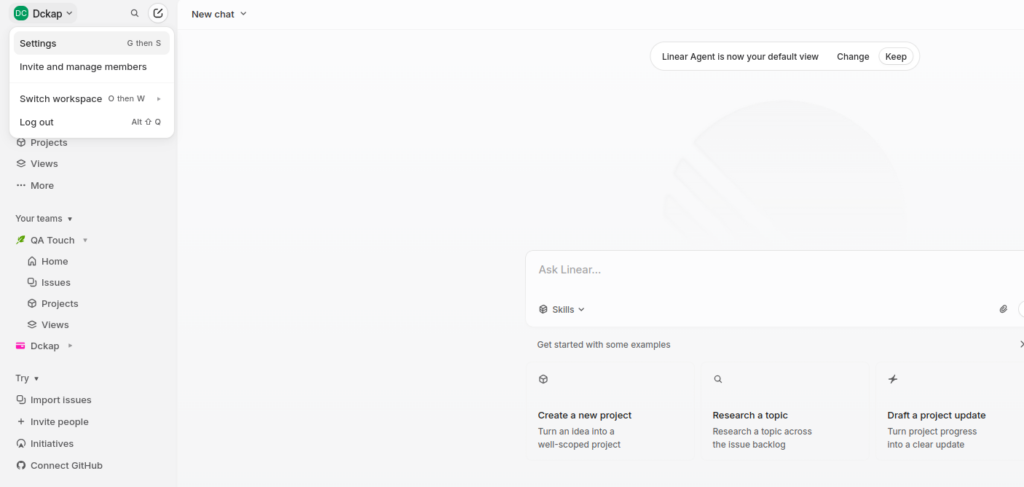
- Click your profile icon or workspace name in the upper-left corner and select Settings
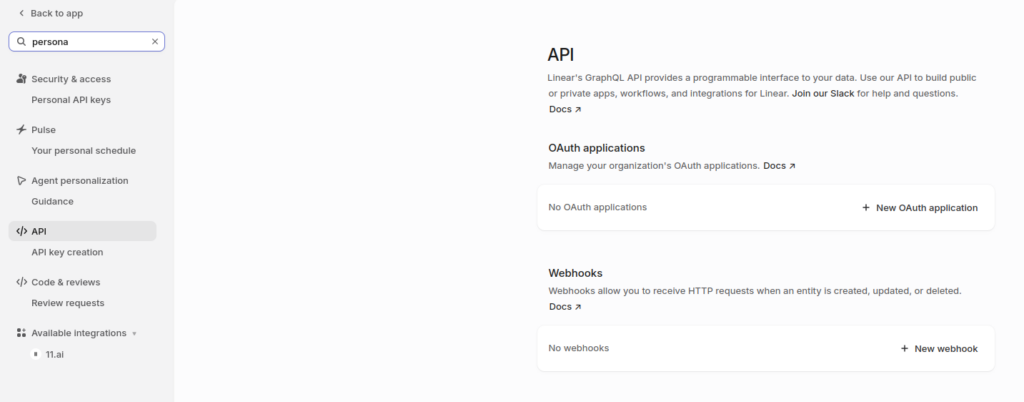
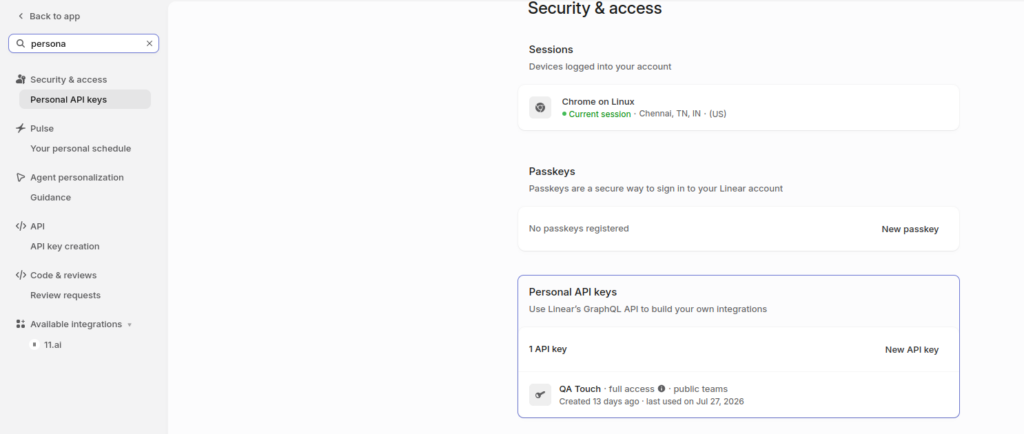
- Navigate to Account → Security & Access from the left-hand sidebar menu
- Scroll down to the Personal API keys section and click Create key “New API key”, give it a name, and click Create.
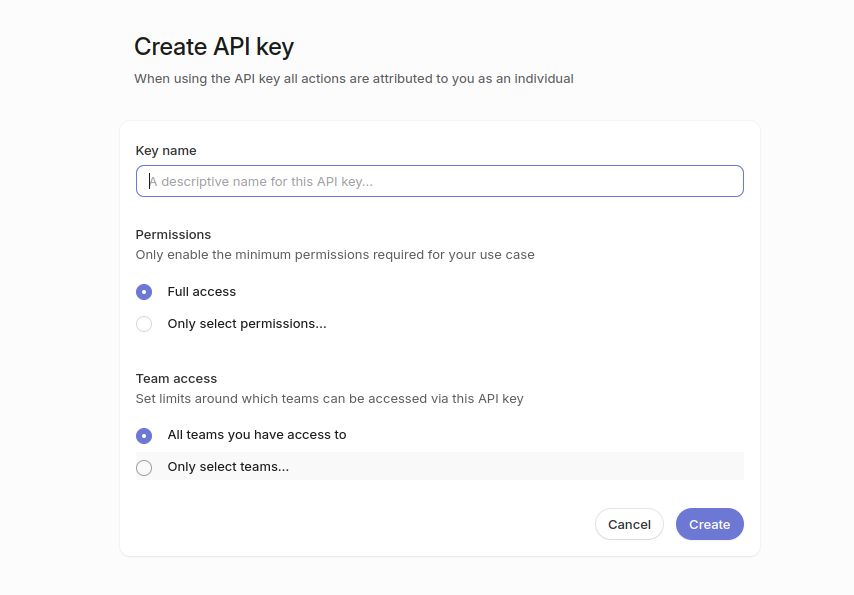
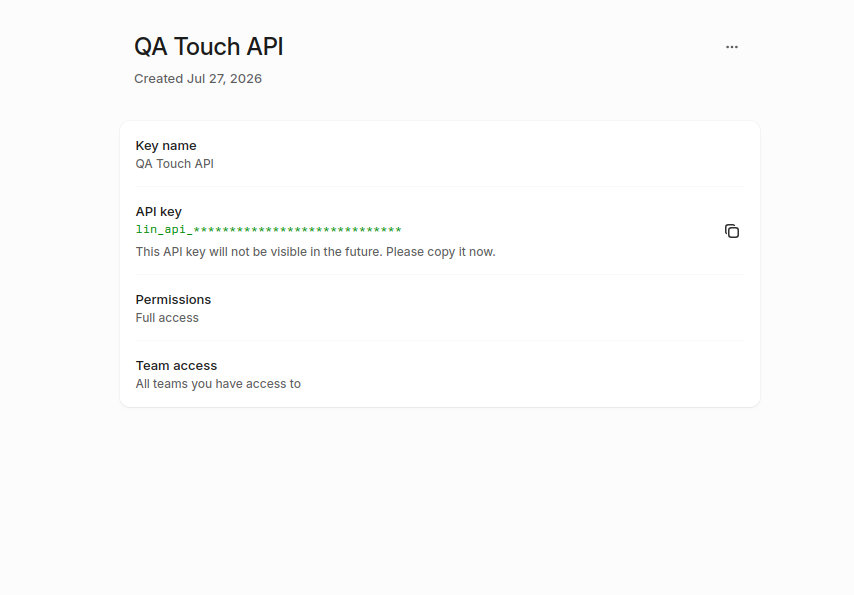
Linear + QA Touch Global Configuration
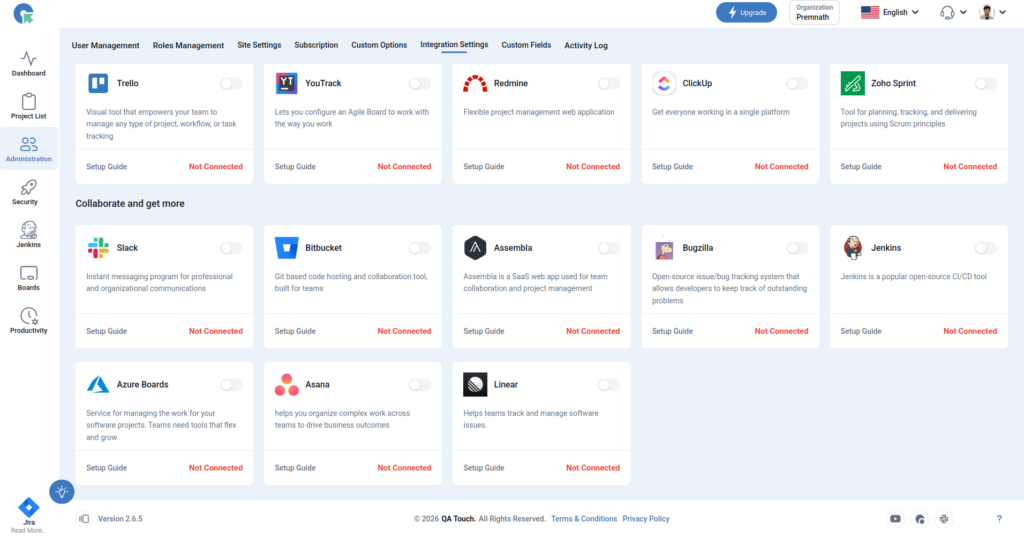
This settings configuration can be done by reaching out to the integration page. To reach the Integration page, go to Administration in the left navigation panel and click Integration Settings.
After logged in Administration -> Integration Settings -> Linear Tab
Linear Global Configuration
Here’s the step-by-step guide one should be following for a successful and seamless Linear integration with QA Touch:
- Login to QA Touch as an Administrator
- Click the Administration → Integration Settings
- Enter generated PAT Personal Access Token Key.
- Click Submit
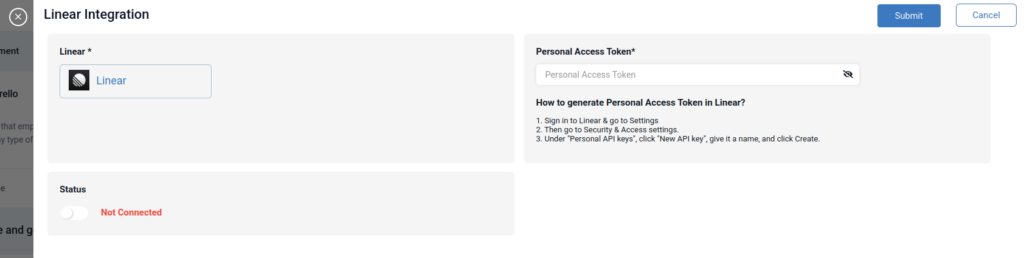
.
- After successful configuration, the status becomes connected as shown in the below snapshot
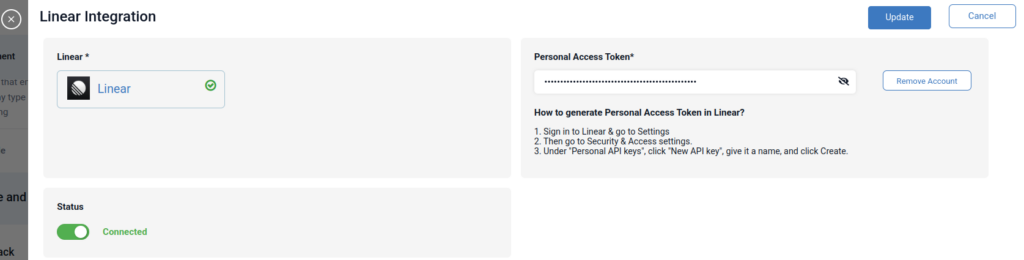

Mapping Linear to Project
Map the respective repository to the QA touch Project with bugs which are added in the repository.
- Click on Projects → Project Integration Mapping.
- Select a Linear Team Workspace
- Select any one project and click submit to Map
Have a look at the below screenshot for your reference.
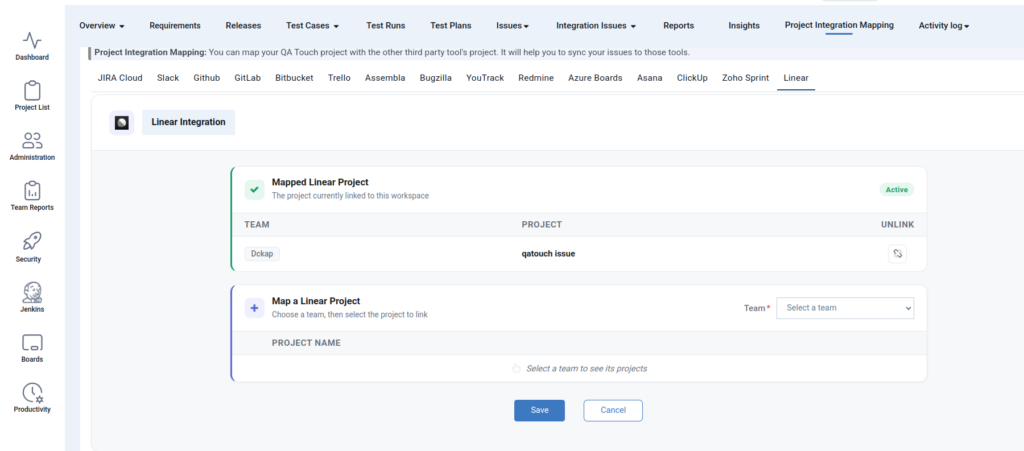
Unlink: Disconnect the current project mapping, allowing you to configure and map a different project. Once unlinked, the existing project association will be removed, and you can select and configure another project at any time.
Posting Issue in QA Touch
Go to any test run & result page, click the Add Issue button.
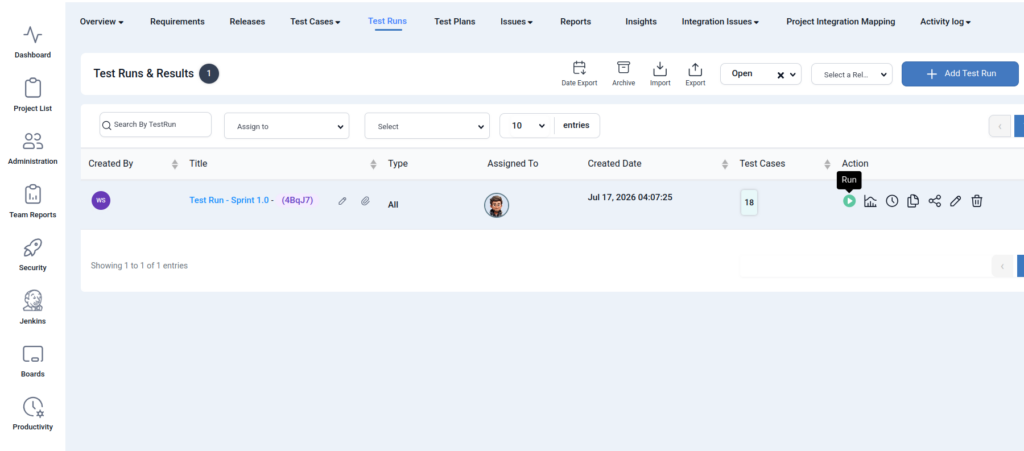
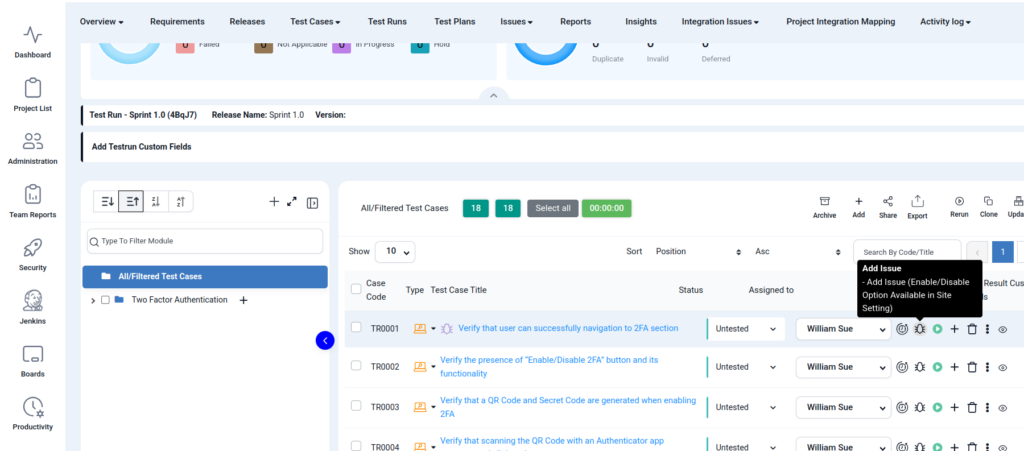
Click Add Bug Icon
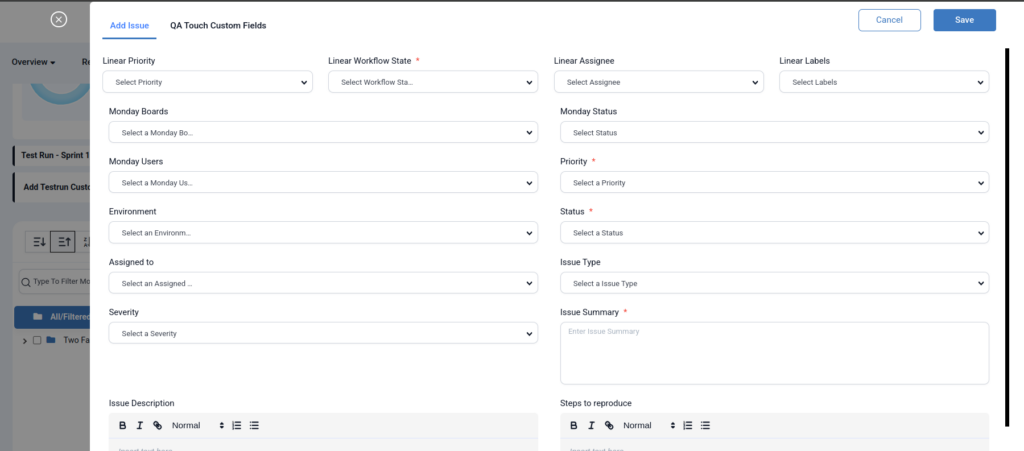
QA Touch now supports syncing key Linear Issue fields into QA Touch, providing better visibility and traceability between your test management and development workflows.
The following Linear fields can be synchronized with QA Touch:
- Linear Priority – Sync the issue priority to help QA teams prioritize testing.
- Linear Workflow State – Keep the issue status synchronized with the latest workflow state in Linear.
- Linear Assignee – Display the assigned owner within QA Touch for improved collaboration.
- Linear Labels – Synchronize labels to categorize and filter issues effectively.
Snapshot of Messages Posted in Linear Project Management by QA Touch
A screengrab of the same is shared below on how messages are posted in Asana by QA Touch.
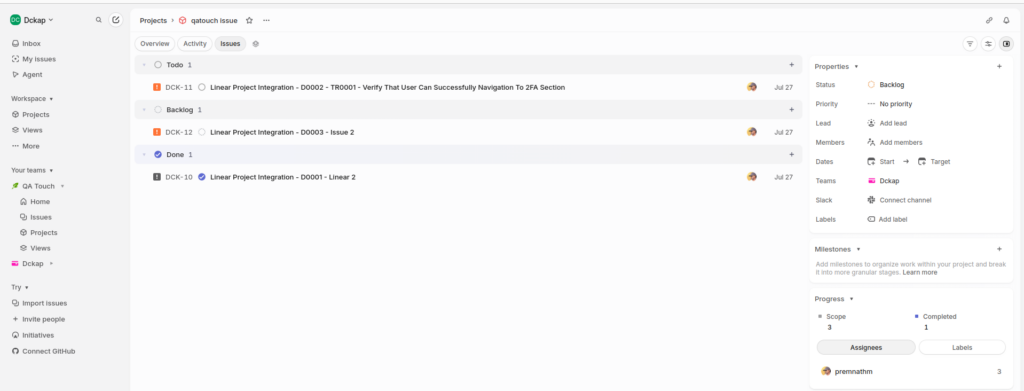
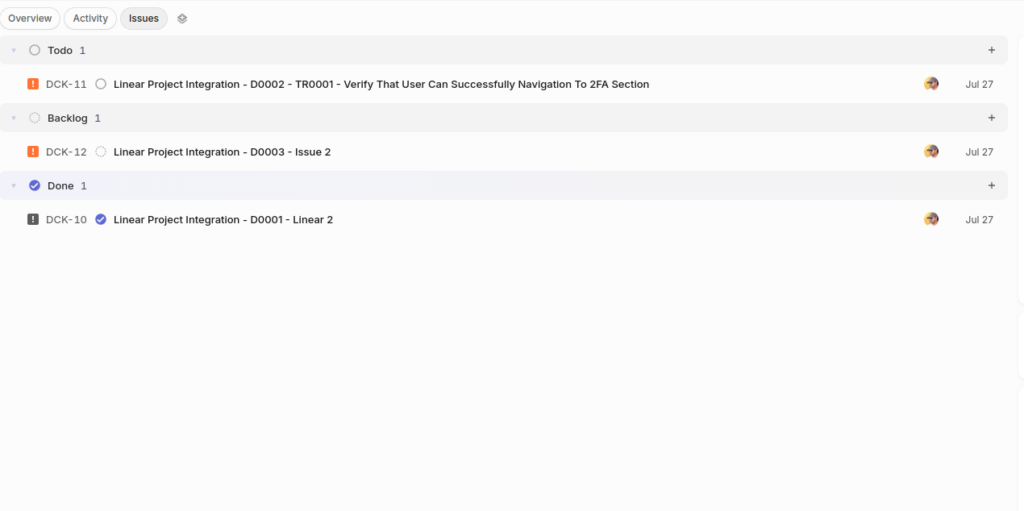
Mapping Existing Linear Issue in the QA Touch
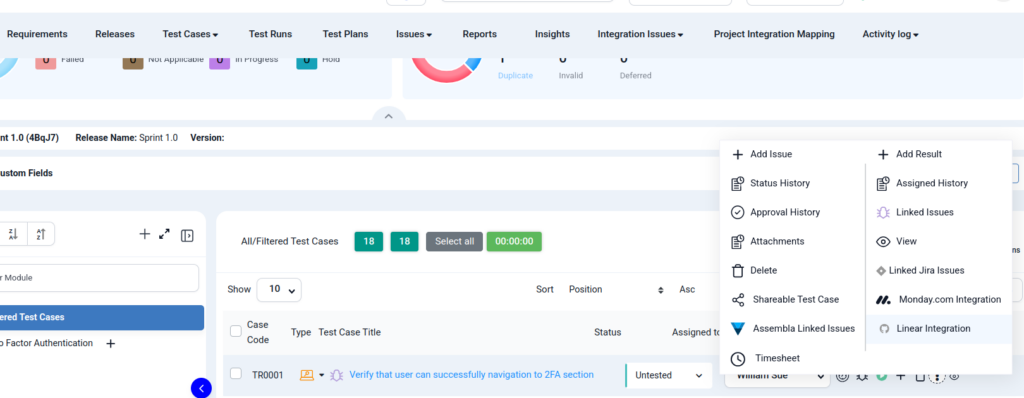
Click the : More Action icon and Linear Integration menu
All Linear Issues
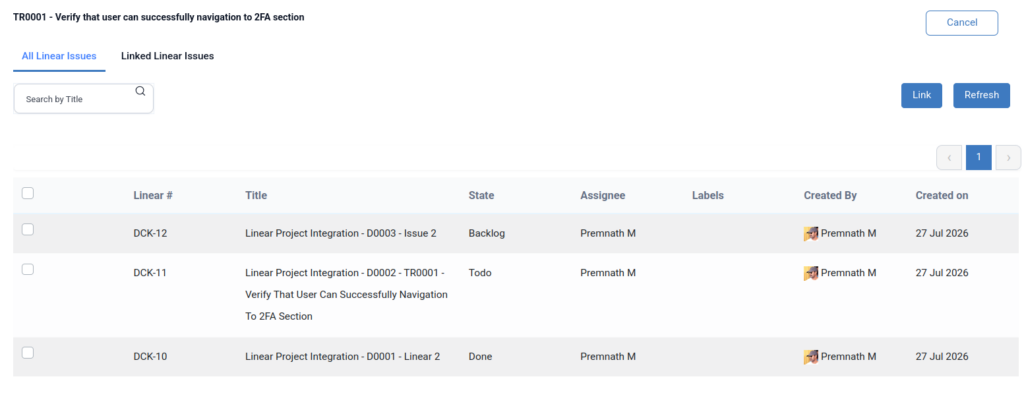
Select the required issues using the multi-select checkboxes, then click the Link button to map the selected existing Linear issues with QA Touch. This enables bulk issue mapping, reducing manual effort while maintaining accuracy between QA Touch and Linear.
Mapped Linear Issues
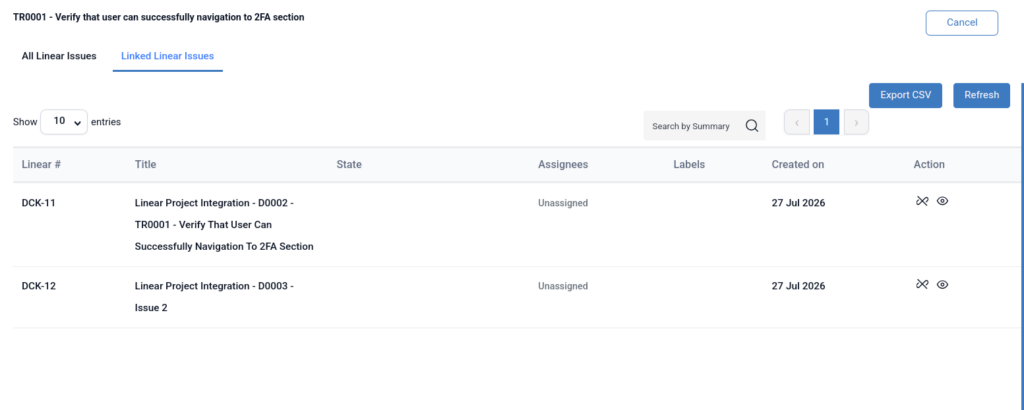
- Unlink: remove the linear issue in the corresponding test result.
- View – Redirect Linear issue view page
Linear Issue – Two way Integration
QA Touch now offers two-way integration with Linear, enabling seamless synchronization between your test management and issue tracking workflows.
With this integration, QA and development teams can collaborate more effectively by keeping issue information synchronized across both platforms in real time. Create, update, and track issues without switching between multiple applications.
Go to Integration Issues -> Linear Issues
- Create Linear issues directly from QA Touch.
- Link existing Linear issues with QA Touch test cases and defects.
- Synchronize issue updates between QA Touch and Linear.
- Sync important Linear fields, including Priority, Workflow State, Assignee, and Labels.
- Maintain end-to-end traceability between test cases, defects, and development tasks.
- Reduce manual effort by eliminating duplicate updates and ensuring both teams always have the latest information.
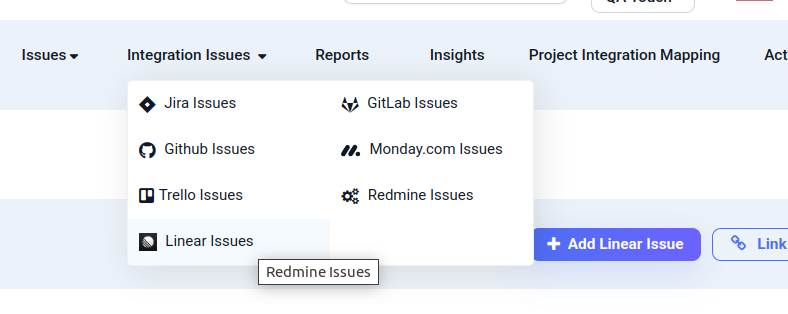
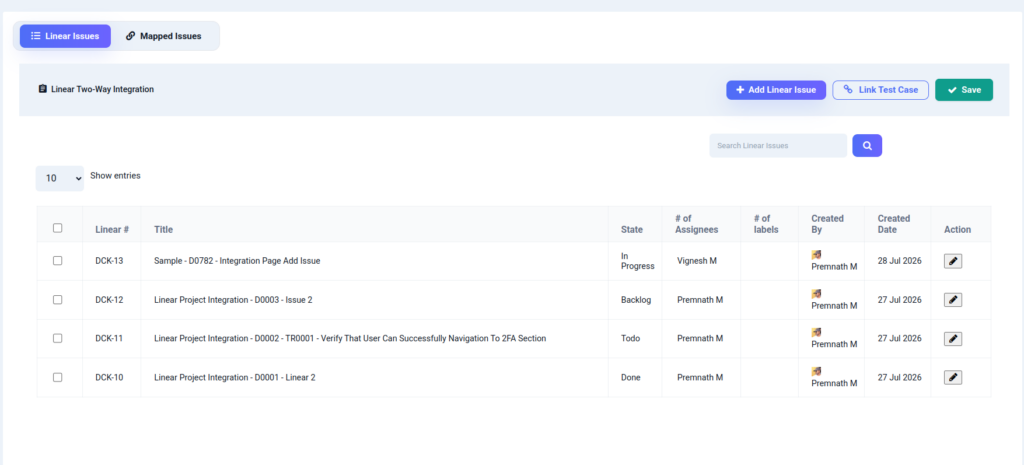
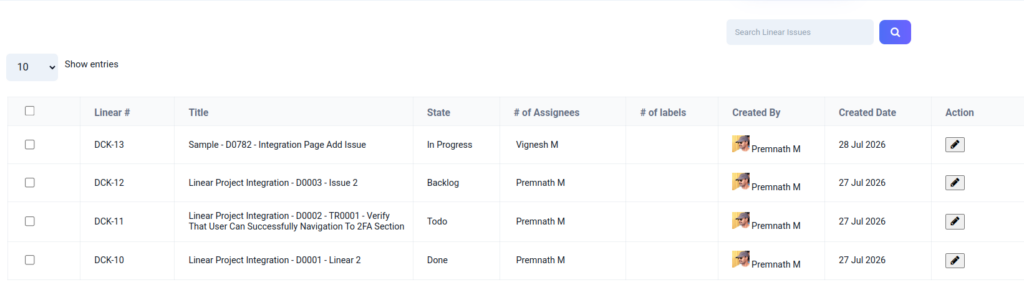
All Linear Issues
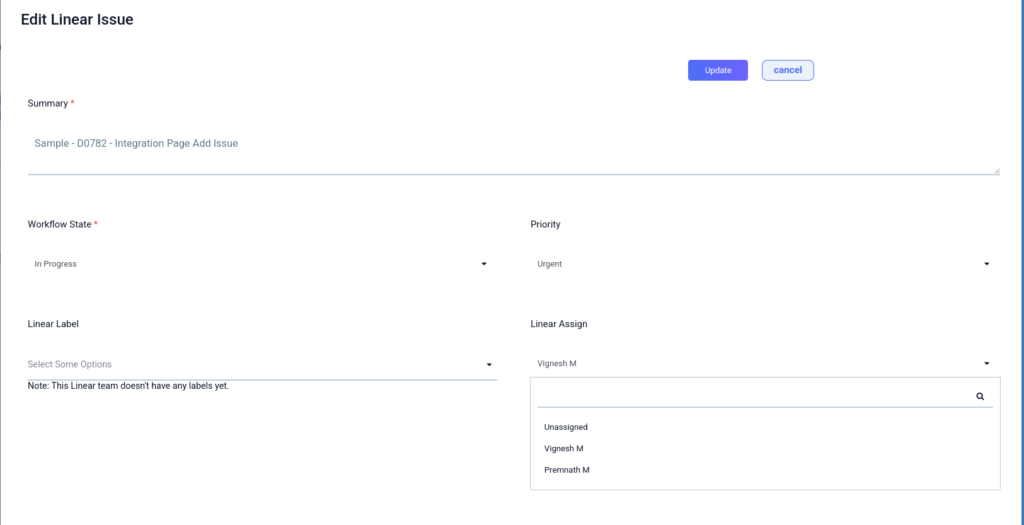
Edit Linear Issues
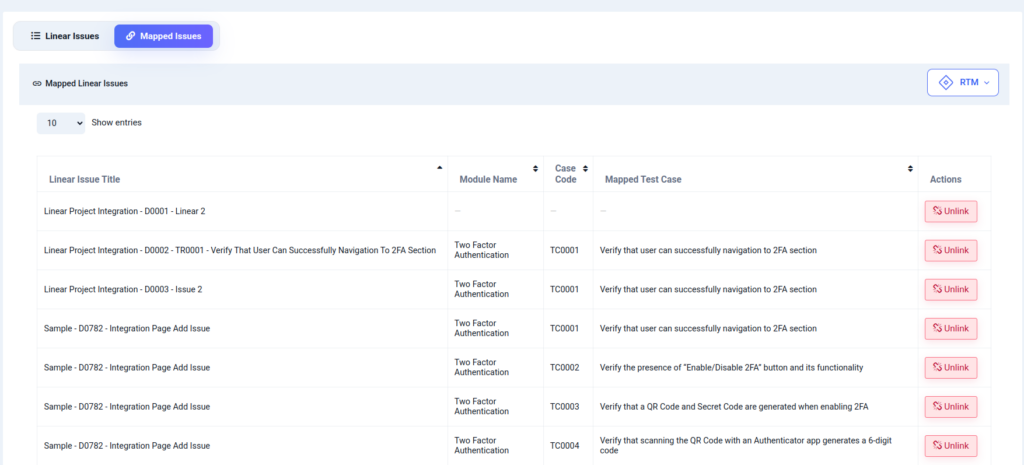
Mapped Issues
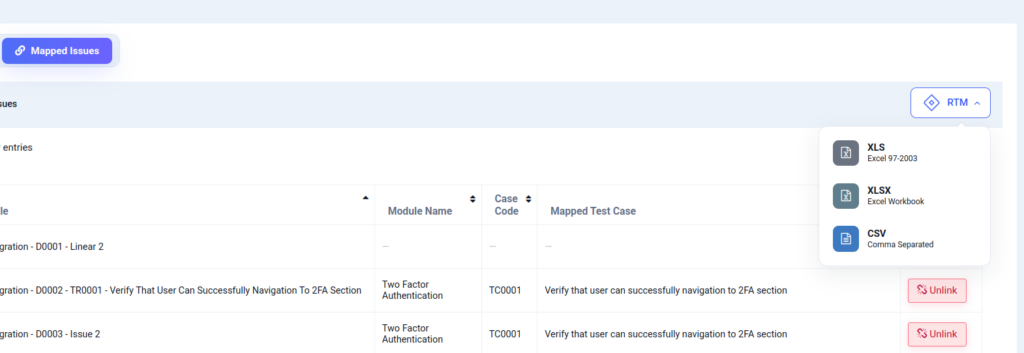
Linear RTM
More Integrations Available
QA Touch also integrates with a wide range of popular development and project management tools, including:
- Jira Integration
- MCP – QA Touch + JIRA Integration
- GitHub
- GitLab
- Bitbucket
- Trello
- YouTrack
- Azure DevOps
- Redmine
- Zoho Sprints
- Monday.com
Our goal is to help teams connect their existing workflows and manage the entire testing lifecycle from a single platform.
Start using the QA Touch + Linear integration today to streamline your testing process and deliver high-quality software faster.
This integration is just the beginning of a lot more platforms with which we plan to collaborate in the near future to make testing accessible for all.
Register here and be the master of your application testing.