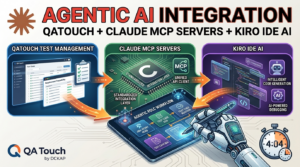

Introducing QA Touch MCP Connect Your AI Assistant Directly to Claude desktop
To bridge this gap, QA Touch is excited to introduce MCP (Model Context Protocol) Integration, a powerful capability that connects AI assistants directly with your QA Touch workspace, enabling faster access to testing data, smarter decision-making, and improved productivity.
Model Context Protocol (MCP) is an emerging standard that allows AI assistants and applications to securely interact with external tools, systems, and data sources. Instead of manually searching through test cases, reports, and project data, users can simply ask an AI assistant questions and receive relevant information instantly. MCP enables AI systems to access contextual data and perform actions on behalf of users through a standardized interface.
With QA Touch MCP, your testing data becomes accessible through AI-powered workflows while maintaining secure access controls and permissions.
Why QA Teams Need MCP Integration
Modern QA teams manage thousands of test cases, multiple releases, automation results, and defect reports. Finding the right information quickly can become challenging.
QA Touch MCP helps teams:
- Reduce time spent searching for test information.
- Access testing insights through natural language queries.
- Improve collaboration between QA, development, and product teams.
- Accelerate test management workflows.
- Enable AI-assisted quality engineering processes.
- Increase visibility into testing progress and execution results.
What is QA Touch MCP?
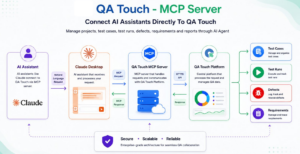
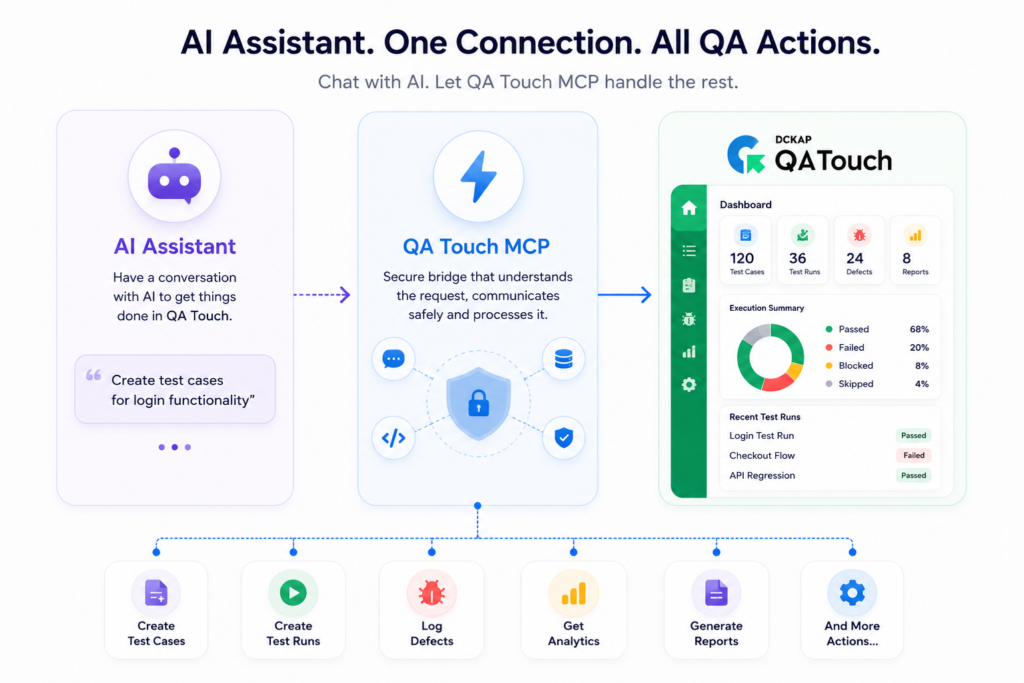
QA Touch MCP (Model Context Protocol) Server enables AI assistants such as Claude Desktop and other MCP-compatible clients to securely connect with and interact directly with your QA Touch workspace.
By leveraging natural language commands, teams can streamline test management activities and access QA data more efficiently without navigating through multiple screens.
With QA Touch MCP, users can:
- Create, update, and manage projects effortlessly
- Generate, organize, and maintain test cases using AI assistance
- Execute test runs and update test execution results
- Create, track, and manage defects and requirements
- Instantly search and retrieve QA assets across projects
- Generate testing reports, summaries, and actionable insights
- Access project information through simple conversational prompts
- Improve productivity by automating repetitive QA management tasks
QA Touch MCP brings the power of AI directly into your testing workflow, helping QA teams, developers, and product managers collaborate more effectively and make faster, data-driven decisions.
The QA Touch MCP Server is now officially published in the Model Context Protocol (MCP) Registry.
This makes it easier for developers and AI-powered tools to discover and integrate QA Touch for software testing and test management workflows.
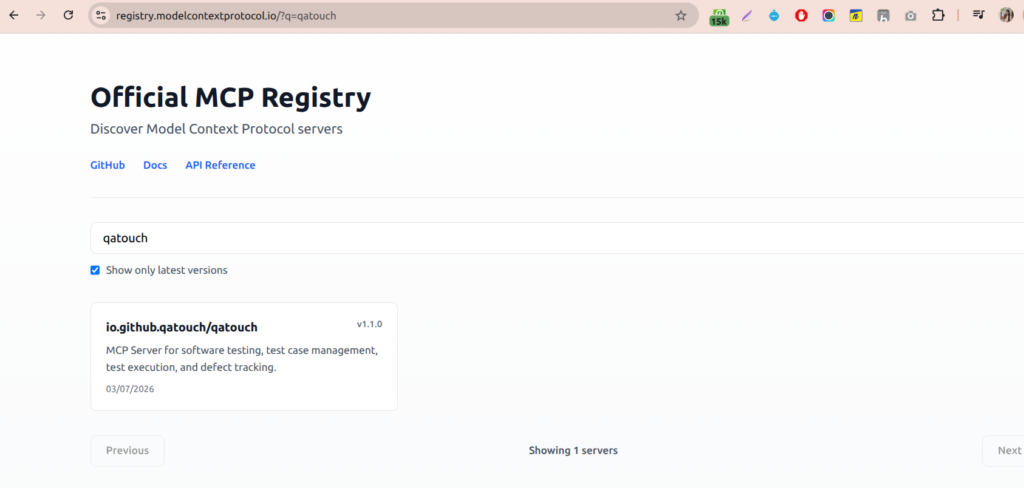
https://registry.modelcontextprotocol.io/?q=qatouch
How QA Touch MCP Works
Prerequisites
Before running the MCP server, ensure you have:
| Requirement | Version |
| Node.js | 18+ |
| npm | Latest |
| QA Touch Domain | Required |
| QA Touch API Token | Required |
Configure the following variables:
Environment Variables
QATOUCH_DOMAIN=yourdomain

QATOUCH_API_TOKEN=yourtoken
Example:
QATOUCH_DOMAIN = premnath

QATOUCH_API_TOKEN =xxxxxxxxxxxxxxxx
Claude Desktop Setup
Add QA Touch MCP Server to your Claude Desktop configuration.
Windows
%APPDATA%\Claude\claude_desktop_config.jsonmacOS
~/Library/Application Support/Claude/claude_desktop_config.jsonLinux
~/.config/Claude/claude_desktop_config.json


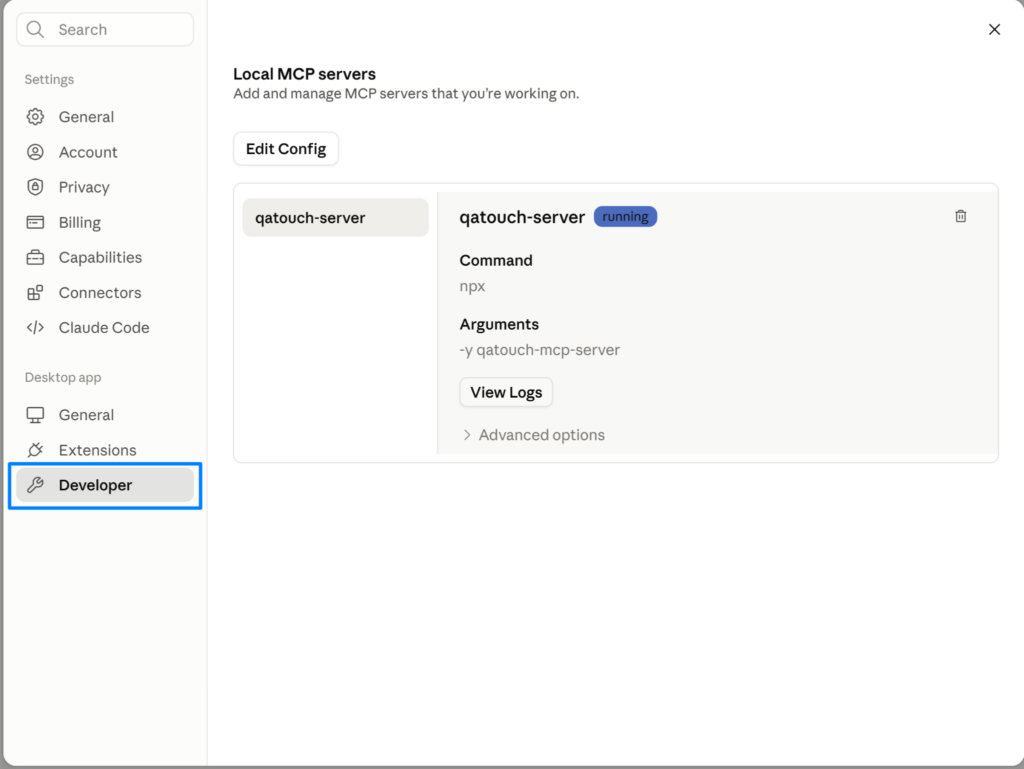
Configuration Example
{
 "mcpServers": {
   "qatouch": {
     "command": "npx",
     "args": [
       "-y",
       "qatouch-mcp-server"
     ],
     "env": {
       "QATOUCH_DOMAIN": "yourdomain",
       "QATOUCH_API_TOKEN": "yourtoken"
     }
   }
 }
}
After saving the file, restart Claude Desktop.
Example Prompts
Example 1 – List all projects from QA Touch
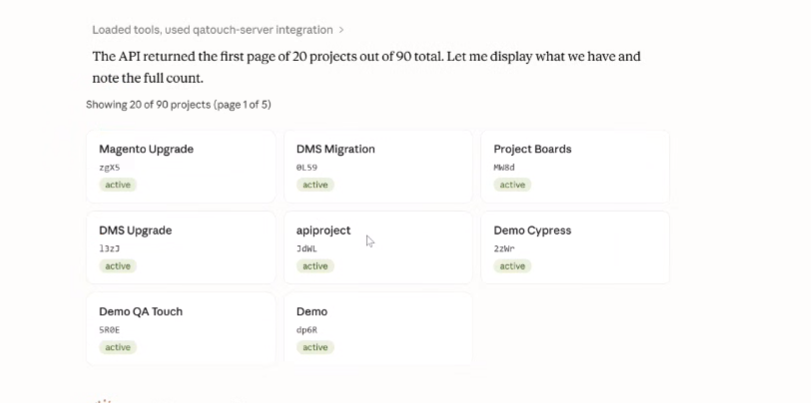
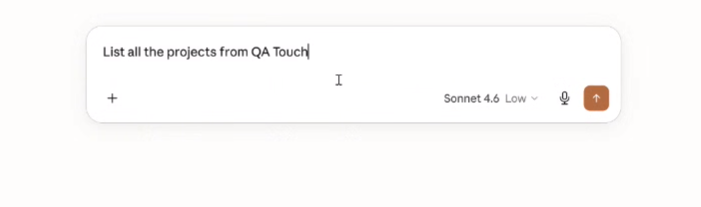
Project Key name and next line Project KEY
Create Test Case with step Template
Example 2 – Create Payment Test cases in Project Ecommerce store PROJECT_KEY
Dashboard Generate
Example 3 – Create a Rich QA analytics dashboard for Project Ecommerce store PROJECT_KEY
Available Tools
Project Tools
| Tool | Purpose |
| list_projects | Retrieve projects |
| create_project | Create project |
| count_all_projects | Count projects |
Test Case Tools
| Tool | Purpose |
| list_test_cases | View test cases |
| search_test_cases | Search test cases |
| create_test_case | Create test case |
| create_bulk_test_cases | Bulk generation |
| create_exploratory_test_case | Exploratory testing |
| create_text_test_case | Text-based test cases |
Defect Tools
| Tool | Purpose |
| list_defects | View defects |
| search_defects | Search defects |
| create_defect | Create defect |
| list_defect_statuses | Defect statuses |
| list_defect_severities | Severity list |
Test Run Tools
| Tool | Purpose |
| list_test_runs | View runs |
| list_test_run_results | View results |
| update_test_run_result_status | Update result |
| update_test_run_results_by_code | Batch update |
Get Started with QA Touch MCP
QA Touch MCP represents the next step in this evolution bringing together intelligent assistants and powerful test management capabilities in a seamless experience.
Whether you’re a QA engineer, test manager, product owner, or developer, QA Touch MCP helps you unlock the full potential of your testing data through AI-powered interactions.
Ready to explore the future of test management?
QA Touch MCP enables your team to access testing intelligence faster, collaborate more effectively, and make data-driven decisions with the power of AI.
Stay tuned for the official release and discover how QA Touch MCP can transform your software testing workflow.