
We’ve shipped four updates to QA Touch that cut repetitive work out of test management. Clone Project lets you spin up a new project from an existing one and choose exactly which data comes along. Three new Test Case APIs let you archive test cases in bulk, search test cases programmatically, and update test case steps without opening the UI.
Whether you manage projects by hand or drive QA Touch from scripts and CI pipelines, these features are built to save you time. Here’s what’s new and how to use each one.
Clone Project: start a new project without starting from scratch
Setting up a new project for a release, a client, or a product variant often means rebuilding the same test suite all over again. With Clone Project, you can copy an existing project and decide which data to include in the new one.
How to clone a project
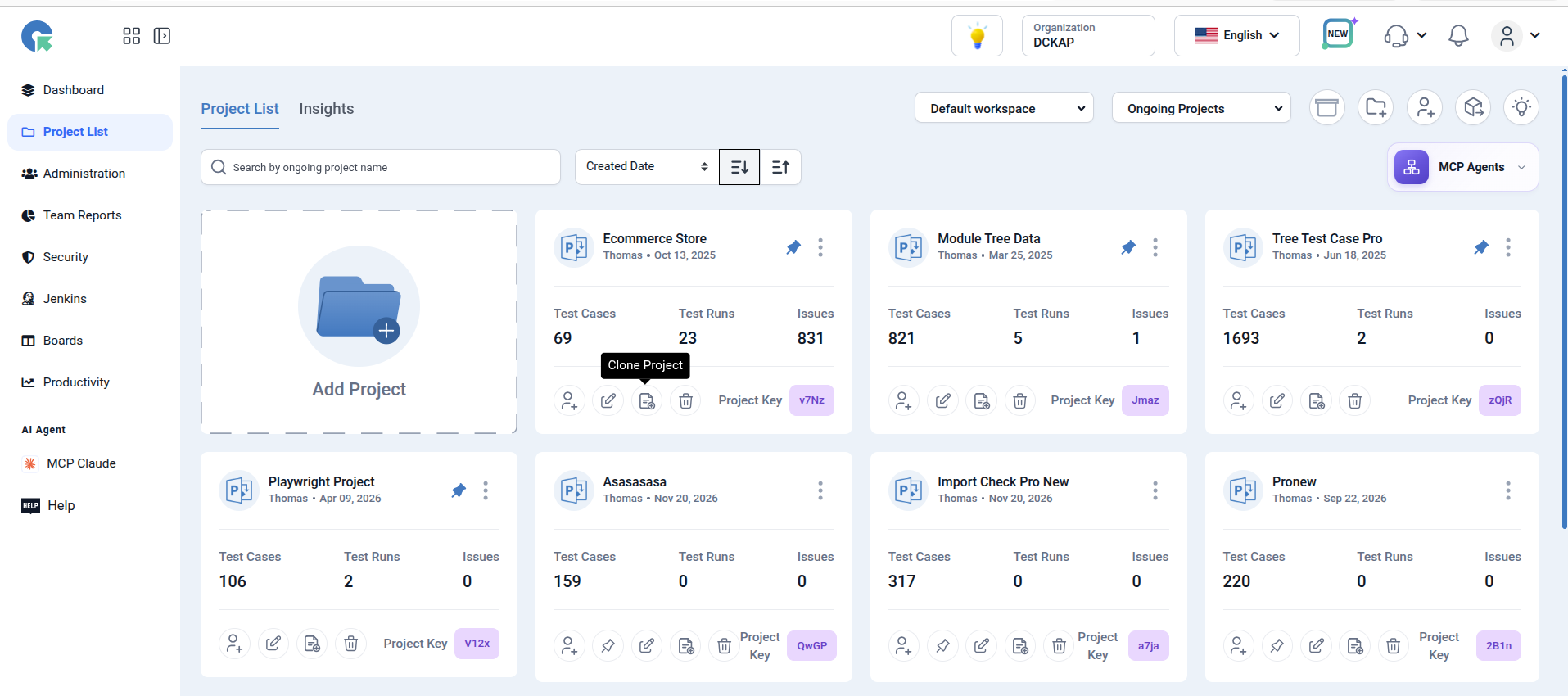
- Go to the Project List.
- Find the project you want to copy and select Clone Project.
- Under Include in Clone, select or clear the optional data you want.
- Click Clone Project to start.
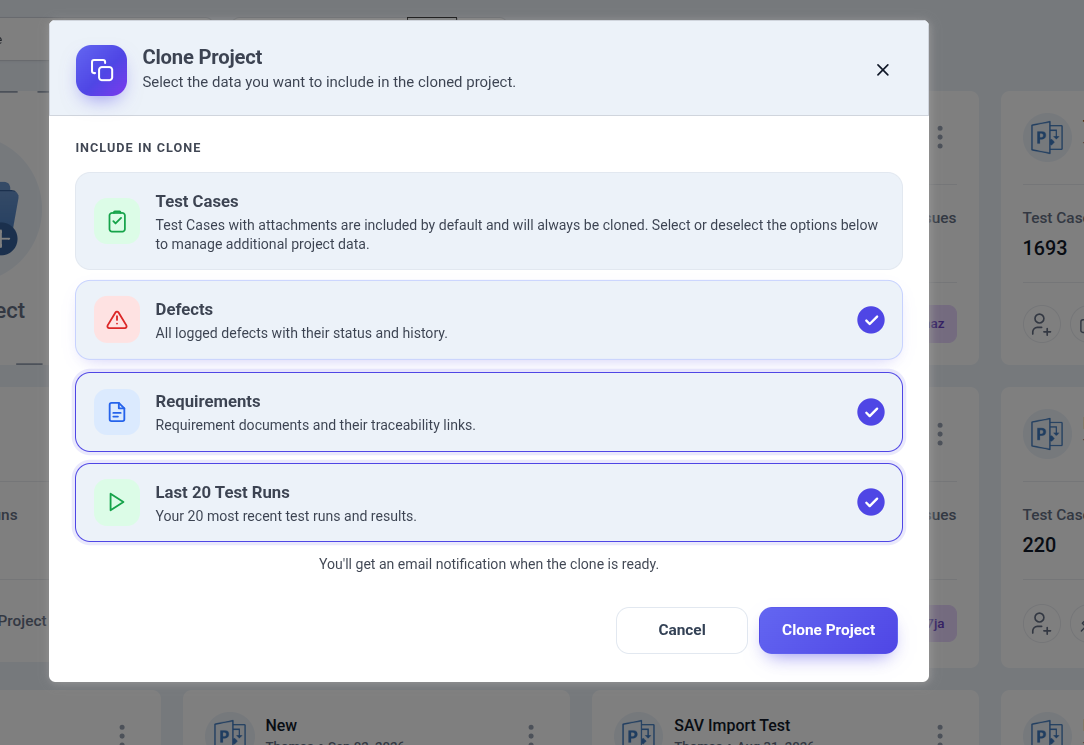
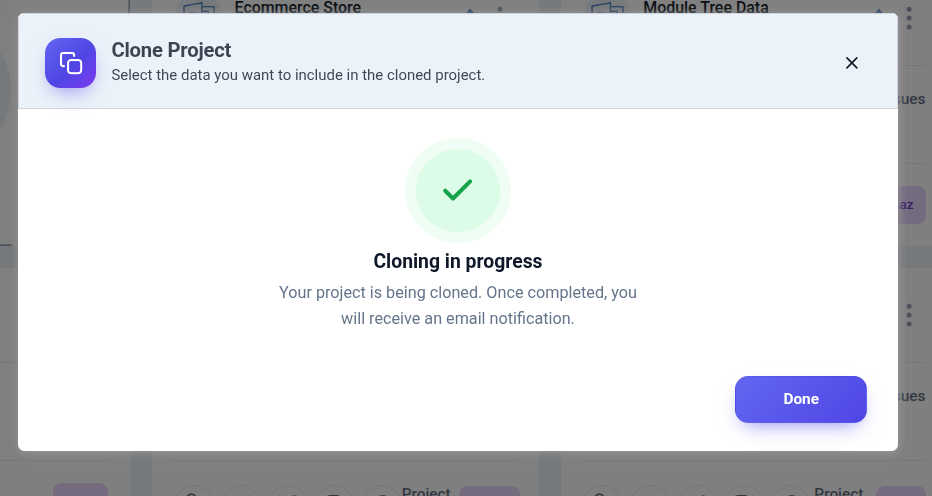
Your original project stays exactly as it is. When the new project is ready, QA Touch sends an email to the user who started the clone.
Note: Clone Project is available to Admin and Super Admin users.
When to use it
- New release cycles: Carry your regression suite into a fresh project for the next version.
- Client or product variants: Reuse a proven test suite as the starting point for a similar product.
- Safe experimentation: Restructure or trial changes in a copy while the original stays untouched.
API: Archive multiple test cases
Cleaning up outdated test cases one at a time is slow, especially after a big feature change. The new archive endpoints let you archive test cases in bulk, in two ways.
Archive specific test cases. Pass the IDs of the test cases you want to archive, and they’re archived in a single request.
POST https://api.qatouch.com/api/v1/testcases/delete-multiple?case_ids[]={CaseID}&case_ids[]={CaseID}Archive an entire section. Pass a section ID to archive every test case within that section at once.
POST https://api.qatouch.com/api/v1/testcases/delete-section?section_id={SectionID}Use it to: retire test cases for deprecated features, tidy up a project after a refactor, or automate suite cleanup as part of your release process.
API reference: Archive multiple test cases · Archive test cases in a section
API: Search test cases
Finding the right test cases in a large project shouldn’t require exporting everything first. The new search endpoint lets you search test cases within a project using a search string, and returns results with pagination so you can work through large result sets page by page.
GET https://api.qatouch.com/api/v1/searchTestCases/{projectKey}?search={SearchString}Use it to: look up test cases by keyword from your own tools, build custom reports or dashboards, or find the cases linked to a feature before you update or archive them.
API reference: Search test cases
API: Update test case steps
Requirements change, and test cases need to keep up. The new update endpoint lets you edit the steps of an existing test case, changing specific actions and expected results, without opening each case in the UI.
POST https://api.qatouch.com/api/v1/updateTestCasesSteps/{caseID}Use it to: apply changes across test cases after a requirement update, keep steps in sync with an external source such as a requirements tool, or let scripts refresh test steps as part of your workflow.
API reference: Update test case steps
Putting it all together
Clone a project to start a new release, search the cloned test cases for anything tied to a changed feature, update their steps to match the new requirements, and archive the ones that no longer apply. Most of that can now be scripted end to end.
Try Clone Project and the new Test Case APIs in QA Touch. Get started for free.